Author:


A good makeup filter app makes experimenting with filters fun—perfect for big events or casual style play. Whether you're getting ready for a big event or just want to add makeup to photos, a virtual makeup try-on app lets you test bold lip colors, flawless eyeliner, and trendy looks instantly.

Best Free Makeup Filter App with 100+ Beauty Filters
YouCam Makeup is the best free makeup filter app with 100+ beauty filters and face retouch tools for a flawless virtual makeover.
With the most advanced makeup virtual try-on technology, the app offers a vast collection of trendy makeup filters, including looks inspired by influencers, drag queens, beauty brands, and top makeup artists.

Try Foundation Shade Finder with Photo
Finding your perfect foundation match used to mean a messy lineup of arm swatches to compare how different shades look against your skin tone. Now, with the power of advanced AI technology, makeup apps like YouCam Makeup make the process effortless and precise.

Beauty enthusiasts can now browse and explore a full range of foundation shades in seconds, bringing the try-before-you-buy experience right to their homes.
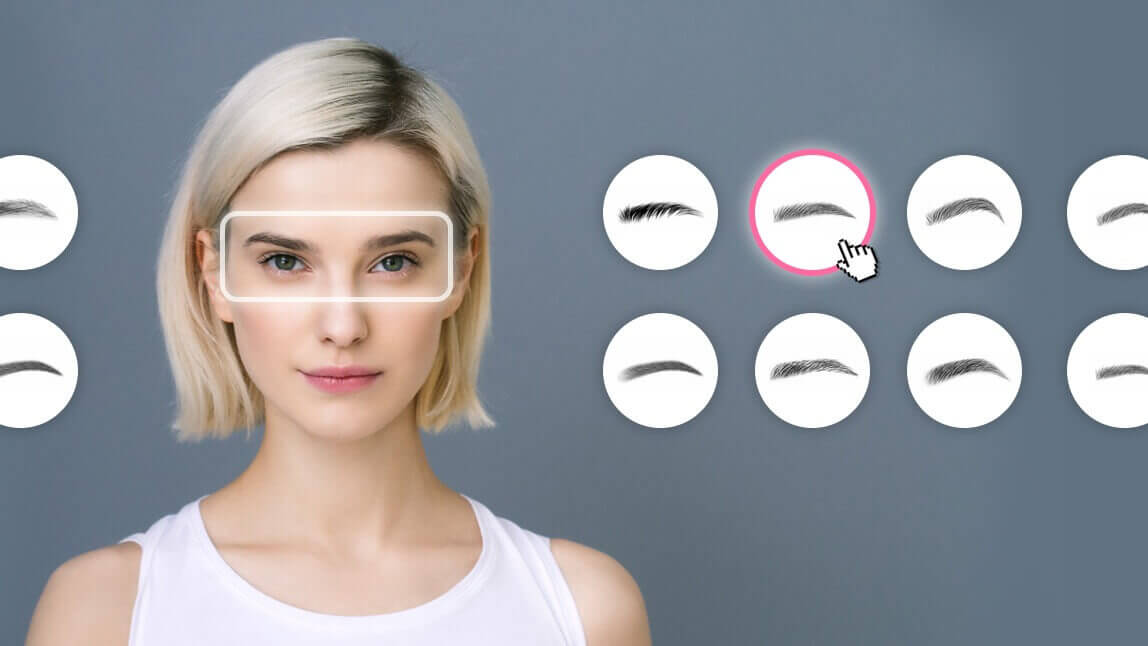
Shape Eyebrow in Photos with Eyebrow Filter
Searching for the perfect brow shape? Whether you prefer bold, natural, or arched brows, finding the right look for your face shape can be tricky — but we’ve got you covered!

YouCam Makeup has everything you need to fine-tune your eyebrows and lets you adjust the height, thickness, arch, and distance to create the perfect brow style for your face.
Personalized Makeup App: Create Your Own Looks
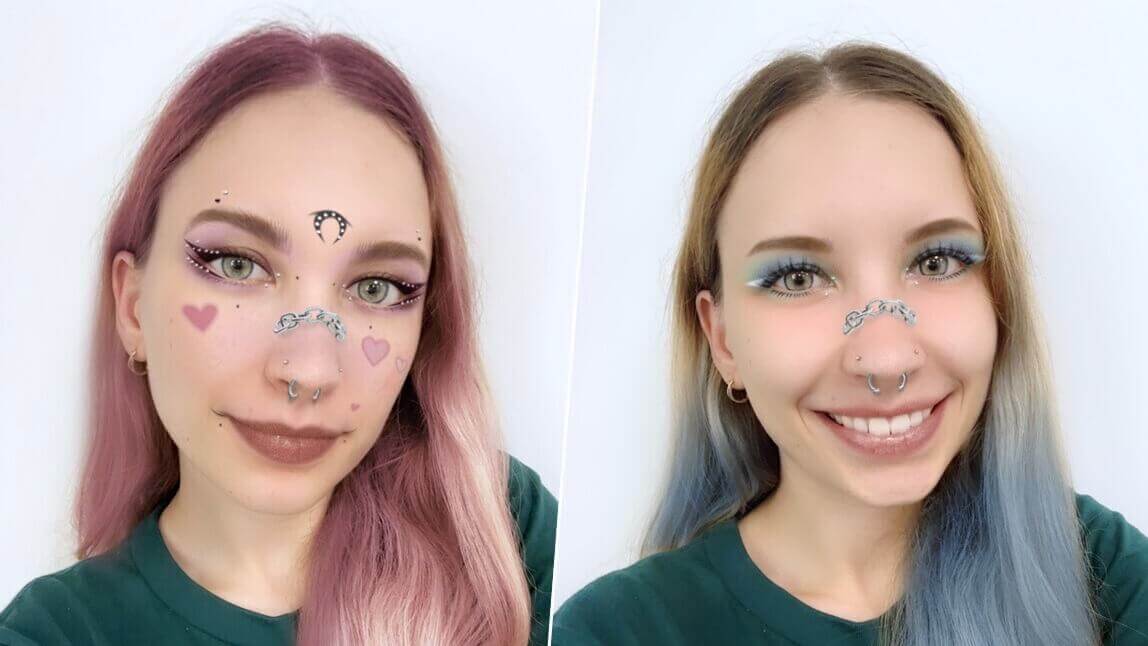
YouCam Makeup also enables the unique beauty filter creation function, in which users can build their own sharable beauty features with custom eyelashes, eyeliner, lip color, and all other virtual makeup tools you can think of.

Users can also enhance their looks with makeup tools like contour and eye colors to customize a unique look.

Keep reading to learn the top features of this free makeup app, and how to create your own beauty filters and share them with the world.
How to Add Makeup Filters for Virtual Makeup Try-On
You don’t need any technical photo editing skills to try on virtual makeup with YouCam Makeup. Follow these simple steps to create your own makeup filter.
- Step 1: Download the Best Makeup Filter App
- Step 2: Upload a Photo
- Step 3: Apply a Makeup Filter
- Step 4: Customize Your Makeup Filter
- Step 5: Save Your Makeup Filter
Step 1: Download the Best Makeup Filter App
To try and create makeup filters, start by downloading the free YouCam Makeup app, available for iPhone and Android.

Step 2: Upload a Photo
Open the app, tap Photo Makeup, and upload a photo.
Step 3: Add Makeup to Your Photo
Select Look, explore hundreds of beauty filters, pick a default makeup look to use as your base, and change your makeup details in the filter.

Step 4: Create Your Own Makeup Filter
Now let the fun begin! Start customizing your makeup filters with all the makeup tools in the app.

Choose from many different brow shapes, eye shadow colors, eyeliners, false lashes, and lip colors for your filter. There’s no limit to the ways you can mix and match makeup in the app!
Step 5: Save Your Custom Makeup Filter
After finishing editing, save the look, then tap the Share button to publish this makeup filter of yours.

After publishing it, all other app users will be able to try the makeup filter you've created in the YouCam Community, and snap a photo with your customized beauty look!

More than Makeup Filters: Face Retouch & Reshape Features
Aside from being the best beauty filter app, YouCam Makeup goes beyond makeup and offers plenty of other ways to beautify your selfies and add trendy features to your snaps.

YouCam Makeup has the best face shape editing feature in any beauty app. You can easily adjust your nose shape and jawline by tapping on the shape you want and choosing where and how dramatically you want to change it.
Plus, its one-tap easy retouch feature gets rid of blemishes, uneven skin tone, and other imperfections so no matter how the camera catches you, it always gets your good side.
Download the Best Free Makeup Filter App
You’ll never get bored with YouCam Makeup when you have so many makeup filters and accessories. Match your makeup with your aesthetic, background, wardrobe, and more to create a selfie you can’t wait to show off.
Download YouCam Makeup free for iOS or Android to put your own spin on any filter and make it unique to you!

More Beauty Filters to Try
- Free Eyebrow Filter
- Skinny Face Filter
- AI Smile Filter
- RuPaul's Drag Race Makeup Filters
- How to Add Makeup to Photos