Author:


Looking for an easy way to slim your face in photos without complicated editing?
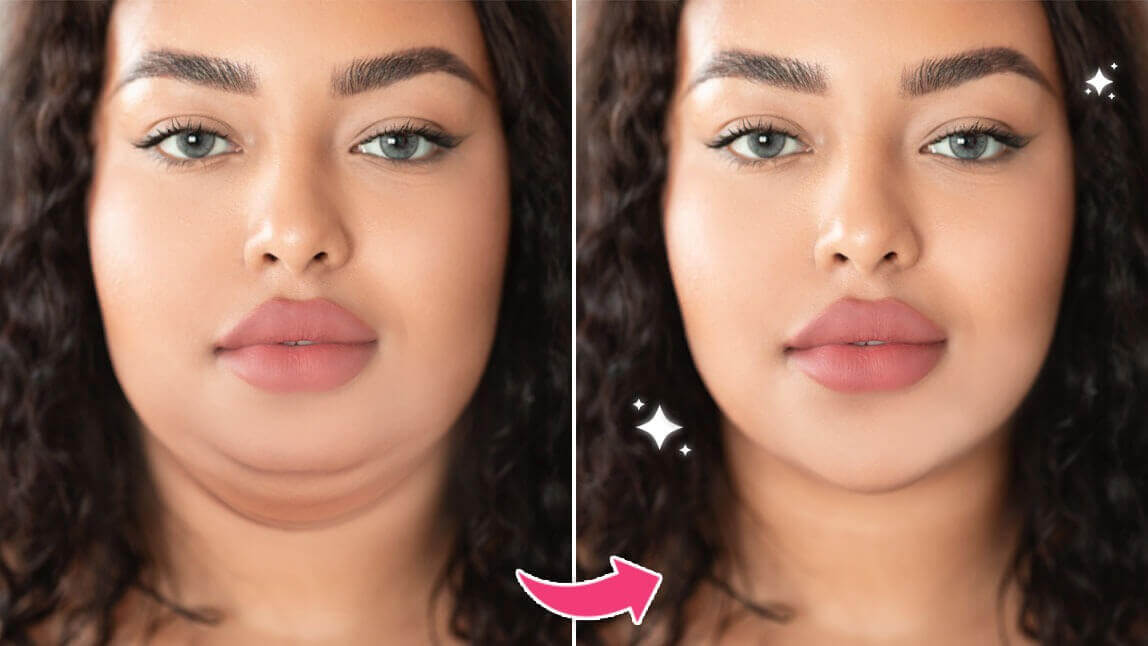
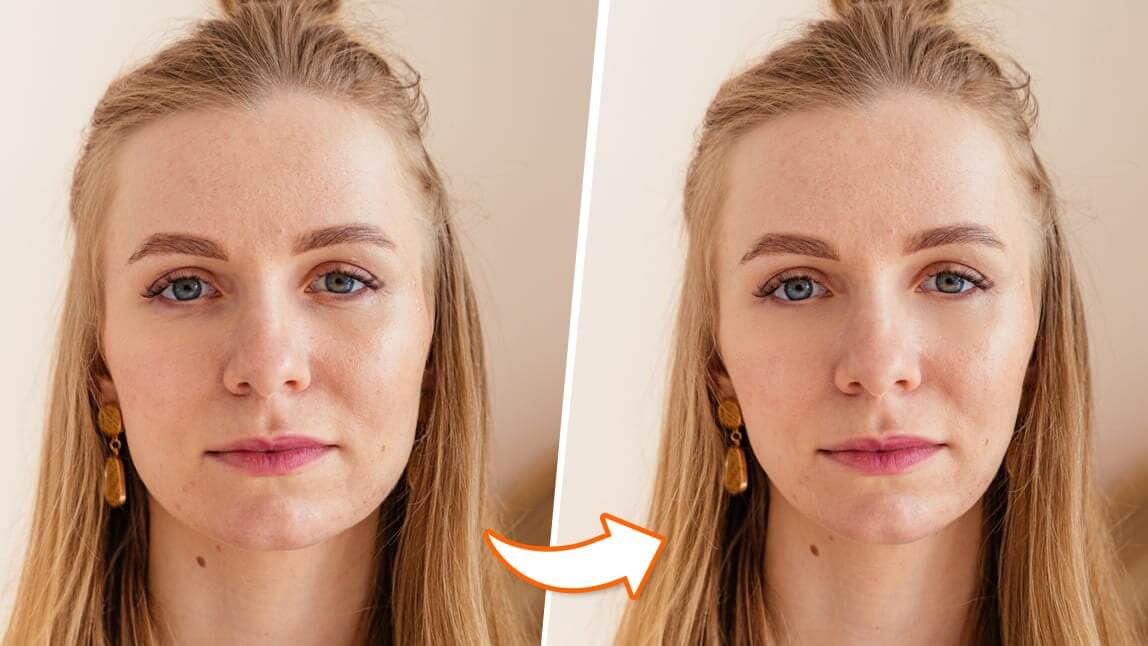
The YouCam Makeup app offers 20+ skinny filters that naturally reshape key facial areas—including the jawline, chin, cheeks, nose, and eyes—while keeping your features realistic and distortion-free.
We also highlights an online face-slimming editor for you to try with, perfect for quick edits without downloading an app.
With user reviews and practical tips, you can find everything you need to enhance your selfies effortlessly and achieve a refined, sculpted look in just a few taps.
Which Free Face Slimming App Offers 20+ Skinny Filters?
The best free face slimming app with 20+ skinny filters is YouCam Makeup, offering AI-powered tools that reshape your face naturally and instantly.
It uses advanced AI and AR technology to detect your facial features with precision, allowing you to slim your jawline, refine your chin, and sculpt your face with realistic, distortion-free results.

Read more: Want to try a skinny filter for your body? Try the app's AI body editor!
Skinny Filter to Slim Face in Photos
YouCam Makeup's slim face filter automatically detects key areas of your face—like your forehead, jawline, and chin—so you can make the most precise and natural-looking adjustments.
Whether you want a subtle slimming effect or a more sculpted transformation, the face reshaper helps you fine-tune your look with total control and zero distortion.

Slim Face Photo Editor with 20+ Skinny Filters
With an extensive range of 20+ face reshape options that can be applied to the face, eyes, nose, and lips, you can slim any part of your face easily and instantly.

How to Slim Face in Photos with Face Slimming App?
Ready to slim down your face without actually losing any weight? Follow this simple step-by-step guide to slim your face with YouCam Makeup's skinny face filter:
- Step 1: Download the Best Face Slimming App
- Step 2: Upload Your Photo
- Step 3: Slim Down Your Face with the Skinny FIlter
- Step 4: Edit Your Chin Length
- Step 5: Enhance Your Jawline
- Step 6: Save the Photo
Step 1: Download the Best Face Slimming App
To start, download the best slim face photo editor, YouCam Makeup, for free on either App Store or Google Play.
Step 2: Upload Your Photo
Next, open the app, and tap Photo Edit to upload the photo from your gallery. Alternatively, you can tap Camera to slim your face in live camera mode.
Step 3: Slim Down Your Face with Skinny Face Filter
Then, tap on Face Reshape, then Face Shape. A menu will appear on the bottom right of the screen.
Tap on either Left, Overall, or Right, then use the slider bar at the bottom of the screen to adjust it to your liking.

Read more: Want to get a skinny filter for your body? Learn how to slim your body in photos!
Step 4: Edit Your Chin Length
Changing the shape of your chin can also make a difference, so don’t exit the face slimming app until you’ve completed this step.
Like the Face Shape feature, 'Chin Shape' also allows you to adjust the left, overall, and right sides of the chin using the same slider bar at the bottom of the screen.

Step 5: Reshape Your Jawline
Then you can continue by adjusting the width of your face, the shape of your cheeks and cheekbones, and sharpen your jawline.
Begin by tapping 'Face Reshape', then select 'Jaw' to start. It’s best to use this as your starting point since it serves as a little bit of a canvas for the rest of the adjustments that you make.

Step 6: Download Your Slim Face Photo
After finalizing your edits, you can click the disk icon on the bottom left. A confirmation box will provide you with the new measurements of your edited photo, including the overall, left-, and right-side measurements.

Latest User Reviews
Users praise YouCam Makeup's Skinny Face Filter as a top tool for natural face slimming and reshaping. It offers precise control, ease of use, and realistic results without distortion.
Top User Reviews of YouCam Makeup's Skinny Face Filter
"Best Face Slimming App for Natural Edits"
YouCam Makeup’s Skinny Face Filter lets me adjust my jawline and chin with ease, creating polished and natural selfies every time. — Emma Li, Beauty Blogger
"My Go-To Tool for Flawless Contouring"
The filter’s subtle contouring and easy sliders helped me enhance my look naturally. My followers love my selfies! — Jason Chen, Influencer
"Best AI Slim Face Filter for Quick Results"
The customizable sliders give me full control for realistic face slimming that looks professional and effortless. — Sophia Wang, Makeup Artist
Try Free Skinny Filter with Slim Face Photo Editor Online
Want a more sculpted look in your photos? YouCam Online Editor offers a free face slimming photo editor online that lets you refine your facial features in seconds.
With its face slimming filters, you can smooth jawlines, edit chin shape, contour cheeks, and achieve a naturally skinny face effect. Perfect for enhancing selfies and profile pictures with just a few clicks.

Try Free Skinny Filter with Slim Face Photo Editor Online?
Yes, YouCam Online Editor lets you slim your face for free directly in your browser, equipped with the same face-slimming tools as the app. The online skinny filter helps refine your features in seconds, offering quick adjustments for a naturally sculpted look. No downloads needed, just upload your photo, apply the slimming filter, and enhance your selfie instantly.