


 Author:


Dark circles under the eyes are a common concern, often caused by lack of sleep, stress, or even genetics. Fortunately, you can now easily get rid of dark circles in your photos with the right tools.
Discover the best dark circle remover app to refresh your look instantly and learn why it’s the ultimate solution for effortless photo retouching. Keep reading to transform your selfies with natural, flawless results!
Best Dark Circles Remover App for iPhone and Android
Say goodbye to dark circles with the YouCam Makeup app, the ultimate tool for natural and flawless photo retouching. Powered by cutting-edge AI technology, it automatically detects dark circles under your eyes and seamlessly removes them, blending with your natural skin tone.
Shared Materials by Strapi
*Adjust the size of images ONLY. Please go to Strapi to edit the materials info.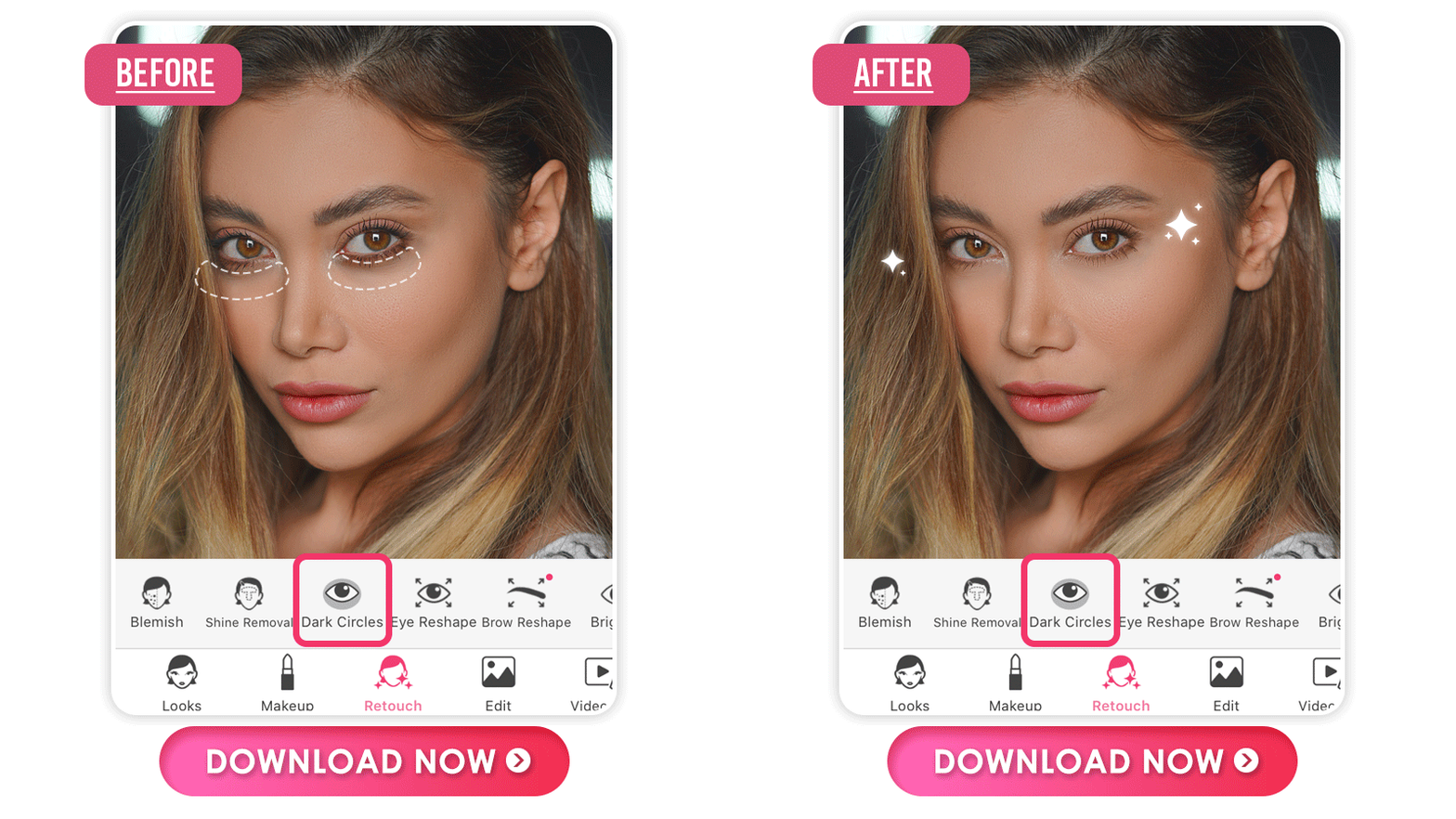
Plus, it offers a range of easy-to-use, professional-grade tools, including eye bag removal, wrinkle smoothing, and eye makeup enhancements. For stunning selfies and picture-perfect skin, YouCam Makeup is your go-to app for effortless photo editing!
Shared Materials by Strapi
*Adjust the size of images ONLY. Please go to Strapi to edit the materials info.
How to Get Rid of Dark Circles From Photos
The YouCam Makeup app was designed to provide you with the fastest fix for removing under-eye circles. You can have the skin you want in minutes, and getting started only takes a few quick steps.
- Step 1. Download the Best Dark Circle Remover App
- Step 2. Upload Your Photo
- Step 3. Use a Slide Bar to Remove Dark Circles
- Step 4. Save the Photo
Step 1: Download the Best Dark Circle Remover App
First, download the free YouCam Makeup app on either iOS or Android devices.
Shared Materials by Strapi
*Adjust the size of images ONLY. Please go to Strapi to edit the materials info.
Step 2: Upload Your Photo
Next, open the app, tap the Photo Makeup button on the home screen, and choose the photo you want to edit.
Step 3: Remove Dark Circles

Scroll to the left and select the Eye option. From there, choose the Dark Circle option. Once chosen, the YouCam Makeup AI will automatically find and select the under-eye circles in your photo. Just wait a couple of seconds and voilà! Any discoloration or puffiness around your eyes is gone.
You can keep the automatic results or adjust them to your liking. Simply use the sliding bar to increase or decrease the effects.
Step 4. Save the Photo
Finally, it’s time to save your edit and share it. You can save it to your phone or share it directly to Instagram, Facebook, or more!
More Than a Dark Circle Remover
Dark circles under the eyes aren’t the only things that can sabotage a selfie. Eyebrow shape, red eyes, and bad lighting affect it too. Fortunately, YouCam Makeup has other eye-enhancing features to remove all of this, like:
Remove Eye Bags from Photos
Tiredness also leads to your eyes not being as open as you’d like for a picture, but don’t let that worry you. The eye bag removal tool is the perfect way to achieve a wide, doe-eyed look.
Shared Materials by Strapi
*Adjust the size of images ONLY. Please go to Strapi to edit the materials info.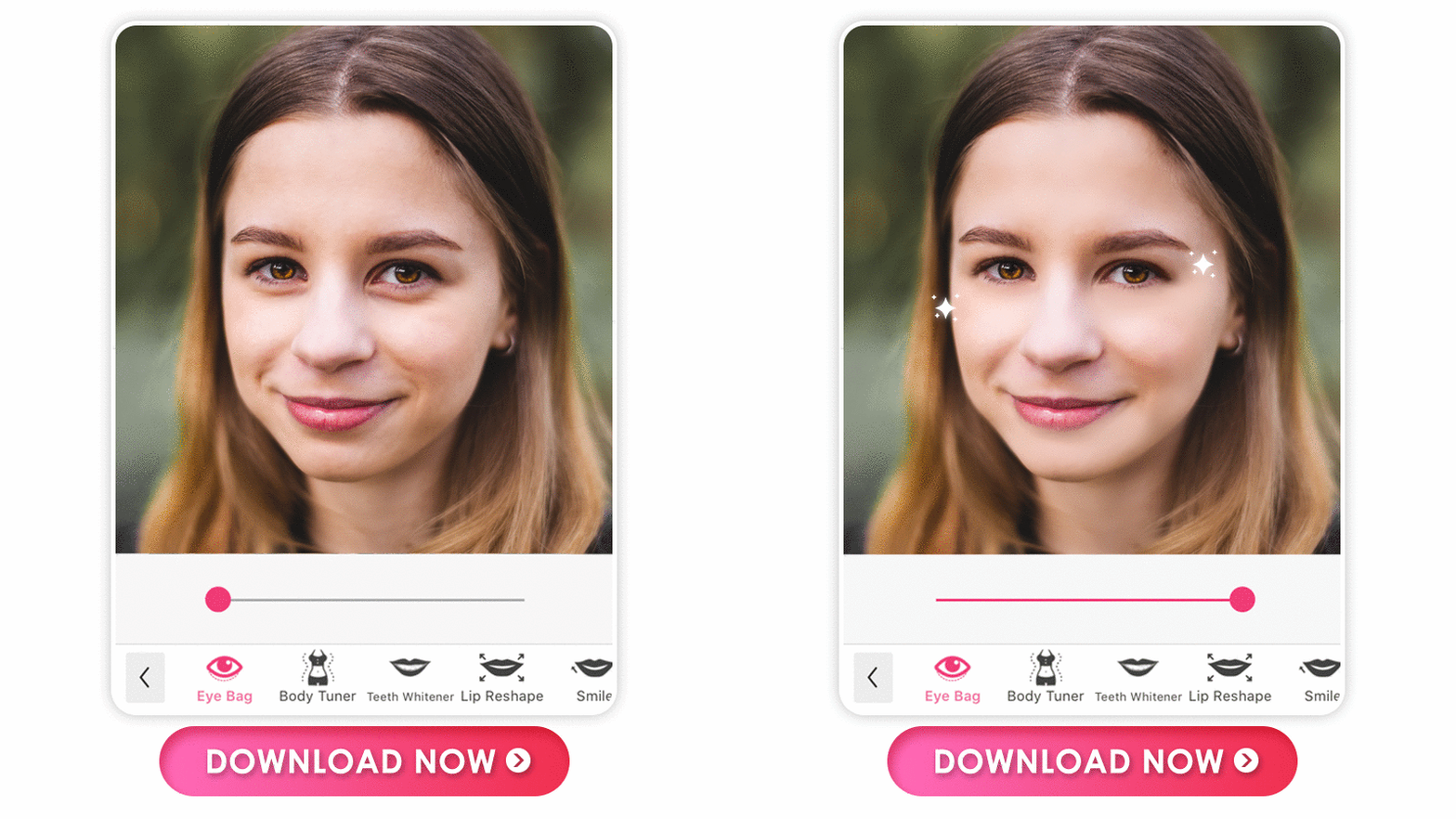
Shape Eyebrows in Photos
Shared Materials by Strapi
*Adjust the size of images ONLY. Please go to Strapi to edit the materials info.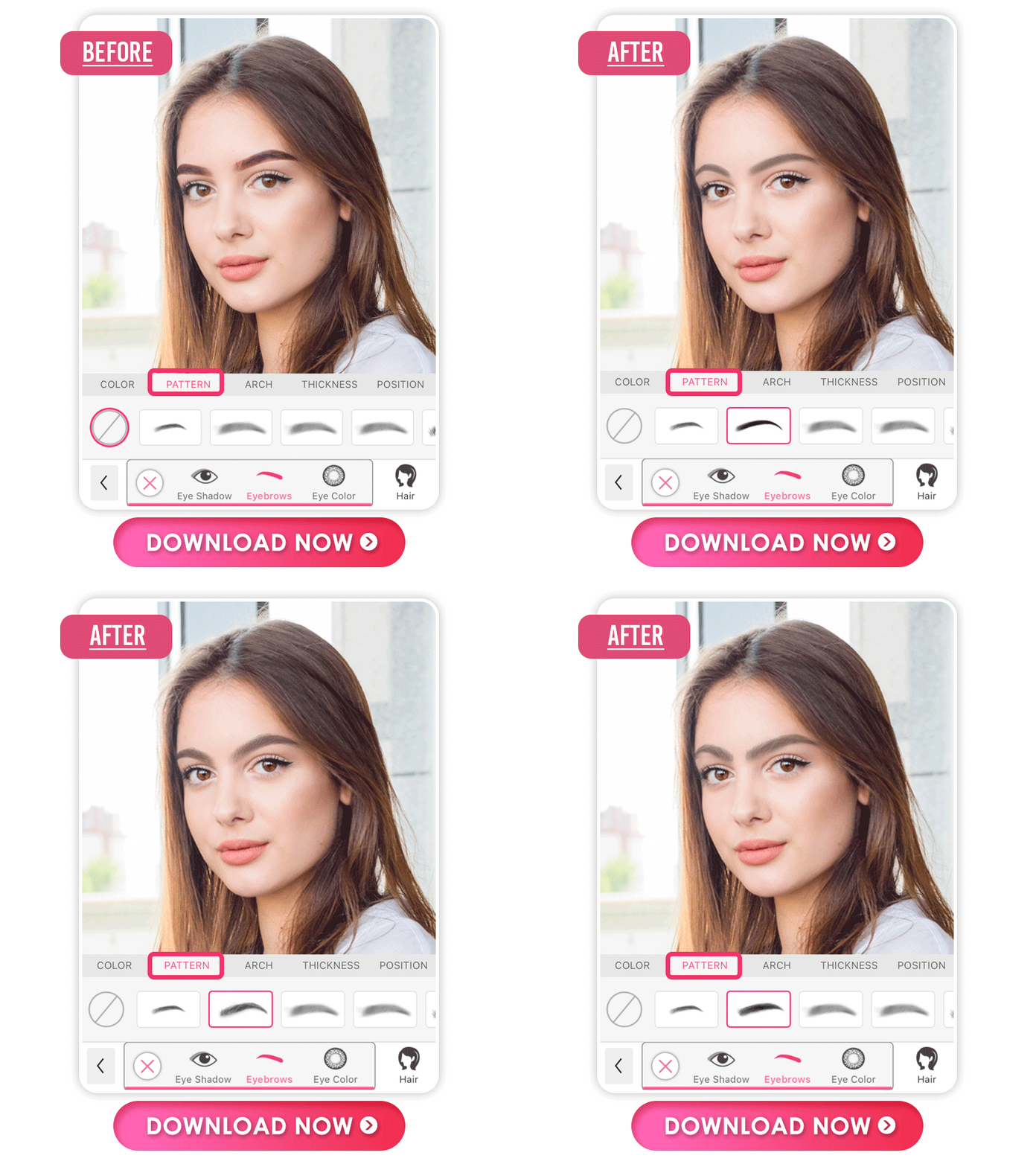
Your eyebrows frame your eyes, so, of course, you want them flawlessly shaped in your selfies. Use the app's eyebrow shaping feature to heighten your brow’s arch, make them fuller, or change its distance. It’s totally up to you!
Smooth Skin in Photos
Shared Materials by Strapi
*Adjust the size of images ONLY. Please go to Strapi to edit the materials info.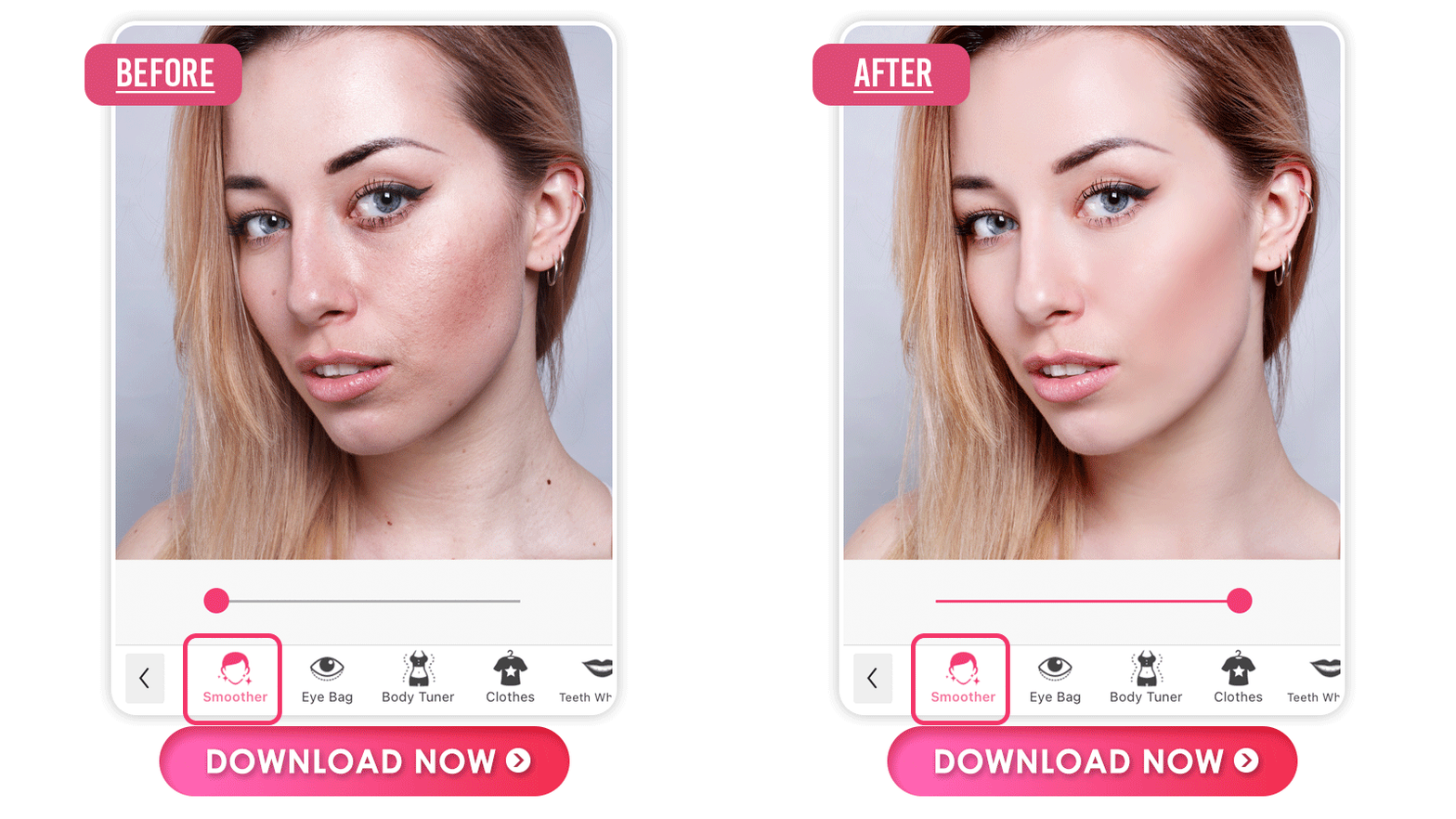
Getting smooth skin for your photos doesn't have to be an impossible task. YouCam Makeup is the perfect app for giving you a smooth and flawless finish in no time. With just a few taps of your finger, it instantly smooths out all imperfections in your pictures so that you can upload them with confidence.
Download the Best Dark Circle Remover App
To remove the dark circles under the eyes on photos, a powerful photo app is what you need. The YouCam Makeup app is the perfect solution for dark circles under the eyes. Best of all, it’s quick, natural, and easy!
Download the app for iOS and Android now to get started.
Shared Materials by Strapi
*Adjust the size of images ONLY. Please go to Strapi to edit the materials info.
More Photo Retouching Tips
- How to Remove Eye Bags from Photos
- 5 Best Dark Circles Removal Photo Editors
- How to Add Eyeliner to Photos


