Author:


We’ve all snapped the perfect selfie, only to be bothered by flyaway hair or stray strands. Don’t stress—fixing hair in photos is easier than you think!
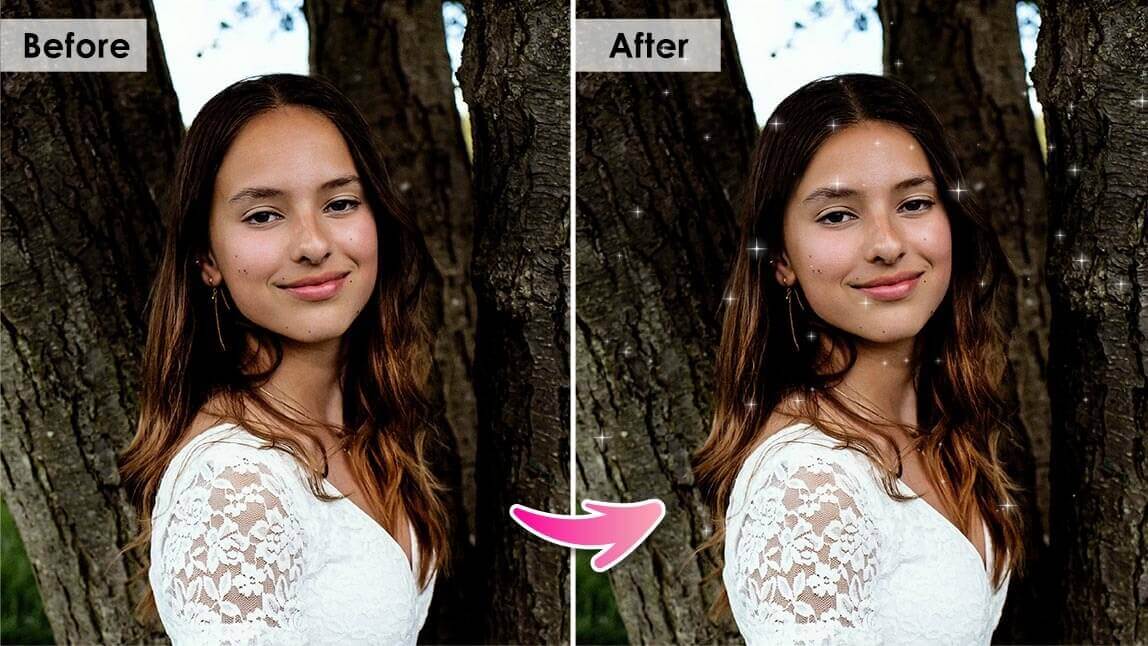
With the right tools, you can quickly remove flyaway hair and perfect your look without starting from scratch. Whether it's a windy day or just those little hairs that refuse to cooperate, a free photo editing app like YouCam Makeup can help you effortlessly remove stray hairs and achieve a flawless, polished image every time.

| In this Article: |
|---|
Best Hair Editing App to Fix Messy Hair in Photos
YouCam Makeup is the best selfie editor app that offers a wide range of beauty editing tools, including retouching, hair color, makeup, and photo editing features. It's user-friendly, free to download, and available for both iOS and Android devices.

With YouCam Makeup, you can easily try a new hairstyle, remove stray hairs and eyebrows, and even fix your hair part. It's the perfect app for those who want to perfect their selfies or group photos, offering an AI Hairstyle and Removal tool, that cater to all your hair editing needs!
With its advanced detection technology, the app can identify the area for precise editing. You can fix even the most unruly and chaotic hair in just a few clicks, making it the best app for achieving picture-perfect hair every time.
AI Hairstyle Tool: Add Hair To Photos & Hairstyle Try-On

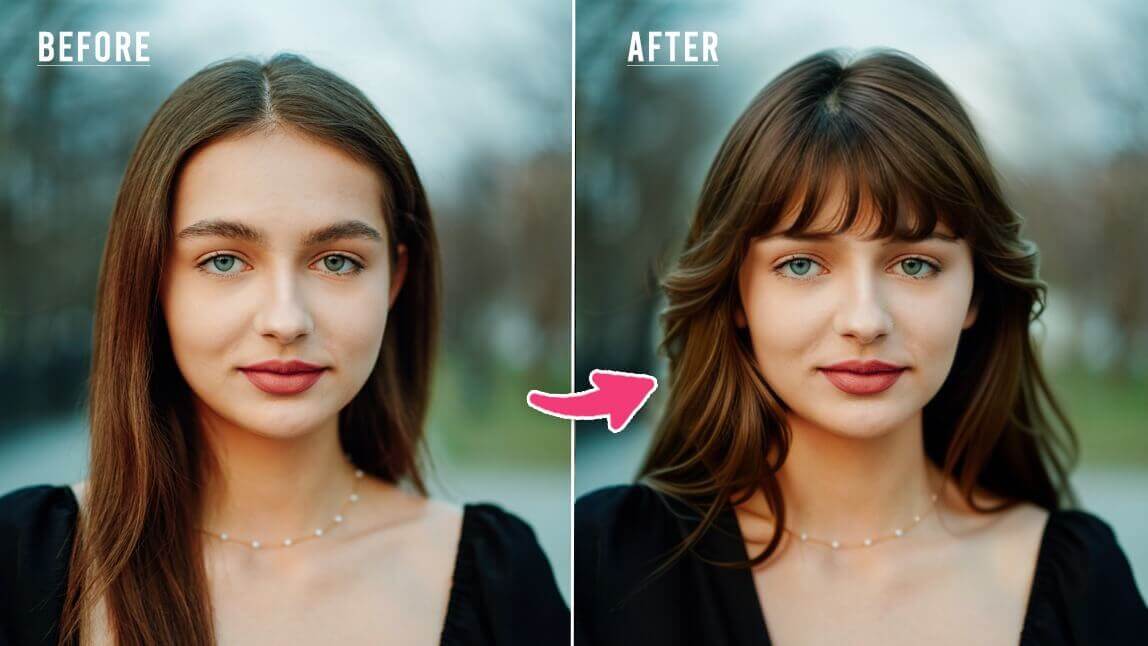
Sometimes your hair might need a little more fixing than just removing some flyaway hair, but don't worry! With YouCam Makeup's advanced AI hairstyle tool, you can easily add hair to photos to get the perfect hairstyle
The Magic of AI: Edit Stray Hair Like a Pro
One of the best things about using YouCam Makeup to edit flyaway hair is its AI-powered technology. The app intelligently detects and smooths out stray hairs without making your photo look overly edited. This means you get a natural, polished look every time, with minimal effort.
Fix Hair in Photos Anytime, Anywhere
Whether you’re on the go or at home, you can fix hair in photos with ease using YouCam Makeup. No need for expensive software or complicated tools—everything you need is right in your pocket. So next time you snap a selfie and notice a few unruly hairs, don’t stress. Just open YouCam Makeup and let the app work its magic.
How to Edit Hair in Photos Free
Here's a step-by-step guide on how to use YouCam Makeup to fix messy hair in your photos:
- Step 1: Download Best Hair Editing App
- Step 2: Upload a Photo to Edit Hair
- Step 3: Use Removal Tool to Fix Stray Hair
- Step 4: Perfect Your Eyebrows and Hair
- Step 5: Save and Share Your Edited Photo
Step 1: Download the Best Hair Editing App
First, download the YouCam Makeup app from the App Store or Google Play Store. The app is free to use, and you don't need to create an account to access the hair editing feature.

Step 2: Upload a Photo to Edit Hair
Next, open the app and select the "Photo Edit" to choose the photo that you want to edit by selecting it from your camera roll. Whether it’s a selfie or a group shot, the app can handle it all.
Step 3: Use the Removal Tool to Fix Stray Hair

Now it's time to fix those stray hairs. Select the "Removal" tool, then use your finger to brush over the stray hairs you want to remove. Tap "Apply" to remove the selected hairs.
For those tricky stray hairs, change the size of the brush tool to carefully edit them out. The app’s AI-powered technology makes it easy to maintain a natural look.
Step 4: Perfect Your Eyebrows and Hair Parting

You can also fix your eyebrows and hair parting to make additional adjustments. Again, you can adjust the size of the brush by sliding the bar on the right side of the screen.
Step 5: Save and Share Your Edited Photo
Once you're happy with the changes, click the "Save" button in the top right corner of the screen. You can choose to save the edited photo to your camera roll or share it directly to social media.
How to Fix Hair in Photo Online Free
To edit flyaway hair for free online, we recommend using YouCam Online Editor.
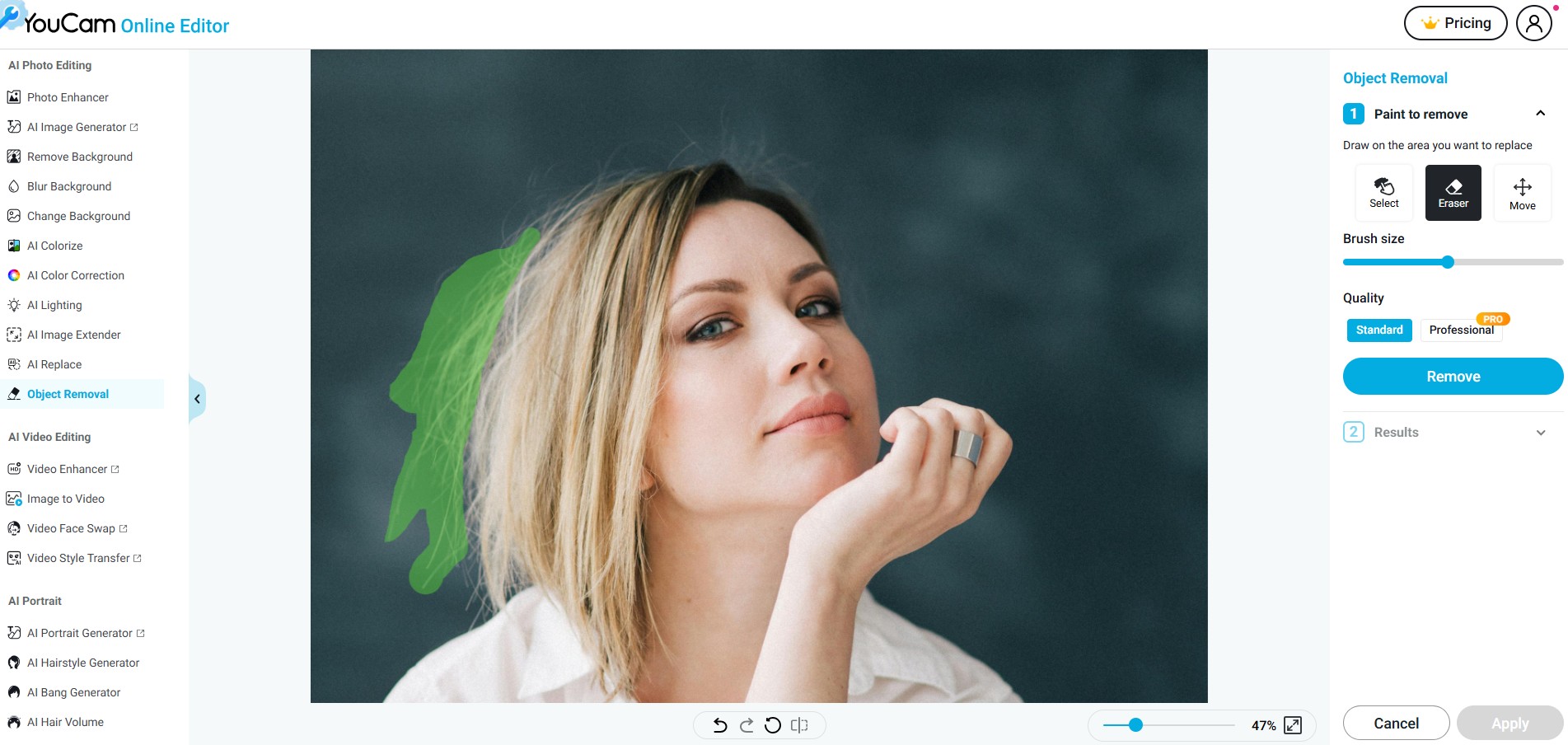
- Go to the YouCam Online Editor
- Upload Your Photo
- Use the Object Removal Tool
- Refine if Needed
- Download the Edited Photo
Open the tool in your web browser—no download needed.
Click the upload button to select the image with flyaway hair that you'd like to edit.
Select the "Object Remover" feature from the toolbar. Zoom in on the hair area where you see flyaways or stray strands. Brush over the unwanted hair. Click "Remove" and let the AI automatically clean up the area.
You can repeat the process or adjust the brush size for finer touch-ups.
Once you're satisfied with the result, click "Download" to save your hair-fixed photo.
Download the Best App for Fixing Messy Hair in Photos
Editing flyaway hair and stray hairs has never been easier or more fun. With YouCam Makeup, you can quickly fix hair in photos, ensuring you look your best in every shot. So go ahead, take that selfie, and let YouCam Makeup help you create picture-perfect memories!

More Hair Editing Tips
- Try On Hairstyles: Free AI Hairstyle Changer On Photo
- Bangs Filter: Try On Bangs Virtually With AI
- AI Blonde Hair Filter: Discover Your Perfect Blonde Shade
- I Tested Hairstyles Using AI: My Favorite Looks & Mistakes to Avoid
About the Editors

The PERFECT Corp. Editorial Team
We are a team of experts on photo and video editing apps. Our goal is to deliver engaging content on everything from stunning selfie edits to eye-catching video effects. We cover the latest trends and share niche tips to help you master digital creation.