Author:


Updated October 2026: added a "best app for me" chooser and an honest note on where results fall short.
Looking for the best free hairstyle app to test out a new look? YouCam Makeup is the perfect solution to try on hairstyles before heading to the salon. With the free AI hairstyle app, simply upload a photo to test over 150+ hair filters and colors on your face for free.
If you prefer not to download an app, use YouCam Online Editor to try hairstyles online from your browser.
I ran my own photo through several of these filters: the AI hairstyle swap tracked hair boundaries cleanly on straight-on selfies with hair pulled back, but got a little less precise on photos where hair was already covering part of the forehead — worth trying a couple of reference photos if your first result looks off.
No picker? Short version: match the cut to your face shape and hair texture, choose a colour for your undertone, and pick a style you will actually maintain.
Why YouCam Makeup Is the Best AI Hairstyle App
Looking for a haircut simulator that makes virtual makeovers effortless? YouCam Makeup packs a powerful AI hairstyle changer that offers a fun hairstyle try-on experience with AI hairstyles for women and men, bangs and hair extension filters, and virtual hair color try-on.
The app's advanced AI instantly replaces your real hair with photorealistic textures, so you can try different hairstyles and hair colors without tedious manual edits. Here are some features that make YouCam Makeup one of the best free hairstyle apps on the market.

Hair Color Changer: Test Hair Colors on Your Photo
YouCam Makeup’s AI hairstyle simulator doubles as a powerful hair color changer, giving you instant virtual hair color try-on.
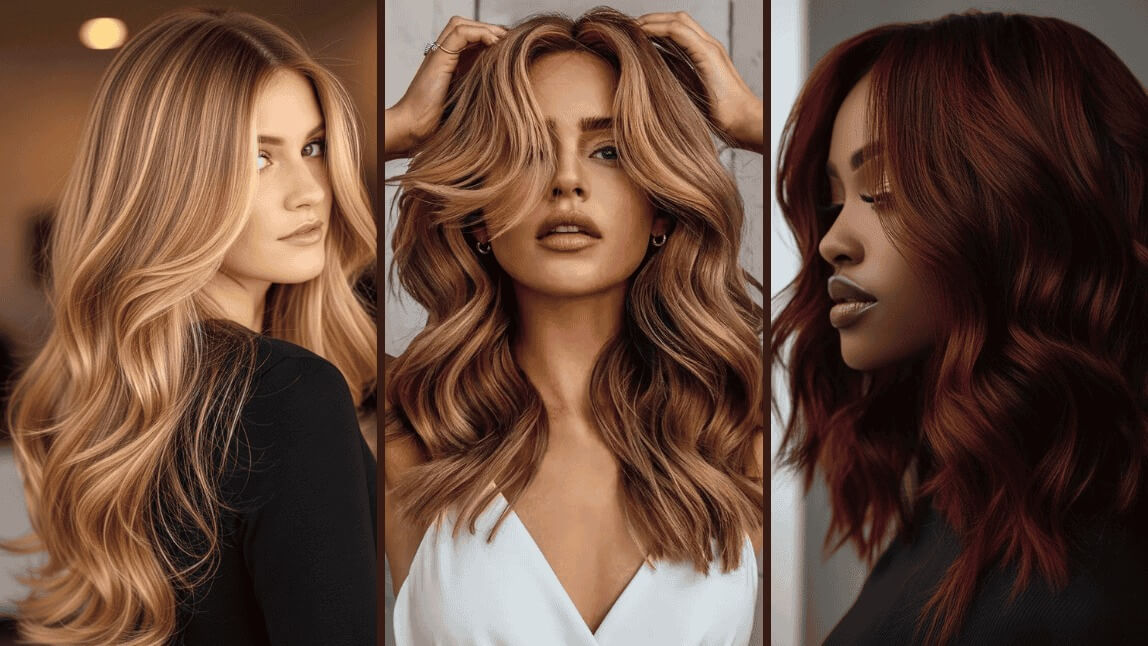
Try endless shades from classic blonde, jet black, and vibrant red to balayage blondes, and honey highlights. Instantly preview how each hue suits your skin tone and easily refine the color intensity with a slider.
The warmer shades (honey, balayage) blended most convincingly with natural lighting in my test photos — very light platinum tones showed a bit more of a hard edge around the hairline.

Bangs Filter: See What You Look Like with Bangs
Curious how you would look with bangs? YouCam Makeup makes it easy to preview popular bang styles on your own photo.
Instantly try on side-swept bangs, bold blunt bangs, soft curtain bangs, or airy wispy bangs to see which look suits you best.

Short Hair Filter: Try Pixie Cuts & Bob Cuts
YouCam Makeup’s AI hairstyle try-on lets you experiment with 10+ short hair filters, making it easy to visualize a totally new look before making the chop.
Whether you're curious about a sleek pixie cut, a chic short bob, or a playful wavy bob, the app offers a wide variety of trendy short hairstyles to suit every vibe.

Long Hair Filter: Try On Virtual Hair Extensions
Apart from long hairstyle options, the virtual hairstyle app also offers a unique hair extension feature that focuses solely on adding length to your current hairstyle.
You can keep your natural hair texture and color while seeing how you would look with longer locks. It's perfect for anyone considering hair extensions or wanting to grow out their hair.

Male Haircut Simulator: Try On Men's Hairstyles
YouCam Makeup is also a haircut simulator for men, offering 10+ diverse male hairstyles, such as bowl cut, crew cut and mullets. Explore some the most popular male hair filters, including the buzz cut filter and bald filter.
Short, close-cropped styles like the buzz cut and crew cut previewed the most realistically in my testing — bowl cuts and other styles with a defined length line took a couple of tries to line up naturally with real hair growth patterns.

How to Try On Hairstyles with YouCam Makeup
With YouCam Makeup, discovering your perfect hairstyle has never been easier. Simply upload your photo and see which hairstyle suits you best. Follow the steps below to explore endless hair possibilities:
- Step 1: Download Free AI Hairstyle App
- Step 2: Upload Your Photo for Free Hairstyle Try-On
- Step 3: Try 150+ Hairstyles & Unlimited Hair Colors
- Step 4: See Your Virtual Hairstyle in Motion
Step 1: Download the Best Free AI Hairstyle App
Start by downloading YouCam Makeup, the best free hairstyle app, from the Google Play Store or Apple App Store.
Step 2: Try On Hairstyles with Your Picture for Free
Open the app and navigate to the "AI Hairstyle" feature. You can either take a new selfie or upload an existing photo for the most accurate hairstyle try-on experience.

Step 3: Explore 150+ Hairstyles and Hair Colors
Explore a variety of styles from trendy bobs to long waves and bold hair colors. Try different hairstyles to see what suits you best and save your favorite looks to your phone for inspiration.

Step 4: See Your Virtual Hairstyle in Motion
Once you've found a hairstyle you love, it’s time to bring it to life. With YouCam Makeup’s image-to-video feature, you can see how your new hairstyle moves, just like in real life.
This unique tool animates your photo, giving you a more dynamic and realistic preview of your look in motion. It’s perfect for getting a feel for how bangs bounce, how a bob flows, or how curls move with you.
Try Hairstyles Online Free with YouCam Online Editor
Skip the download and try on hairstyles directly in your browser with YouCam Online Editor, a free, web-based AI hairstyle simulator. Upload a selfie and explore virtual hairstyles anywhere, anytime.
How to Try On Hairstyles with YouCam Online Editor
- Step 1: Visit the YouCam Online Editor website and upload your photo.
- Step 2: Browse and apply virtual hairstyles, adjusting length or color with a click.
- Step 3: Save and share your favorite looks so you can show your stylist exactly what you want.

If you’re searching for a Hair Color Try-On tool online, try BasedLabs.ai.
App vs. Browser: Which Way to Try On Hairstyles?
Both options use the same AI hairstyle engine, so the results are consistent — the real difference is convenience versus polish:
| Option | Best For |
|---|---|
| YouCam Makeup (mobile app) | Quick, on-the-go try-ons, plus the image-to-video animation feature |
| YouCam Online Editor (browser) | A fast one-off try-on with no app download, or trying on a photo already saved on your computer |
Where results fall short: a try-on is a preview, not a guarantee. Fine hairlines, very curly or textured hair, and dim or angled photos can look less natural, so check a style in more than one photo before you commit to a cut or colour.
Verdict: if you'll be experimenting with a lot of styles or want to see your new look animated, the app is worth the download; for a single quick preview, the browser tool skips that step entirely.
Download AI Hairstyle App for Virtual Hairstyle Try-On
YouCam Makeup is the ultimate AI hairstyle app for virtual hairstyle try-on. The haircut simulator can help you find the best hairstyles for your face shape as well as try new hair trends.
Change hairstyles easily without the commitment with our virtual hairstyle app, giving you the freedom to find the perfect look that suits you. Download the app today and discover your new style!