Author:


Aside from being a fun and unique way to switch up your look, an AI bald filter can be a handy tool—especially if you’ve ever wondered “what would I look like bald” or thought about trying a new hairstyle.
In this guide, discover the best AI bald filter to use, how to try the shaved head look, and even explore other virtual hairstyles. Just grab your phone, upload a photo, and experiment with your new hair-free look effortlessly.

| Table of Contents |
|---|
What Would I Look Like Bald? Try the AI Bald Filter
Using an AI bald filter is more than just seeing how you look bald. It's a fun feature that lets you play with different looks and share your new, hairless avatar with friends and followers for a good laugh.
Here are some fun ways you can try the AI bald filter with YouCam Perfect!
AI Bald Filter with Hairstyle Try-On

Fun things to do for couples: become part of the trend with hair-free looks!
Whether using personal selfies, couple shots, or group photos, the bald filter in YouCam Perfect is powerful enough to turn everyone bald.

To use it, open the YouCam Perfect app and select a clear, high-quality, front-facing portrait of yourself with your hair in full view. After uploading your photo, navigate to the AI Hairstyle feature, available for Android and iPhone.
Under the "Male" tab, press the 'Bald' style. Despite being under the Male tab, we've tested and confirmed that the results apply to both male and female users. Within a few seconds, you'll be able to see yourself with a shaved head.
Trending Feature You Should Know: What Would I Look Like with a Buzzcut
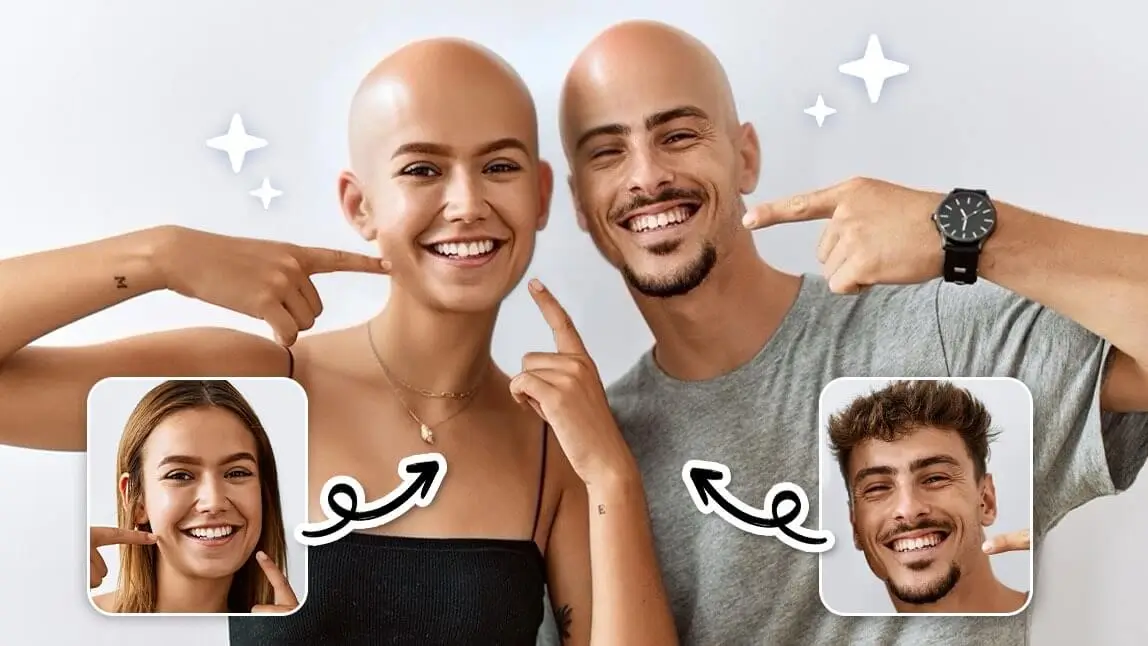
Try the Bald Filter with Face Swap Feature

Find it amusing to see yourselves or your friends portrayed as well-known bald characters from movies, games, or cartoons?
Try our face swap feature for a more creative, interactive, and hilarious experience to see what you look like in bald without gender or outfit limitations!
You can effortlessly superimpose a bald image of a famous movie character or cartoon figure onto your own face - without breaking the bank to buy props or shave your head for real.

Tap the "Face Swap" button on the app's home page and upload your pre-saved image. Then, press the "Add Face" button to add your/your friends' faces for bald character transformation!
The best part? It’s completely non-permanent and risk-free, so you can experiment as much as you like. You can even try different face swaps to compare how various friends would look bald.
Read More: How to Face Swap Multiple Faces in a Group Photo using AI
Bald Filter Online: YouCam Online Editor
If you want to try a bald filter online, YouCam Online Editor's AI Hairstyle Generator is a great choice! This bald head generator instantly removes hair from your photo, giving you a realistic preview of what you'd look like bald, all from your browser.

To use the bald filter, simply upload your photo, select the "Bald" hairstyle option, and tap "Generate".
Within seconds, you'll see your bald transformation—no clippers needed! Try it now and see if you can pull off the bald look.
More Than a Bald Filter App: Other Hairstyles to Try On
Besides bald head filter, YouCam Perfect has over 60+ female and 20+ male AI hairstyles, as well as 10 bangs filters. Here are our top 3 hairstyles for you to explore:
#1 Buzz Cut Hairstyle

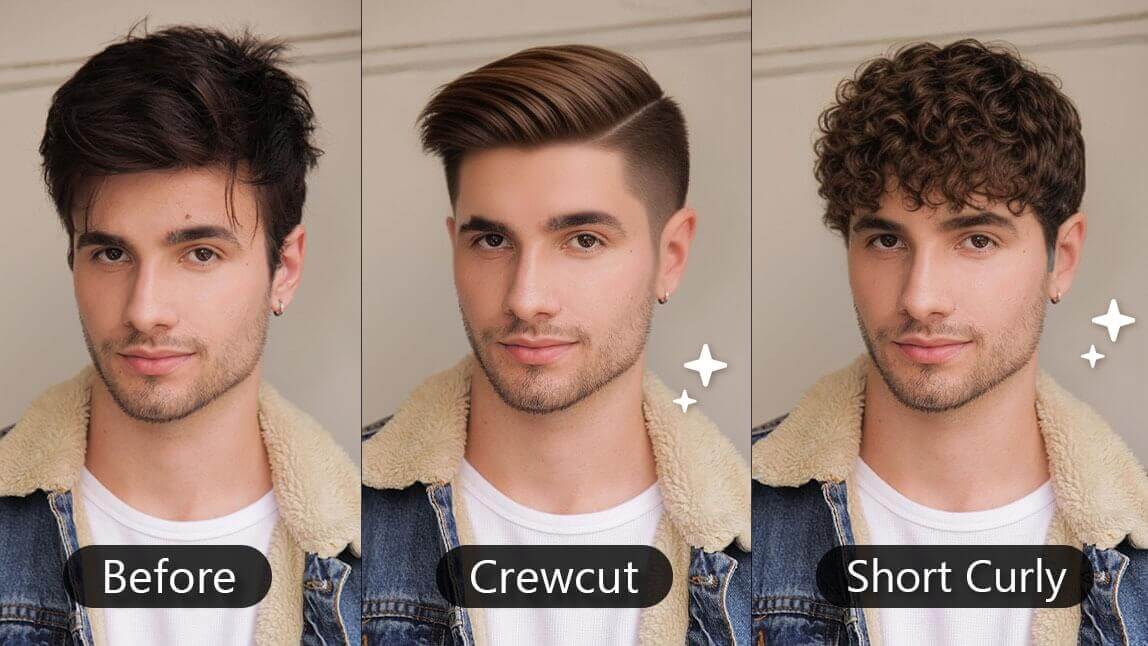
Try out buzz cut hairstyles to see if you can pull off this super short look. It can give you an edgy, exciting appearance that's fun to experiment with.
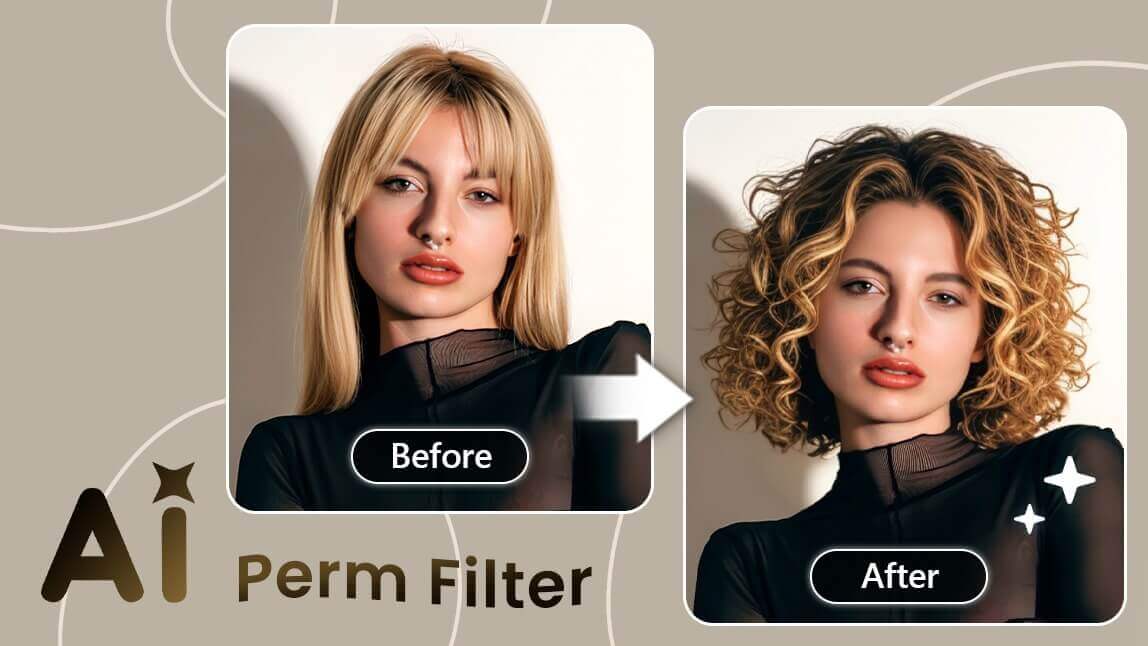
#2 Perm Hairstyles

Curly hair can be tricky to manage, but it’s fun to try out different hairstyle filters to see how you might look. Give wavy, curly, and kinky perm filters a shot to find a style that suits you.
#3 Crew Cuts

Crew cut is a classic hairstyle that is loved by many people.
Other than applying these filters, you can also use a tool called "AI Replace" to try on other hairstyles or in different colors.

Final Thoughts
Ever asked yourself “what would I look like bald?”
The bald filter is the easiest and funniest way to find out. You can check “how would I look bald” in just seconds on YouCam Perfect—upload a photo, tap the bald option, and see your shaved head look instantly. No buzzers, no regrets—just pure fun with zero risk!