Author:


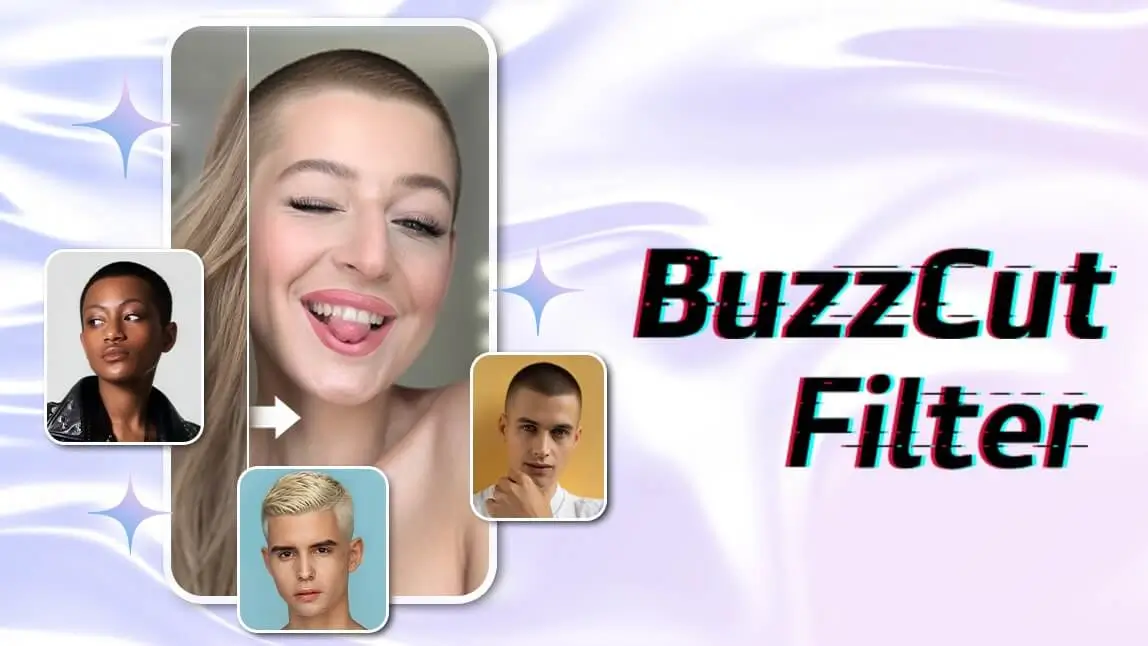
There’s never a bad time to switch up your hairstyle, especially with bold, low-maintenance looks like the buzz cut. With a buzz cut filter online, you can try out the look risk-free in seconds.
Whether you're just curious or seriously considering the bold chop, a buzz cut simulator let you see yourself with a shaved head instantly and realistically. From edgy fades to classic close-cropped styles, you can test-drive a buzz cut without the commitment.
Buzz Cut Filter: What Would I Look Like with a Buzz Cut

✨ Try out the edgy buzz cut look using a buzz cut simulator!
Buzz cuts usually maintain a uniform length but can also incorporate fades or designs. They can range from a completely shaved or bald look to leaving an inch or two of hair on top.
The most iconic buzz cut styles for males are the induction buzz cut, classic crew cut, buzz cut taper, and Jarhead cut. For women who want to give themselves an edgy look and experience the wash-and-go haircare routine, try out a curly buzz cut or dye it in different colors.
This May Also Interest You: Free AI Hairstyle Changer for Men - Test 20+ Haircuts With AI
How to Try Buzz Cut Filter Online with Buzz Cut Simulator
Ready to see how you'd look with a buzz cut? With the YouCam Perfect app, you can try a buzz cut filter in just a few taps. Follow these easy steps to transform your look instantly!
- Step 1: Upload Your Photo
- Step 2: Choose the Buzz Cut Filter Style You Prefer
- Step 3: Save Your Buzz Cut Preview
Step 1: Upload Your Photo
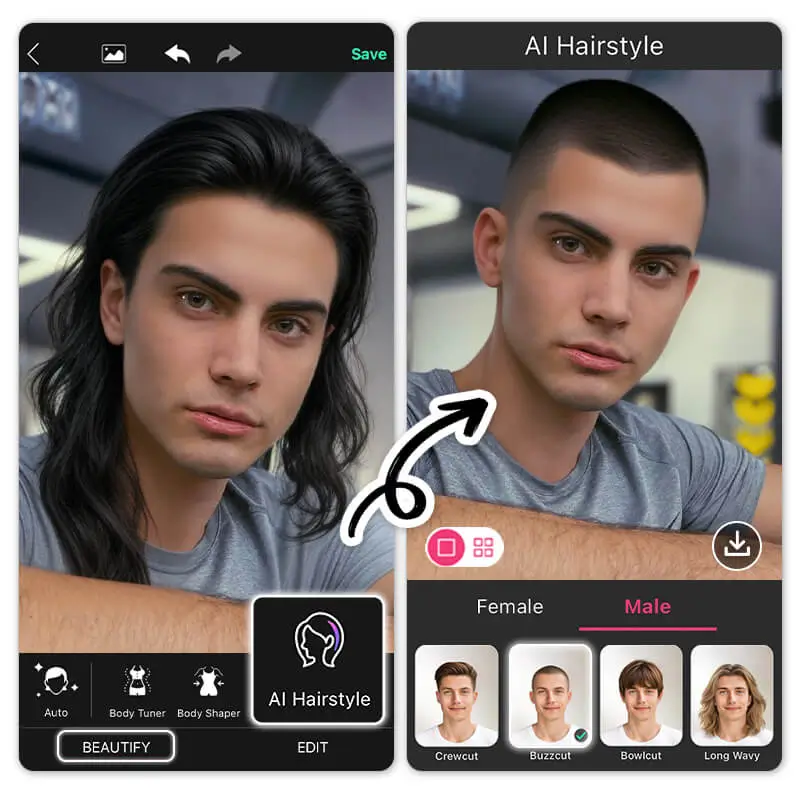
First, you need to upload a clear, front-facing photo of yourself. Make sure your face is visible without coverage by bangs. Here are some tips for better generation result:
Step 2: Choose the Buzz Cut Filter Style You Prefer

Locate “AI Hairstyle” under the Beautify tab, and find “Buzzcut” in both the Male and Female tabs.
The best part about the feature? For premium users, you can also press the grid view to compare 4 hairstyles at a time before heading to your local salon!
*The result of your hair color will be based on the one displayed in your input picture
Step 3: Save Your Buzz Cut Preview

After applying the buzz cut filter, you can save the preview. Or, try out other hairstyle options to compare and decide on the one you like best!
Read More: We Tried 1980 Men’s Hairstyles with This Amazing Haircut App
Customize Your Buzz Cut Look with Buzz Cut Simulator

In YouCam Perfect, there’s another option for users to customize the buzz cut filter or change hair colors using their own prompt.

As you upload a picture, find “AI Replace” and paint on the hair area. Then describe the hairstyle you prefer. This can be as simple as "buzz cut" or as specific as "buzz cut on top with a fade on the sides in purple."
Read More: What Would I Look Like with a Perm
Free Buzz Cut Filter Online with YouCam Online Editor
If you prefer an online tool, try the YouCam Online Editor's AI Hairstyle feature. Explore the buzz cut filter online along with 20+ other male hairstyles, including the Bowl Cut, Taper Fade, Surfer Waves, and more.
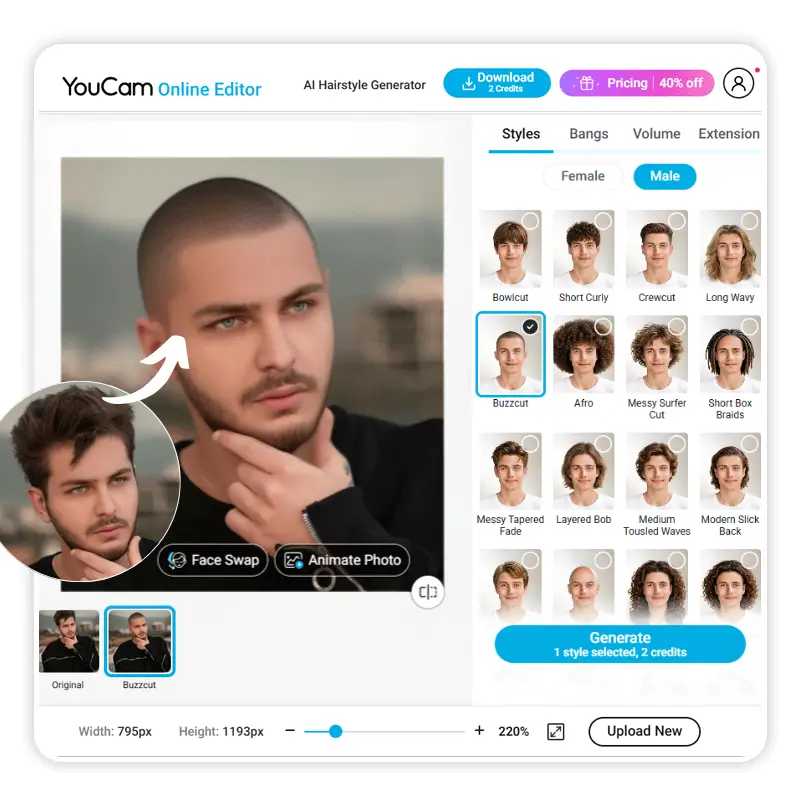
How to Try a Buzz Cut Filter Online
Step 1: Visit YouCam Online Editor
Go to the YouCam Online Editor on your desktop or mobile browser—no download required.
Step 2: Upload Your Photo
Choose a clear, front-facing photo where your current hairstyle is visible. This helps the AI accurately apply the buzz cut look.
Step 3: Navigate to AI Hairstyles
Select the Hairstyle tool from the editing menu. Look for the buzz cut filter under the virtual try-on styles.
Step 4: Try On Buzz Cut Filter Online
Browse and apply the buzz cut styles to instantly see what you’d look like with a buzz cut. You can explore different variations—like skin fades, close shaves, or classic military cuts.