Author:


Ever captured the perfect shot only to notice a stain on your clothes? Whether it’s a coffee spill or sweat marks, stains can feel like they’re ruining your photo. Luckily, it’s easy to remove stains from photos and edit sweat stains out of a picture with the right tools!
In this guide, we’ll show you quick tips to make any unwanted marks disappear with the best app to remove stains in pictures. Get ready to make your photos stain-free and picture-perfect!

| In this Guide: |
|---|
Best App to Remove Stains in Pictures
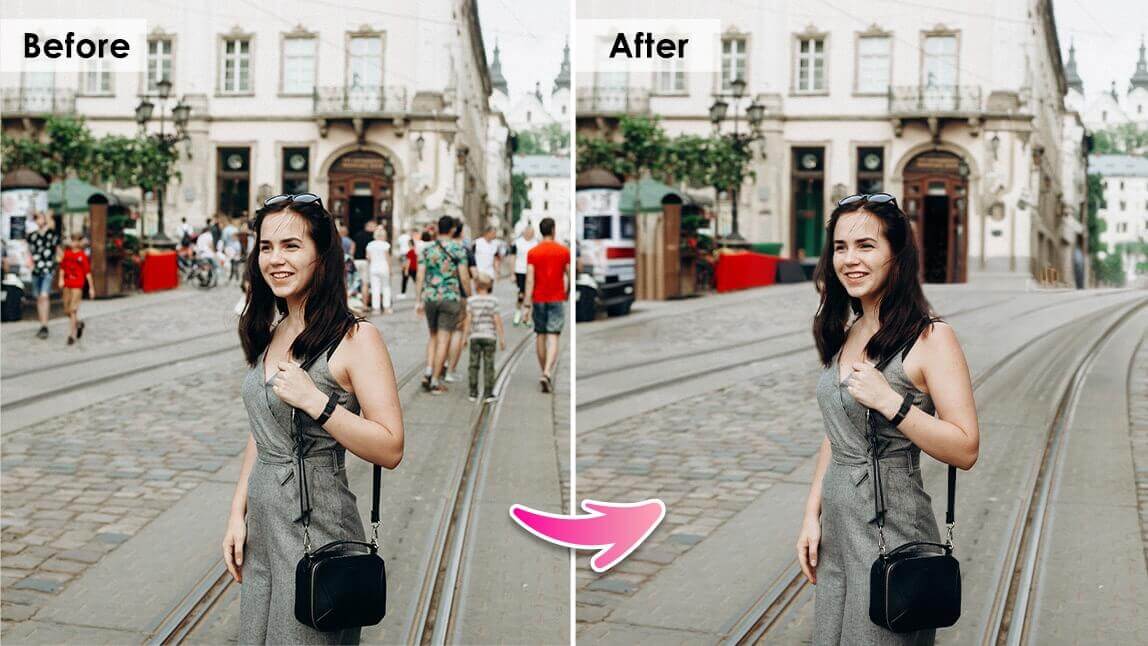
Editing stains out of photos used to be time-consuming, requiring expensive software and detailed work. But now, with tools like YouCam Makeup, removing those pesky marks is as simple as a few taps. The app’s AI-powered technology quickly detects and removes imperfections like sweat stains, leaving your photo looking clean and polished.
Shared Materials by Strapi
*Adjust the size of images ONLY. Please go to Strapi to edit the materials info.
Advanced AI to Remove Stains from Photos

The app uses advanced algorithms to analyze the photo and identify the area to remove. Once it's selected, the app removes the stain without affecting the quality of the photo. The result is a clean and spotless photo that looks like it was never stained in the first place.
User-friendly Stain Photo Eraser

Another reason why YouCam Makeup is the best app to remove clothing stains from your photos is its user-friendly interface. The app is very easy to use, even for people who have no experience with photo editing.
You don't need any special skills or knowledge to use the app, and the process of removing stains is straightforward and simple.
How to Edit Sweat Stains Out of a Picture
Ready to get rid of those clothing stains and sweat stains and make your photos shine? Follow these simple steps to use YouCam Makeup to edit pesky stains out of your pictures:
- Step 1: Download the Best Stain Removal App
- Step 2: Upload Your Photo to the App
- Step 3: Remove the Stains from Your Photo
- Step 4: Save and Share Your Edited Photo
Step 1. Download the Best App to Remove Stains in Pictures
Shared Materials by Strapi
*Adjust the size of images ONLY. Please go to Strapi to edit the materials info.
Step 2. Upload Your Photo to the App
Once you've downloaded the app, open it up and tap "Photo Edit" to select the photo you want to edit.
Step 3. Remove Clothing Stains from Your Photo

Now it's time to use the stain removal tool. Simply select the "Removal" tool from the editing menu.

You can use your finger to brush over the stain in your photo and adjust the brush size according to your convenience. Once you're done, simply tap "Apply" to remove the stains effortlessly!
Step 4. Save and Share Your Stain-Free Photo
Once you've removed the stain, it's time to save your edited photo. YouCam Makeup will give you the option to save your photo to your phone's gallery and also share it directly to social media.
More Than Just Stain Removal
YouCam Makeup isn’t just for removing clothing stains. You can also use the app to:
- Remove wrinkles and blemishes: Fix small imperfections on both your clothes and your skin.
- Erase dust or spots: Get rid of distracting marks or background spots.
- Edit out unwanted objects: The app lets you easily retouch your photo to perfection, removing anything that doesn't belong.
With these versatile tools, YouCam Makeup becomes your all-in-one photo retouching solution.
How to Remove Clothing Stains from Photo Online
If you prefer editing your photos on your desktop or don’t want to download an app, there are also free online photo editors available to help you remove clothing stains.
While YouCam Makeup is a powerful and convenient mobile option, here’s how you can remove stains online for free using YouCam Enhance.
Step 1. Visit the YouCam Enhance Website
Head to YouCam Enhance online photo editor where you can edit your photos without downloading any software.

Step 2: Upload Your Photo
Simply drag and drop your photo onto the editor or click to upload. Choose the image that has the clothing stain you’d like to remove.
Step 3: Select the Object Removal Tool
Just like YouCam Makeup, use the Removal feature online. It offers the same AI-powered technology to remove clothing stains in a few simple clicks.
Step 4: Remove the Stain
Use the brush tool to select the affected areas you want to remove the stain. The AI will automatically smooth out the imperfection, giving you a clean, polished result in seconds.

Best App to Edit Sweat Stains Out of a Picture
With the help of YouCam Makeup, you can easily remove sweat stains and clothing stains from your photos. Download the app today and start editing your photos like a pro!
Shared Materials by Strapi
*Adjust the size of images ONLY. Please go to Strapi to edit the materials info.