Author:


Lighting makes all the difference in a photo. It's especially important when taking photos indoors, and usually requires a professional photo lightbox for a natural effect.
In this article, we will guide you through how to get pro lighting on your photos effortlessly, all with a free-to-download face editing app.
| Table of Contents |
|---|
Best AI Image Brightener for Face Brightening in 2024
YouCam Makeup is the best AI photo editor app that makes editing a stunning portrait photo an easy task.
The 3D Lighting feature in the YouCam Makeup app automatically detects your face in your photos to add your desired glow in the perfect spot.

Shared Materials by Strapi
*Adjust the size of images ONLY. Please go to Strapi to edit the materials info.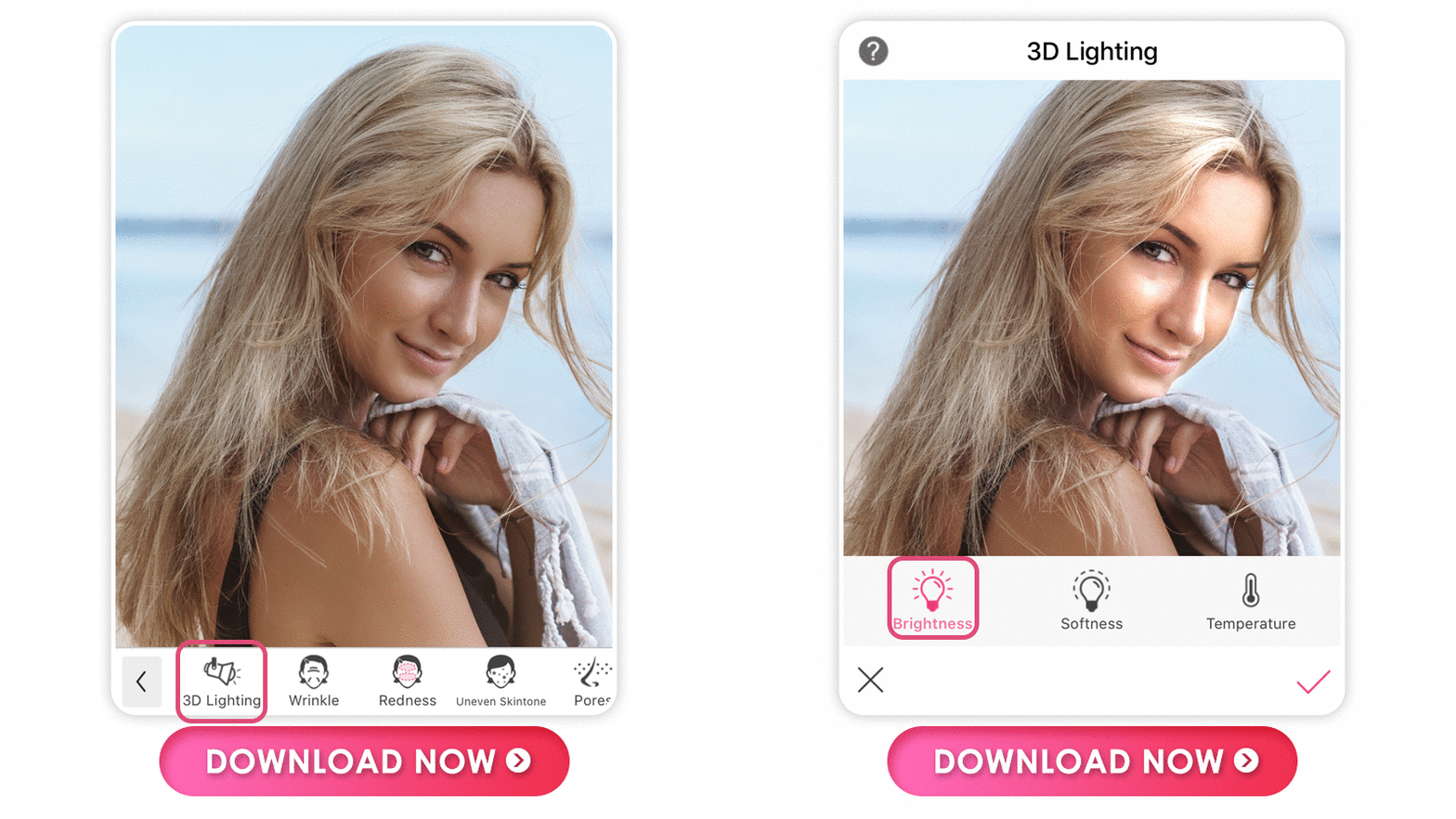
You can adjust the light position to 360 degrees to create the lightning angle and make your features and your photos pop.
It changes the mood of your photo from dark and dreary to giving it a gentle golden hour-like warmth without expensive lighting or learning special photography or editing techniques.

Aside from 3D lighting effects, you can also adjust Brightness, Softness, and Temperature to create lighting effects that range from a vibrant shine to a subtle illumination.

There's no need for professional photo editing skills to use the app. YouCam Makeup identifies the areas you want to change and applies perfect edits every time.

Keep reading to learn more about you can bring this effect to your photos!
How to Brighten Face in Photos on iPhone and Android
- Step 1. Download the Best Photo Brightener
- Step 2. Upload Your Photo
- Step 3. Brighten Face in Photo with 3D Lighting
- Step 4. Adjust the Brightness, Softness, and Temperature
- Step 5. Save the Photo
To get the 3D Lighting effect on your photos, follow these steps.
Step 1. Download the Best Photo Brightener App

To brighten your face in photos easily, start by downloading the free YouCam Makeup app, available for both iOS and Android.
Step 2. Upload Your Photo
Open the app, and tap Photo Makeup to upload your photo.
Step 3. Brighten Face in Photo with 3D Lighting

Navigate to Retouch at the bottom of the screen, and select 3D Lighting. The tool will automatically detect your face in the photo and apply the lighting to it for you.

Touch the screen to see the light position. A circle will come up to show you where the light currently is on your photo.
To change it, tap another area of the screen or drag your finger to the desired spot.
Step 4. Adjust the Brightness, Softness, and Temperature
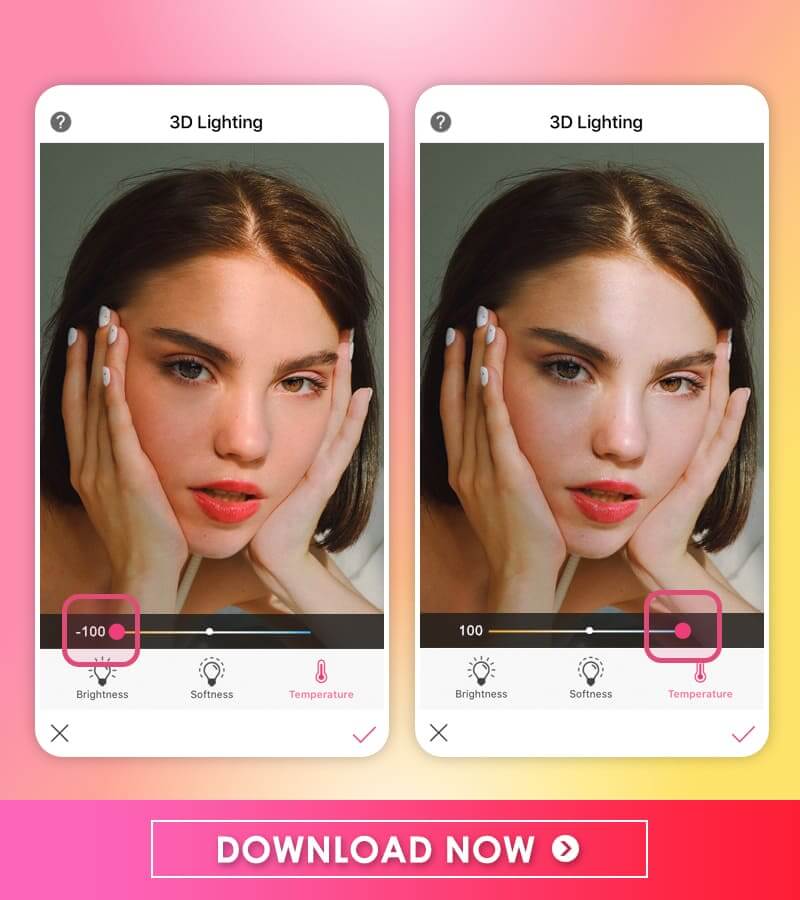
Aside from brightening up your face in 3D angles, the YouCam Makeup app also allows users to adjust the Brightness, Softness, and Temperature of the lighting until getting the ideal look.
Step 5. Save the Photo
Finally, Save the photo and share it! You can also tap Compare to show the before and after effects of your photo and see the difference.

Download YouCam Makeup: Best Face Brightening Photo Editor

YouCam Makeup has all the tools you need and more to bring light and life to your selfies. Use its 3D Lighting effect to bring your face out of the shadows and get more eyes on your photos.
Download YouCam Makeup for iOS or Android today to start exploring the new 3D Lighting feature!
More Photo Editing Ideas
Start Photo Face Brightening Now
Shared Materials by Strapi
*Adjust the size of images ONLY. Please go to Strapi to edit the materials info.
Want to know more about the latest beauty trends? Subscribe to the YouCam Makeup YouTube channel and follow us on Instagram for the hottest beauty, makeup, and skincare trends.