Author:


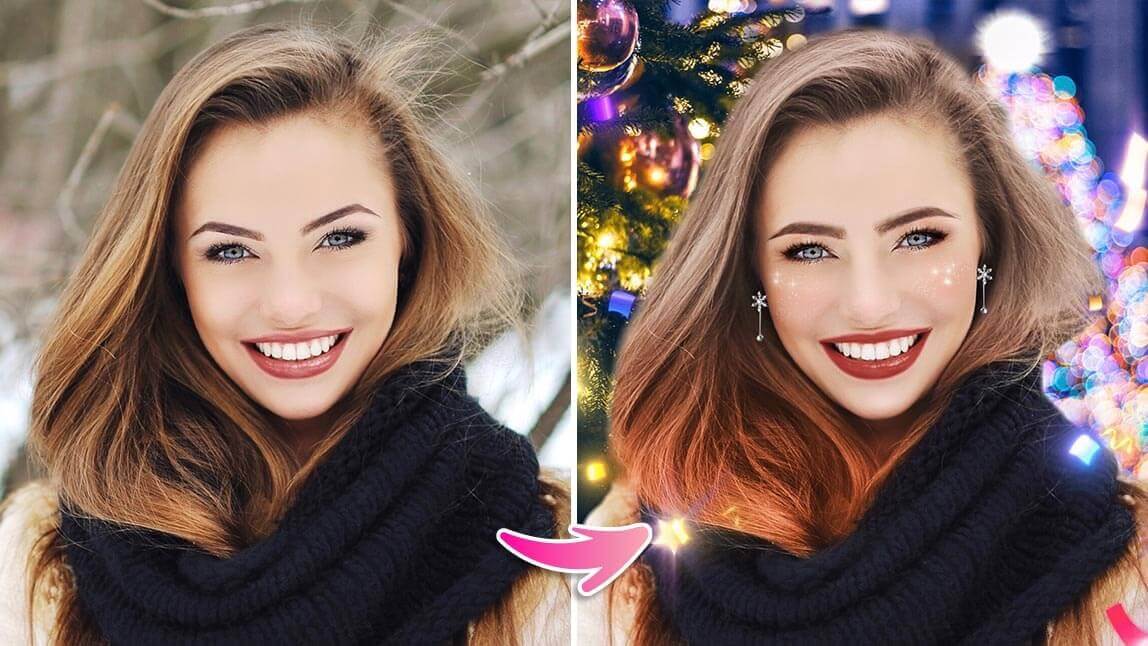
Christmas backdrops always make holiday more memorable! Get ready to transform your photos with festive scenes that add warmth and cheer. Whether you’re capturing family moments, holiday selfies, or virtual gatherings, a beautiful Christmas backdrop can make each photo feel magical and cozy.
The free all-in-one selfie editor app YouCam Makeup helps you create beautiful and unique photos that capture the joy and beauty of the holidays.
Best AI Christmas Editing App to Create Virtual Christmas Backdrops

With the holiday season quickly approaching, there is no better way to get into the festive spirit than by transforming your holiday pictures with YouCam Makeup.

you can explore endless effects by replacing your background, adding filters, and applying animations to create virtual Christmas backdrop this happy holiday season!
There are tons of options to choose from, such as snowflakes and Santa that come in different colors and aesthetics.
5 Best Christmas Backdrops: How To Create Virtual Christmas Backdrops
- Christmas Animations
- Christmas Backgrounds
- Christmas Photo Effects
- Christmas Face Filters
- Christmas Fun Filters
Christmas Backdrop 1: Christmas Animations
Who says Christmas is only about still images? With YouCam’s festive animations, you can add some extra life to your holiday pictures.
How To Add Christmas Animations To Your Photos
- Step 1: Download the YouCam Makeup app
- Step 2: Upload a photo from Photo Makeup
- Step 3: Tap Edit then Animation
- Step 4: Scroll to apply Holiday effects
- Step 5: Switch to Stickers and apply Holiday stickers
- Step 6: Save and share your edit!
Christmas Backdrop 2: Christmas Backgrounds

Christmas isn’t just about what’s in front of you – it’s also about where you are! To give your picture a more festive atmosphere, try changing its background with one of YouCam Makeup’s many backgrounds.

How To Change Your Photo Background To Christmas Backgrounds
- Step 1: Download YouCam Makeup
- Step 2: Upload a photo from Photo Makeup
- Step 3: Tap Edit then Background
- Step 4: Change the Background to a festive image
- Step 5: Save and share your holiday picture
Christmas Backdrop 3: Christmas Photo Effects

YouCam Makeup has six photo effects to enhance your snaps and put you in the holiday spirit. Each one adds a special seasonal glow to your photos with a warm holiday greeting, including two for the new year!
How To Add Christmas Photo Effects To Your Holiday Photos
- Step 1: Download YouCam Makeup
- Step 2: Upload a photo from Photo Makeup
- Step 3: Tap Edit then Effect
- Step 4: Click a store icon to browse Holiday Effects and apply
- Step 5: Save and share!
Christmas Backdrop 4: Christmas Face Filters
Show off a festive makeover with YouCam Makeup’s '23 holiday looks! Each one gives you the gift of a unique and beautiful style that you can customize to match your seasonal vibe.
How To Add Christmas Face Filters To Your Photos
- Step 1: Download YouCam Makeup
- Step 2: Upload a photo from Photo Makeup
- Step 3: Tap Look and brows Holiday Category
- Step 4: Apply Holiday Makeup Look
- Step 5: Save and share your festive selfie
Christmas Backdrop 5: Fun Christmas Filters

Make yourself a wintry woodland reindeer or sport a cute beanie to avoid the winter blues with YouCam Makeup’s holiday filter collections!
Download YouCam Makeup: Best App for Creating Virtual Christmas Backdrops

YouCam Makeup brings a holly jolly touch to your snaps this holiday season! Use its filters and effects to hang bright lights on your photos or apply a gorgeous new makeup look.
Download YouCam Makeup free for iOS or Android to find all the inspiration you need for the best holiday photos!