Author:


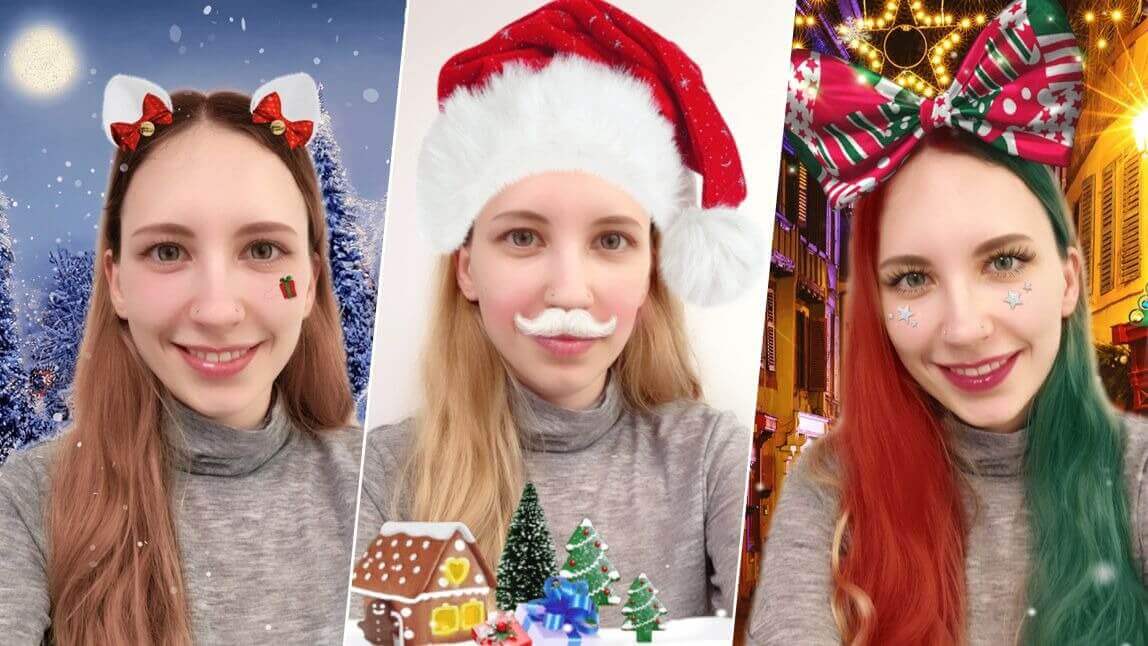
Want to make your Christmas profile pictures extra special this year? With an AI Christmas photo generator like YouCam Makeup, creating festive and eye-catching AI Christmas photos has never been easier!

▲ Try AI Christmas filters & cartoon filters for cute Christmas PFPs ▲
Enter YouCam Makeup – the ultimate Christmas photo generator for transforming your selfies into festive wonders through the power of AI. Let’s dive into how you can create a fun, festive profile pictures to share your holiday spirit online!

▲ Try AI Christmas filters with the AI outfit tool ▲

| Table of Contents |
|---|
AI Christmas Photo Idea 1: AI Avatar

Step into the whimsical world of AI avatars with YouCam Makeup and choose from various Christmas-inspired styles, including Santa, reindeer, and Winter Wonderland.
These AI avatars will infuse your profile picture with a sprinkle of holiday charm!
How to Create AI Christmas Profile Pictures With AI Avatar

Step 1: To generate Christmas AI avatars open the app's AI Avatar feature.
Step 2: Then choose up to 10 styles to generate AI avatars that look just like you! For Holiday styles, try "Jingle Bells", "Christmas Couture", and "Sweater Weather".
Step 3: Next, you need to upload a photo of yourself.

Step 4: Wait for the AI to generate amazing Christmas-style AI avatars that are perfect for your next Christmas profile picture!
AI Christmas Photo Idea 2: AI Christmas Outfit

Embrace the holiday spirit with a fashionable twist, turning your profile picture into a festive fashion statement that stands out in the crowd.
Select from Santa-inspired outfits, reindeer ensembles, or cozy Christmas sweater looks, all effortlessly created through the app's AI outfit changing feature.
AI Santa Filter for Cute Christmas Outfits
 Deck the halls of your profile with festive flair by trying YouCam Makeup's AI Santa outfits – the perfect way to sleigh in your holiday profile pictures!
AI Reindeer Filter for Cute Christmas Outfits

Capture the magic of the season in your Christmas profile pictures by trying YouCam Makeup's AI reindeer outfits – a whimsical touch that will make your holiday snapshots unforgettable!
How to Create AI Christmas Photos With AI Outfits

Step 1: To generate Christmas AI outfits open the app's AI Fashion feature.
Step 2: Then choose the styles Festive Flare, Jingle Bell, Elfette and Reindeer!
Step 3: Upload one photo of yourself and the AI will generate amazing AI outfits!
AI Christmas Photo Idea 3: AI Christmas Selfies

For a quick and easy transformation, dive into the world of AI selfie filters. YouCam Makeup offers a range of filters specifically designed to enhance your festive selfies.
How to Add Christmas AI Filters to Selfies
Add AI Christmas filters to your selfies with YouCam Makeup in 3 simple steps:
- Step 1: Open the app's AI Selfie feature.
- Step 2: Upload your selfie.
- Step 3: Tap the "Holiday" category and choose the styles "Jingle Bell" or "NYE Sparks" for AI Christmas styles.
- Step 4: To try cartoon and anime styles choose AI filters from the "Cartoon" category.
Best AI Christmas Photo Generator for Christmas Profile Pictures in 2024

This holiday season, let YouCam Makeup be your go-to app for creating Christmas profile pictures with a touch of AI magic. Whether you prefer the charm of AI avatars, the flair of AI outfits, or the ease of AI selfie Christmas filters, YouCam Makeup has you covered.

More Christmas Profile Picture Ideas
- 10 Christmas Makeup Look Ideas for the Holidays 2024
- Best Christmas Filter Apps in 2024 to Light Up Your Social Media
- Best Christmas Backgrounds to Create Holiday Selfies in 2024