Author:


Ready to transform into your favorite Halloween movie character without spending hours on makeup? With the right Halloween photo filters and Halloween photo editor, you can channel spooky vibes in seconds!
Whether you're going for a creepy classic or an iconic movie character, the YouCam Makeup app has everything you need to bring those Halloween fantasies to life. In this guide, we’ll show you how to edit your photos and become your favorite Halloween movie characters with a few taps. Plus, see the newest AI Halloween character trend below that’s making the rounds this month.

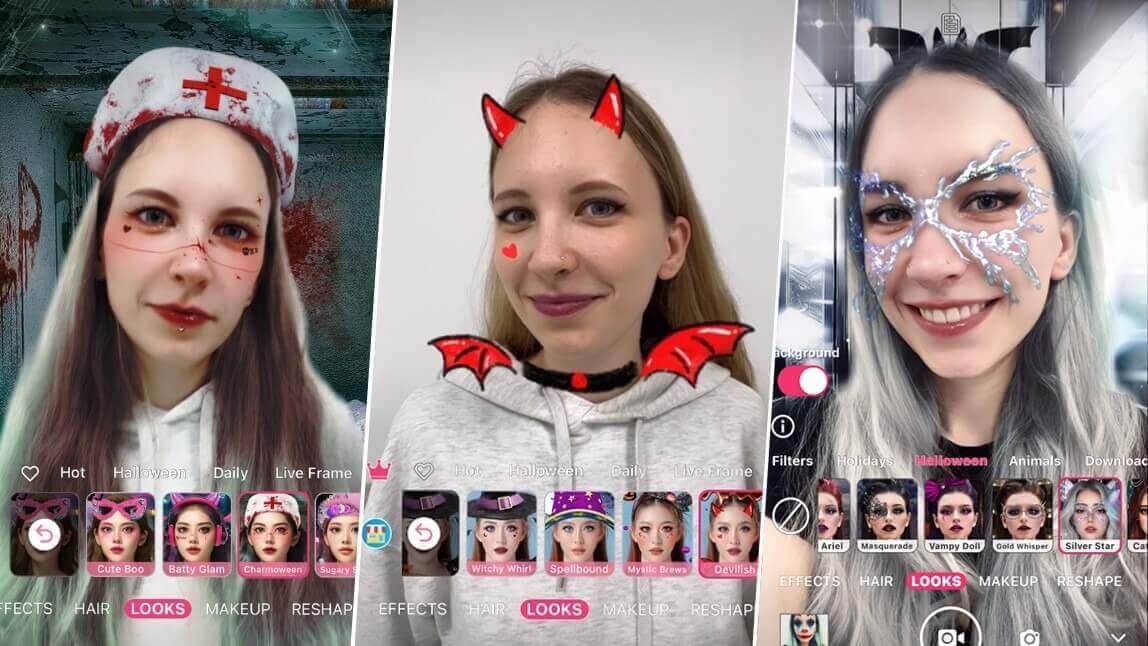
▲ Nun, Vampire, Pirate, Nurse, and more - turn into any Halloween character! ▲

"There's also soooo many different makeup looks to choose from, and not only is there makeup looks, but there's also Halloween and live frames and just other crazy cool costume ones! They always work unless you have horrible lighting (obviously) and look crazy realistic which is definitely one of the best parts!" — Cute Crazy Chic, App Store review (★★★★★)
Best Halloween Photo Editor for Halloween Photo Filters
YouCam Makeup is the ultimate AI Halloween photo editor app, offering a wide range of Halloween filters to help you step into the shoes of iconic characters like Elphaba, the Wicked Witch of the West, or Wednesday Addams.
With a wide selection of spine-tingling Halloween backgrounds and AI Halloween photo filters, YouCam Makeup is your go-to tool for creating the most bewitching Halloween photos.
- Face Reshape Tools
- AI Halloween Photo Filters
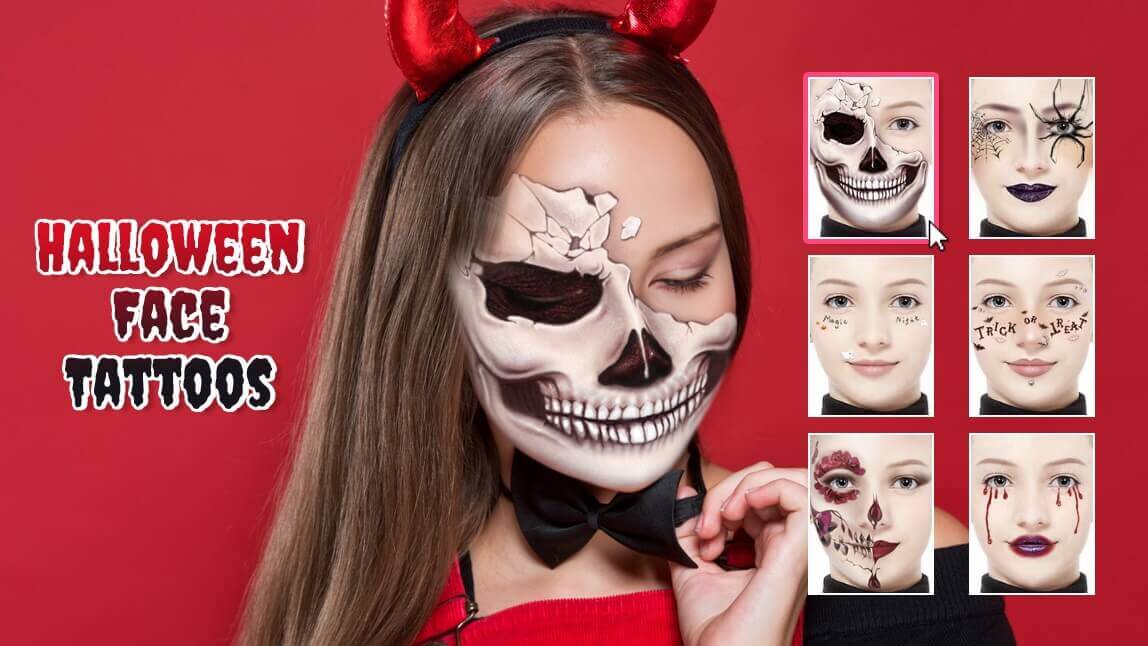
- Halloween Makeup Filters
- Halloween Costume Filters
- Halloween Photo Backgrounds
1. Face Reshape Tools for Scary Halloween Edits
The app offers hundreds of amazing features for your editing pleasure. One of the most important ones for replicating Halloween movie characters are the face shaping tools.

Channel the spirit of your beloved movie characters like Chucky or the Corpse Bride using YouCam Makeup's Face Reshape tools. You can easily adjust your overall face shape, including your jaw, cheeks, chin, forehead, and nose.
2. Halloween Photo Filters for Eerie Photo Edits
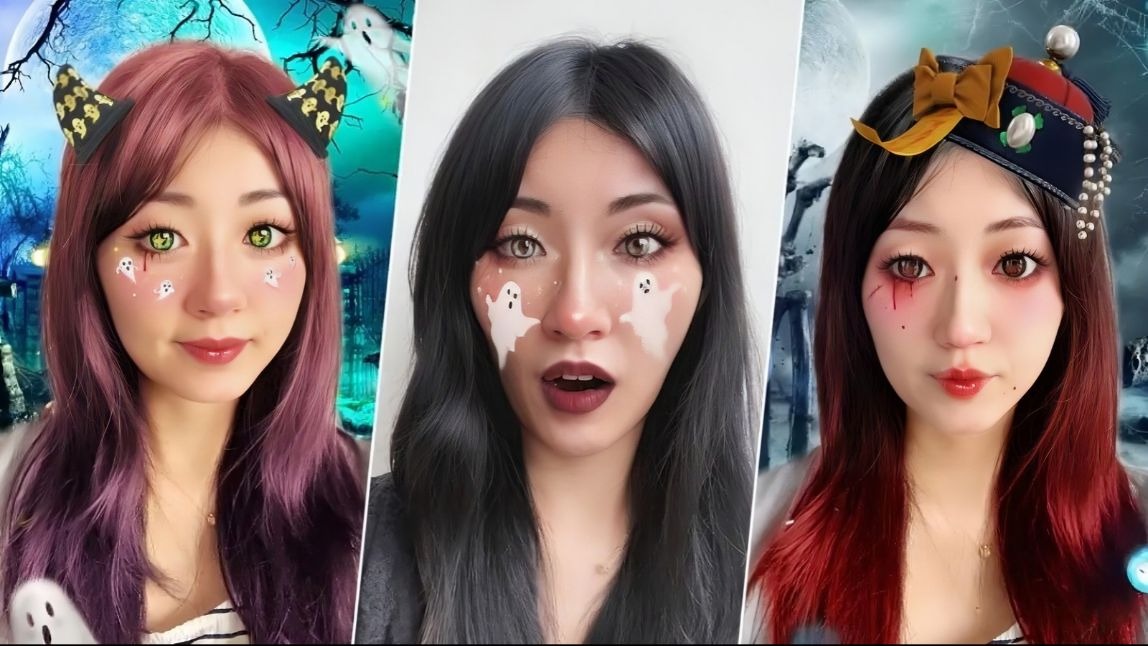
Elevate your Halloween selfie game with enchanting Halloween photo filters. Turn every photo into a magical, costume-filled adventure!
The app’s AI technology ensures that your Halloween look is both striking and realistic. Whether you want to be a ghost or a witch, the filters blend seamlessly with your natural features.

3. Halloween Makeup Filters for Halloween Looks
Make your Halloween selfies truly enchanting by adding a touch of mystique with our Halloween makeup filters!
Embrace the spooky world of horror as you effortlessly become a possessed nurse, Frankenstein, or the devil with just a quick filter applied to your selfie!

4. Halloween Costume Filters for Costume Transformations
Whether you want to transform yourself into Wednesday Adams, a blood-thirsty vampire, or a witty pirate, YouCam Makeup's AI clothes changer tool makes any costume dreams come to life in just a few clicks!
You don’t have to spend money buying costumes or a bunch of accessories that you're probably never going to use again. With just a few taps, you can try on Halloween costumes that make you unrecognizable (in a good way!).

👉Read More: Gothic Halloween Costume Filters To Try in 2025
5. Halloween Backgrounds for Fun Halloween Photo Edits
Spook up your photos with YouCam Makeup’s eerie Halloween backgrounds!
From haunted houses to spooky forests and eerie moonlit skies, these backgrounds add the perfect spooky touch to your selfies. These Halloween-themed settings will complete your haunting look and make your photos scream Halloween vibes.


Quick Comparison: AI Filters vs. DIY Makeup vs. a Rented Costume
| Method | Best For | Time |
| YouCam Makeup AI filters | A quick, shareable character look for Instagram/TikTok, no shopping or skill required | Under 5 minutes |
| DIY makeup | An in-person Halloween party where the look needs to hold up close-up and all night | 30-90 minutes, plus practice |
| Rented/bought costume | A full head-to-toe character, not just the face | Days (shopping/shipping) |
In testing, the app version is the fastest way to try a character on before committing to a real costume - it will not replace practical makeup for an in-person event, but it is an easy way to preview the look first.
4 Iconic Halloween Characters to Channel
Looking for a Halloween look that’s both bold and unforgettable? With YouCam Makeup, you can instantly transform into some of the most iconic movie characters that bring the drama, mystery, and chills.
1. Tim Burton Corpse Bride X Eye Shaping
One of the most popular and recognizable Halloween characters is Emily from Tim Burton’s film, The Corpse Bride. Emily’s makeup look stands out thanks to her larger-than-life eyes, which you can also get with the YouCam Makeup app.
To do so, start by uploading an existing photo of yourself, or take one in the app. Then, tap Retouch and scroll until you see Eye Reshape.
To replicate Emily’s look, simply adjust your natural eye shape both overall, and in width and height to really get that famed look for yourself.
➤ How to Make Eyes Look Bigger in Photos | Best Eye Editor App
2. Jigsaw Killer X Cheek Shape
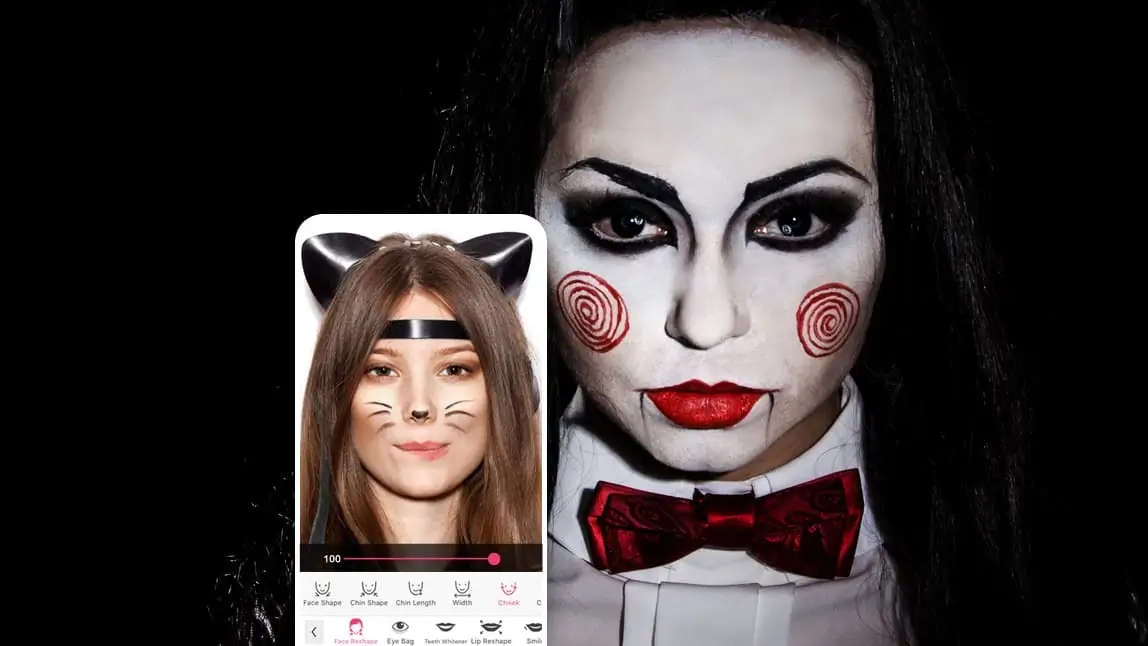
Another popular Halloween character makeup look is that of the Jigsaw Killer from the immensely popular Saw movies.
To get this look, upload or take a photo that you’d like to adjust. Then, tap Retouch and Face Reshape. Scroll until you see Cheek.
Dragging the glider to the bottom of the screen will allow you to increase the emphasis on your cheeks, which is essential for re-creating this well-known spooky character.

➤ Cheek Filter: See What You Would Look Like With Cheek Filler
3. Maleficent X Jaw Shaping
Maleficent’s look is known for many things: her fierce eyebrows, cheekbones, horns, and, of course, jawline.
To get that striking jawline, start by uploading or taking a photo of your choice. Next, tap Retouch in the app. From there, navigate to Face Reshape and Jaw.
Using the slider at the bottom of your screen, make your jaw thin to recreate Maleficent’s similar facial shape.

➤ Best Jawline Editor App: How to Edit Jawline in Photos for Free
4. Red Queen of Hearts X Lip Shaping
One of the most fabulous villains of all is the Red Queen of Hearts, who is, of course, known for her distinct makeup look.
To get that recognizable look of hers, begin by uploading the photo you’d like to adjust. Next, tap Retouch and then Lip Reshape.
From there, you’ll see options for Overall, Width, Height, and Lip Peak. Use Lip Peak to get that signature heart-shaped lip that the Red Queen of Hearts is so well known for.

➤ Best Lip Shape Editor: How to Change Lip Shape on Photos
Hot Off the Feed: New for Halloween 2026
One thing worth folding into your character-transformation plans this year: brands are now building entire original AI-generated Halloween characters of their own. Fanta’s new “Haunted Universe” campaign introduced four original AI-designed monster characters as its own mini cinematic universe for the 2026 season (PYMNTS, Sept 2026). It is a sign that AI-assisted character creation is moving mainstream, not just a filter trend — worth a look for inspiration if you want to design your own original look instead of channeling an existing movie character. Since these are brand-new original characters, there is no licensed reference photo to preview them against yet; we will add one once real assets are available.
Pro Tips for a More Convincing Character Transformation
- Match your lighting to the character. Cool, slightly dim lighting helps ghostly or vampiric looks (like the Corpse Bride) read as intentional rather than like a lighting mistake; even, bright light works best for sharper looks like the Red Queen.
- Shoot straight-on first. Face Reshape edits (jaw, cheek, lip) blend most convincingly on a front-facing photo — try that angle before experimenting with a profile shot.
- Layer one tool at a time. Apply a Face Reshape edit, check how it looks, then add the Halloween Filter or Costume Filter on top — stacking everything at once makes it harder to tell which change is throwing off the realism if something looks off.
- Want to plan a video too? If you are turning your look into a Reel or TikTok, YouCam Video carries matching Halloween filters and face-swap effects so your photo and video content can share the same character concept.
Best Halloween Photo Editor for Free Halloween Photo Filters
Ready to get spooky? Download YouCam Makeup today to explore endless Halloween movie character transformations, try out creative makeup looks, and experiment with a variety of filters.
Whether you’re aiming for something scary, glamorous, or just plain fun, this Halloween photo editor has got you covered!

More Halloween Photo Edit Ideas
- Best Corpse Bride Makeup Filter App for Halloween 2025
- 5 Best Free Halloween Skull Makeup Filters to Try in 2025
- 14 Halloween Makeup Filters For Cute Halloween PFPs in 2025