Author:


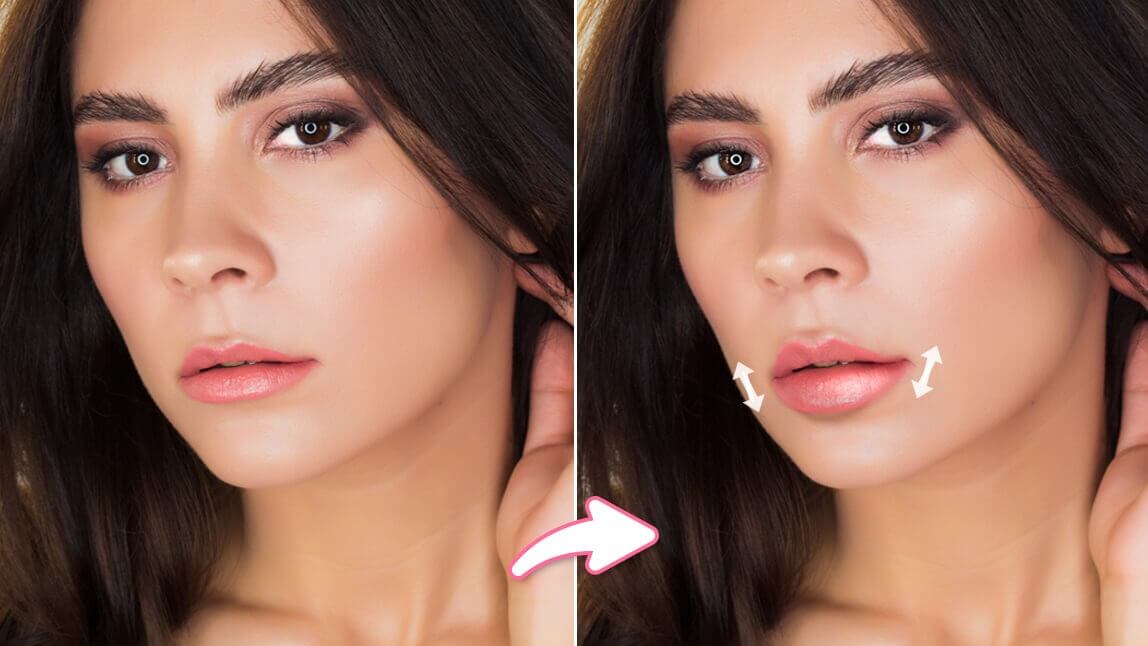
Have you ever wanted to see what you would look like with different lip shapes? Whether is plumping your lips or getting a gorgeous lip peak, trying out a free face editing app is your best solution.
Keep reading to find out how to change your lip shape and lip color to create your ideal look!
Best App to Edit Lips in Photos [iPhone & Android]
YouCam Makeup is the best lip editing app to change your lip shapes, remove lip wrinkles, and add lip color to photos.
With advanced AI technology, your lips can be edited precisely, all with an easy swipe on the slider.

Read on to learn more about all the features that help you edit your lips in photos.
How to Edit Lips in Photos With the Best Face Editing App
YouCam Makeup has all the tools you need for easy lip editing to get the look of your dreams in every photo.
| Lip Editing Features |
|---|
Lip Reshape: Adjust Lip Size and Lip Peak

Use the Lip Reshape feature to adjust the Lip Size, Width, Height, and peak of your lips to create the exact look you want.
Read More: How to Edit a Cupid’s Bow in Photos
Lip Plumper: Plump Your Lips in Photos

Find the Lip Plumper feature under the Retouch tap to plump your lips easily with a slide bar.
Read More: How to Plump Lips in Photos With the Best Lip Filter App
Lip Color: Add Lip Gloss to Photos

Do you want to add lip gloss to photos? No problem! The YouCam Makeup app offers 100+ different lip colors and 7 different lipstick textures, for you to easily switch between matte, satin, and gloss.
Read More: Virtual Lipstick Try-On: 100+ Lipstick Filters
Lip Wrinkle: Edit Chapped Lips in Photos

Use the Lip Wrinkle feature, so your lips look smooth in photos.
Read More: How to Remove Lip Wrinkles from Photos With a Free App
Download YouCam Makeup: Best Lip Editor App

YouCam Makeup has lots of retouching and makeup tools to bring out the best in your smile. Change your lips without risk using the app’s Lip Reshape and Lip Color tool and see how it can transform your look.
Download YouCam Makeup for iOS or Android to turn your lips from chapped to charming!