Author:


It’s that time of the year again, happy Thanksgiving!
Whether you’re snapping cozy Thanksgiving dinner photos, capturing your pumpkin pie feast, or taking cute selfies with friends,
the right Thanksgiving filters, backgrounds, and festive Thanksgiving effects can instantly add warmth and holiday magic to every shot.
This year, we’ve rounded up 6 creative Thanksgiving filters and effects to help you make your photos stand out.

6 Creative Thanksgiving Picture Ideas
Get inspired with six Thanksgiving photo ideas that will make your pictures feel extra festive.
Each one can be easily created using the YouCam Makeup app. Whether you’re going for a cute, fun, or elegant vibe, you’ll find something that perfectly fits your Thanksgiving mood.
- 1. Happy Thanksgiving Image: Photo Backgrounds & Wallpapers
- 2. Thanksgiving Stickers: Add Cute Turkeys & Pumpkin Pies to Your Photos
- 3. Cute Face Filters: Easter bunny & Flower Crown
- 4. Fall Makeup Looks: Thanksgiving Vibes Makeup
- 5. Foodie Filters: Turkey Dinner
- 6. Thanksgiving Selfie: Retouch Feature

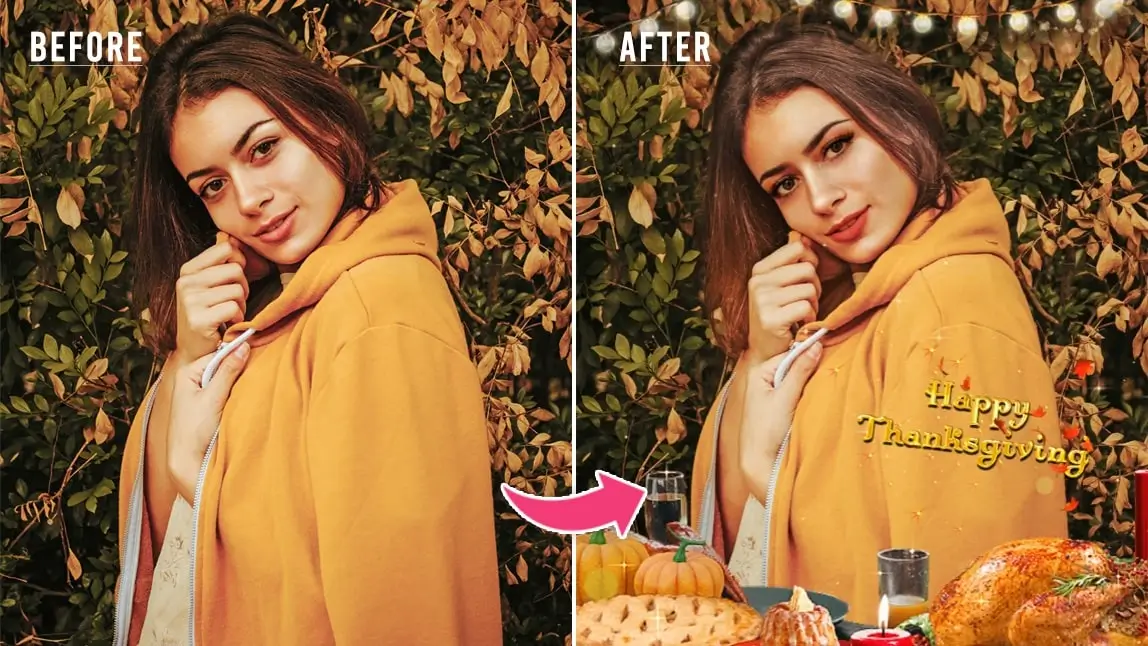
1. Happy Thanksgiving Image: Photo Backgrounds & Wallpapers

If you don’t have a festive fall background, YouCam Makeup can help. It has several falls and Thanksgiving-themed replacements, including simple backgrounds with a turkey dinner, leaves, and other forest finds. It also has more colorful backgrounds with stylish pumpkins, corn, and turkeys.
Get the best Thanksgiving wallpaper backgrounds for your phone with YouCam Makeup!

How To Add Thanksgiving Photo Backgrounds:
- 1. Tap Photo Makeup to upload your photo.
- 2. Go to Edit and select Background.
- 3. Scroll to find the Thanksgiving options and tap to apply behind your selfie.
- 4. Save and share!
2. Thanksgiving Stickers: Add Cute Turkeys & Pumpkin Pies to Your Photos

Thanksgiving stickers are the cutest way to bring festive vibes to your photos! From freshly baked turkeys to delicious pumpkin pies, YouCam Makeup has tons of adorable sticker options to decorate your shots. Just pick your favorite from the Holiday collection and make your photos instantly more fun and full of Thanksgiving cheer!
How To Get Animated Thanksgiving Photo Filters and Effects:
- Step 1: Download the best Thanksgiving photo editor.
- Step 2: Tap Photo Makeup and upload the photo you want to edit.
- Step 3: Go to Edit and select Animation.
- Step 4: Scroll to find the Holiday collection.
- Step 5: Choose the Effects or Stickers option and explore your favorite Thanksgiving effects and stickers.
3. Thanksgiving Cute Face Filters: Easter Bunny & Flower Crown

Go for the Cozy Crown Filter to add a soft, or try the adorable Acorn Adorn Filter for a playful squirrel vibe, elegant touch of fall. Capture the essence of the season in your photos and share the joy with friends and family.
How To Get Thanksgiving Face Filters:
- Step 1: Use Photo Makeup to upload your photo or Camera to try the filters on live camera.
- Step 2: Go to Looks and choose the collection Autumnal Allure.
- Step 3: Tap the store icon to open more filter options.
- Step 4: Apply the Thanksgiving face filter you like best.
- Step 5: Tap the pink Save button and share!
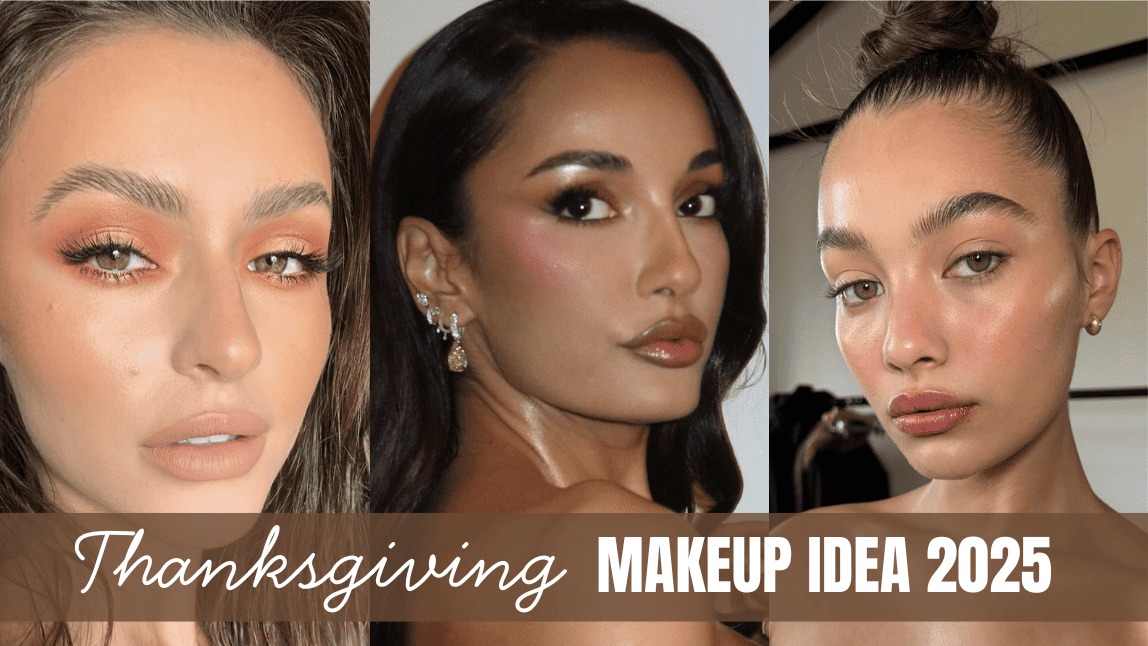
4. Fall Makeup Looks: Thanksgiving Vibes Makeup

It’s important to get the right look for your Thanksgiving celebration, and YouCam Makeup can make it happen without the mess. Whether you want to add a touch of autumnal color to your cheeks or go all-out with a pumpkin spice latte-inspired look, the YouCam Makeup app has you covered. Just scroll through the options until you find the perfect look for your photo and then let our makeup filter do its magic.
How To Get Thanksgiving Makeup Filters
- Step 1: Tap Photo Makeup to upload your photo.
- Step 2: Go to Makeup and select Lip to add autumn hues to your makeup.
- Step 3: Then, go to Hair and choose a red option to match the colorful fall leaves.
- Step 4: Save and share your photo.
If you are thinking about getting a new look for Thanksgiving, you can not just try hair color filters, but also virtual hairstyles.
5. Thanksgiving Foodie Filters: Turkey Dinner
 Nothing’s better than the long-awaited Thanksgiving meal! Bring out your inner foodie with a photo of your Turkey Day spread, and use YouCam Makeup’s Foodie filter collection to enhance it. These filters all bring a delicious touch to your meal with six options that bring every side into the spotlight.
How to Apply Thanksgiving Food Filters:
- Step 1: Use Photo Makeup to upload your photo.
- Step 2: Go to Edit and choose Effect.
- Step 3: Tap the store icon to open more options and find the Foodie filter pack.
- Step 4: Apply the one you like best.
- Step 5: Tap the pink Save button and share!
6. Thanksgiving Selfie: Retouch Feature

YouCam Makeup can do more than add filters to your photos. If you don’t feel confident in your skin or your grandma wants to take a few years off, YouCam Makeup can remove blemishes, reduce wrinkles, and slim your face without advanced editing skills.
How to Retouch Your Thanksgiving Selfies:
- 1. Tap Photo Makeup to upload your photo.
- 2. If your photo has multiple people, choose a face to edit.
- 3. Go to Retouch and edit your face as you want.
- 4. Save and share!
Best Photo Editor For Thanksgiving Filters & Effects
Thanksgiving filters make it easy to transform your holiday photos into beautiful, cozy memories you’ll want to share. Whether you’re showcasing the Thanksgiving feast, a group family photo, or a quiet moment by the fire, these filters will add that extra festive flair.
So download YouCam Makeup, choose your favorite Thanksgiving photo filter, and bring your holiday pictures to life this Thanksgiving season!
More Thanksgiving Photo Ideas
- 6 Must-Have Thanksgiving Photoshoot Ideas & Tips for 2025
- 12 Thanksgiving Makeup Looks You Can Try in 2025
- Best Happy Thanksgiving Video Editor & Maker in 2025