Author:


Imagine capturing a perfect moment, only to find an unwanted person in the frame. Don't worry, we've got you covered!
Read on to learn how to crop someone out of a photo using an AI clean up tool.
How To Cut People Out of Photos With AI

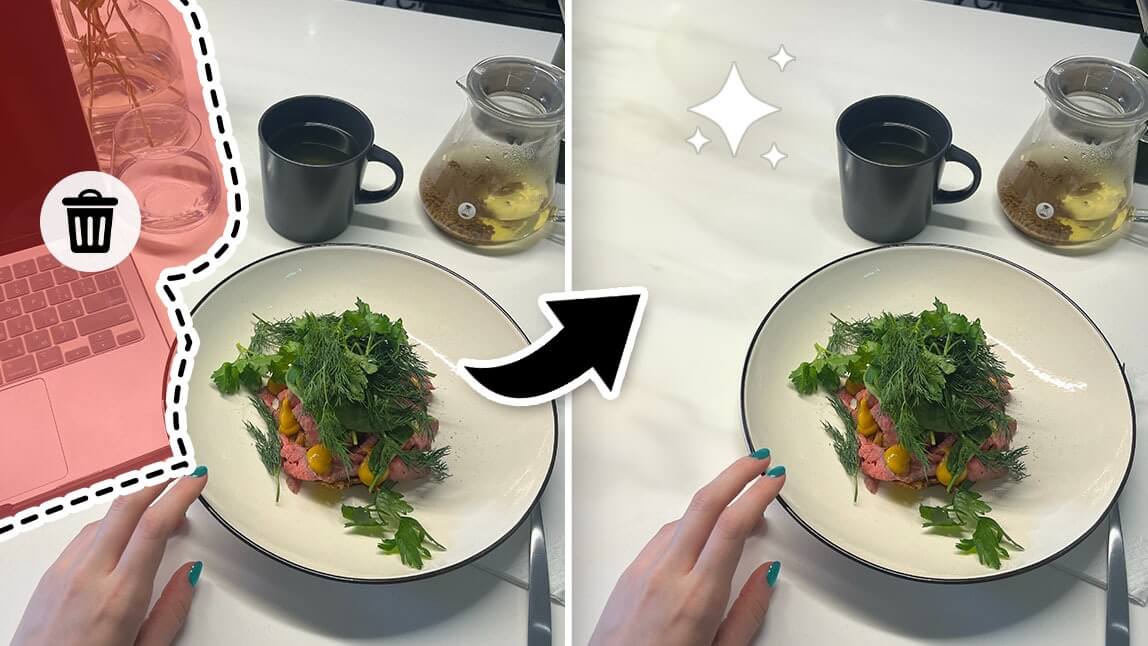
Easily crop someone or undesired elements from your image by painting over them, and let the AI Removal tool do the rest. Just get the best AI photo editing app, upload your image, and remove unwanted people in 4 steps.
How to Crop Someone out of a Photo?
- Step 1: Upload your photo.
- Step 2: Open the AI Removal feature.
- Step 3: Select the people you want to crop out of the photo.
- Step 4: Save the edited photo.

When it comes to deleting a person from a photo, the process is fairly simple:
Step 1: Upload a Photo
First, select the photo you want to edit. It could be any image with people you'd prefer not to be there.
Your photo can be in either PNG or JPG format.
Step 2: Select the AI Removal Feature

Open the AI Removal feature and use the brush tool to paint the people you want to crop out from your picture. Remember to change the brush size with the slider to make it easier.
Our AI Removal tool can auto-identify unwanted elements without undesirable or unnatural marks.
Step 3: Cut People Out of Photo
When you are done, click the "Apply" button to crop out the people in the photo. You can always go back to the last step to undo the removal. In case you think the result isn't quite right.
Step 4: Save the Photo

Download your image on your iPhone or Android device, and you're done! You can also create a YouCam Perfect account to enjoy more AI photo editing options.
👉 Read more: How to Remove People From Photo for Free
Best Object Removal App to Crop People Out of Photos
YouCam Perfect is the best object removal app in 2025 for iPhone and Android. You can use it to erase people and objects from photos easily and instantly. Using the most advanced AI cleaning up your photos becomes super convenient.
If you are wondering what else you can do with an AI removal tool, here are some ideas you can explore:
- How To Remove Glare From Photos
- How To Remove Glasses From Photos
- How To Remove Wrinkles From Clothes
- How To Remove Glowing Eyes
- How To Remove Shadows
- How To Remove Watermark
- How To Remove Text
- How To Remove Sweat Stains
- How To Remove Photobombers
- How To Remove Snapchat Filters
For the best object removal app review check out our review of the 8 best apps for removing people from photos and the top 10 object removal apps in 2025!
This May Also Interest You

If you loved using this tool, you might be interested in exploring other photo editing tools:
👉 Read more: How to Remove Objects From Photos