Author:


Get ready for the ultimate Stranger Things experience just in time for Halloween and ahead of the highly anticipated release of season 5 this November! With the Stranger Things filter, you can transform your selfies into characters straight out of Hawkins or even the spooky Upside Down.
Whether you're gearing up for a Halloween party or simply want to channel your inner Eleven or Dustin, these filters will give your look a supernatural edge!
3 Best Stranger Things AI Filters for Halloween 2025
Stranger Things has some of the most unique and exciting looks, from Nancy’s classy ’80s fashion to Eleven’s grunge image. Here’s how you can get them for a cool Halloween look!
1. Stranger Thing's Look x Upside Down Background
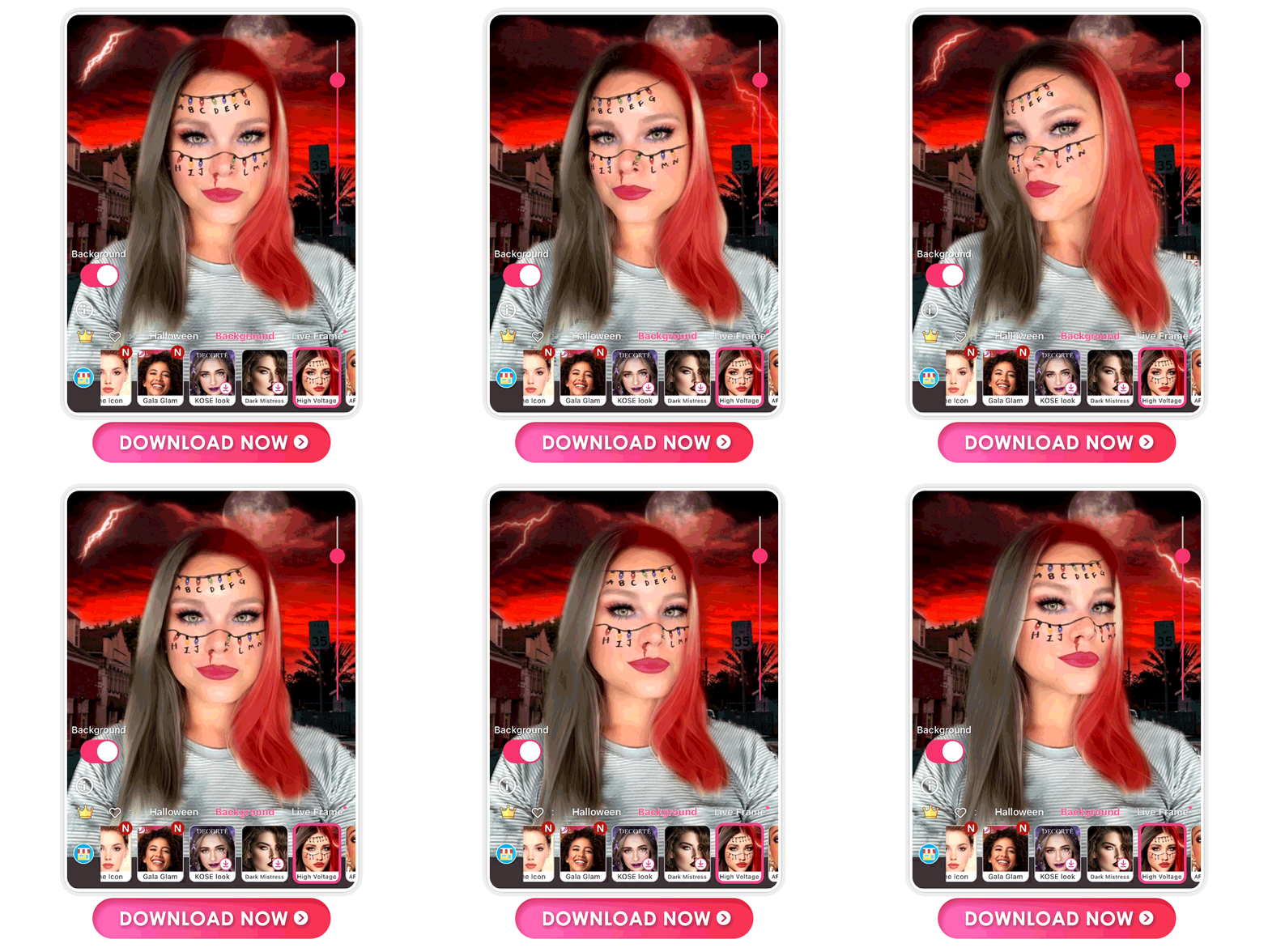
Combining the letter lighting bulbs and the iconic Eleven nosebleed, this Stranger Things filter will be sure to catch some eyes this Halloween.
To try on this free look, download the YouCam Makeup app, then tap Look. Find the Background category, and you will see the High Voltage filter for instant try-on!
2. Eleven's Look x Upside Down Background

Eleven’s look isn’t complete without a nod to her telekinetic powers. This look gives you mysterious eye makeup, but its real focus is the black blood that turns into a black lip color, just like Eleven’s season two look!
Then add an Upside Down background to transform your selfie into the Stranger Things' world.
3. Nancy Wheeler Makeup Filter

Nancy is much more than a pretty face, and she shows her fighting skills every season. Still, her makeup works for an intense everyday look. This filter’s winged eyeliner adds a touch of style, while the deep red lip is more than meets the eye.
Top 3 Stranger Things Photo Backgrounds
Other than makeup, YouCam Makeup has photo backgrounds that make you feel like part of the show. From moonlit nights to the classic red and black filter, learn how you can get any Stranger Things backgrounds in your snaps!
1. Upside Down World Photo Background

Put yourself in Victor Creel’s house Upside-down with this creepy castle filter. It sets you against a red-tinted background with old-fashioned lights on the stone wall behind you. Plus, the ghostly orbs floating around you give you an extra spooky vibe.
2. Vecna's Home Photo Background

Crawl into your own web with this moonlight fog filter. With thorny roses and a full moon in the background, it sets the tone for your next adventure. The spider web in the corner adds a subtle Stranger Things nod among the fog.
3. Grandfather Clock Photo Background

Even if the Stranger Things gang runs out of time, you won’t with this grandfather clock background! Hunt down Vecna with this wintry evergreen scene and the old-timey clock face behind you.
How to Add Stranger Things Background to Your Photos
YouCam Makeup is the best photo background changer app for Stranger Things inspired filters. Create your own unique Stranger Things photo backgrounds with these steps:
Step 1: Download the free YouCam Makeup app.
Step 2: Upload the photo you want to edit.
Step 3: Select Edit and go to Background.
Step 4: Browse through over 50+ photo backgrounds and tap your favorite to apply.
Step 5: Save your Stranger Things photo!
Download the Best Stranger Things AI Filter App
As excitement builds for Stranger Things Season 5 and Halloween just around the corner, now’s the perfect time to immerse yourself in the eerie world of Hawkins with the Stranger Things filter. Whether you’re trying on a spooky Upside Down-inspired look or going full ‘80s nostalgia, this filter has got you covered.
Download YouCam Makeup and get Stranger Things-ready today—you’ll have everyone doing a double take at your epic transformation!
More Movie Inspired Ideas
- How to Edit Stranger Things Aesthetic Pictures | Best Free App
- Try Stranger Things Aesthetic Video Filters [iPhone & Android]
- Top Gun: Maverick Filters: How to Try 3 Top Gun Looks for Free
Disclaimer: "Stranger Things" is a registered trademark of Netflix Studios, LLC. Neither "Stranger Things" nor "Netflix Studios, LLC" is in any way associated with Perfect Corp.