Author:


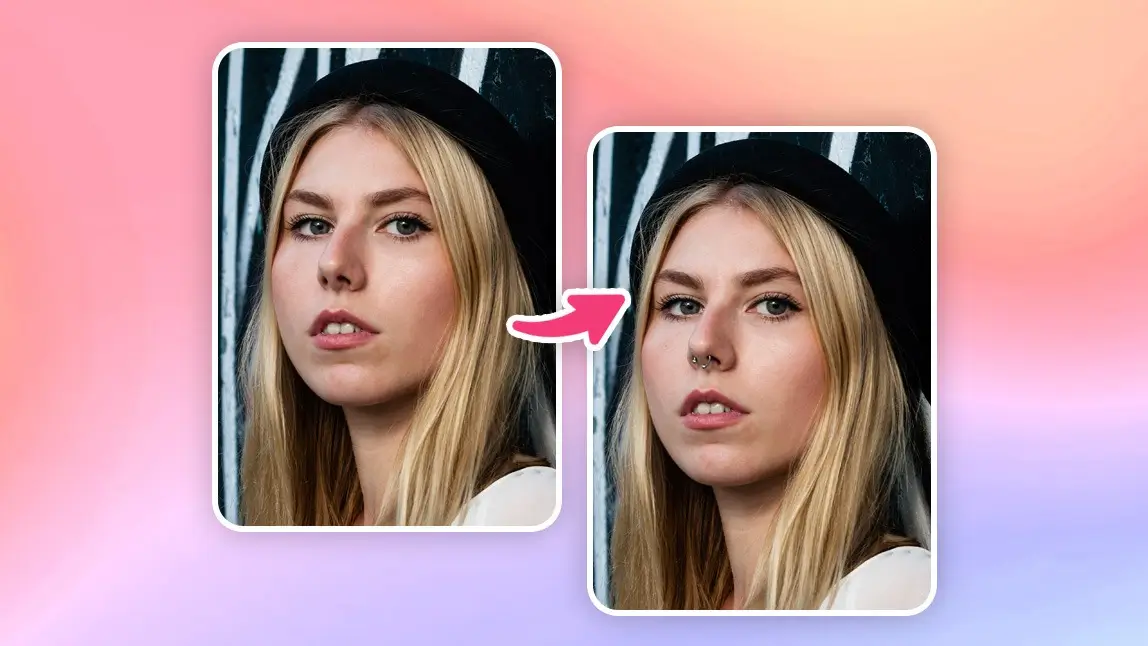
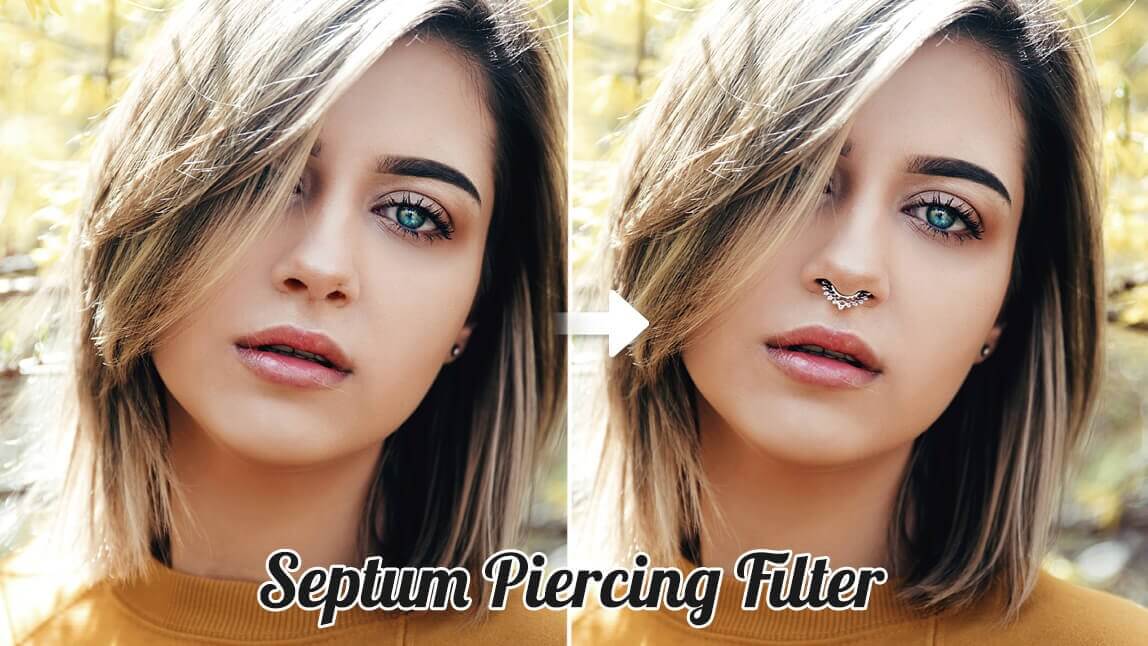
Thinking about getting a nose piercing but not sure if it will suit you? With a nose piercing filter, you can see what you would look like with a nose ring before commiting.

Whether you’re considering a stud, hoop, or septum ring, YouCam Makeup's nose piercing simulator lets you experiment with different styles instantly. And if you don't want to download an app, you can try a piercing filter online free with YouCam Online Editor.
How to Add Nose Piercing Filter with Piercing Simulator
Wondering what you would look like with a nose piercing? Here's how you can check if you look good with a nose piercing with YouCam Makeup’s nose piercing simulator:
- Step 1: Download the Best Nose Piercing Simulator
- Step 2: Upload Your Photo
- Step 3: Apply the Nose Piercing Filter
- Step 4: Add Nose Piercing to Your Photo
- Step 5: Try Nose Piercing Looks
Step 1: Download the Best Nose Piercing Simulator
YouCam Makeup is the best nose piercing simulator to see yourself with a nose piercing. Download the app for free from the App Store or Play Store.

Best AI Selfie Camera
The #1 Virtual Makeover & Selfie Camera App.
Experience real-time AR makeup trials.
Step 2: Upload a Clear Selfie
Open the app and tap Photo Edit. Upload a high-quality selfie where your nose is clearly visible. A well-lit image will help the AI accurately apply the nose piercing filter.
Step 3: Apply Nose Piercing Filter to Your Photo
Go to Edit and navigate to the AI Replace feature. Use the brush tool to select where you want to place your nose piercing.

Step 4: Customize Your Nose Piercing
Describe what kind of piercing you want to try on with a prompt. Some examples include ‘diamond nose stud’ or ‘nose ring’.

Step 5: Virtual Nose Ring Try On with Makeup Looks
YouCam Makeup also offers different makeup looks with nose piercings and septum piercings. Find 'Astra' and "Ravenette" piercing looks in the Party category under Makeup Looks.
Bonus: Customize Your Nose Piercing Filter with Beauty Agent
You can also add piercings to your photo with the Beauty Agent feature in YouCam Makeup. Enter a prompt like "Add a nose piercing to my photo in a simple ring style."
You can customize the piercing style and placement to your liking.

Once you’re happy with your virtual piercing, save the image and share it with friends, or keep it as a reference for the real deal!
Virtual Nose Ring Try-On Online with YouCam Online Editor
Don't want to download an app? YouCam Online Editor makes it easy to try on nose piercings online from your desktop or mobile browser.

How to Try Nose Piercing Filter Online
Step 1: Visit YouCam Online Editor
Go to YouCam Online Editor in your browser. This online nose piercing simulator uses the same powerful AI tech as the YouCam Makeup app.
Step 2: Upload Your Photo
Click to upload a clear front facing photo where your nose is fully visible. Good lighting helps the AI apply your virtual nose piercing more accurately.
Step 3: Apply the Nose Piercing Filter
Brush over the spot on your nose where you want the piercing to appear. The AI will use this selection to generate a realistic result.
Step 4: Type Your Prompt
Enter a custom prompt such as “gold nose ring,” “tiny diamond nose stud,” or “silver hoop septum” to preview different piercing styles on your face.
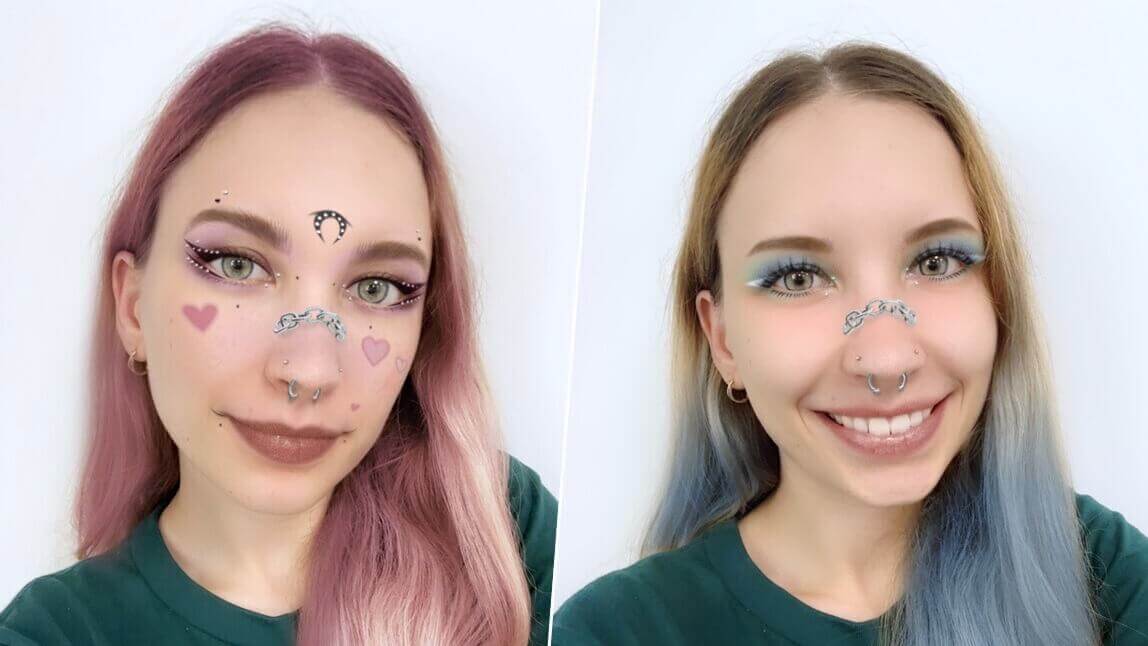
Likewise, you can also explore nose piercing filters online on TikTok and Snapchat. Simply open the app, go to the effects or lenses section, and search for “nose ring” or “septum piercing.” Select a filter, position your face in the frame, and instantly preview your new look!
What Is a Nose Piercing Filter?
A nose piercing filter is a virtual tool that lets you see what you would look like with a nose piercing by using a selfie or with live camera.
Instead of using stick-on piercings or getting actual piercings, virtual piercing try-on places realistic nose jewelry on your face. You can preview styles like nose rings, studs, or septum rings without any physical change.

Why Use a Nose Piercing Filter?
Virtual nose piercing try-on is the easiest way to try on different styles before getting an actual piercing. A nose piercing simulator can help you find the right piercing style and placement with zero pain or pressure.
- No Commitment: Test different nose piercing styles before making it permanent.
- Find Your Perfect Fit: Experiment with placement, size, and design.
- Fun & Easy: No pain, no piercing studio, just instant results with AI technology.
Top 6 Use Cases of Nose Piercing Filters
1. Test Before You Commit
I’ve seen too many friends regret a piercing they rushed into. With filters, you can try on every style virtually first — it’s like a dress rehearsal for your face.
2. Level Up Your Social Media Game
Sometimes you just want that edgy vibe without the pain. Adding a piercing filter instantly changes your look, and trust me, it gets people talking in the comments.
3. Match Your Outfit & Mood
I’ve used filters to see how a nose stud pairs with a glam dress or a casual hoodie. It’s a quick way to check if the vibe matches before stepping out.
4. Play Around Creatively
Filters aren’t just about realism — they’re a playground. I’ve layered piercings with fantasy edits or themed shoots, and the results are surprisingly artistic.
5. Try Bold Combos Without the Risk
Double studs, septum rings, or even mixing metals — I’ve tested them all virtually. It’s the safest way to see if you can pull off a bold look without committing.
6. Get Honest Feedback
I’ve sent filtered selfies to friends before making a decision, and their reactions helped me narrow down the best style. It’s like having a focus group for your face.
Try Free Nose Piercing Filter with YouCam Makeup
See what you would look like with a nose piercing instantly with YouCam Makeup's nose piercing simulator.
Whether you're thinking about getting a nose ring or just want to explore different styles like studs, hoops, or septums, the nose piercing filter makes it simple and realistic.
About the Editors

The PERFECT Corp. Editorial Team
We are a team of experts on photo and video editing apps. Our goal is to deliver engaging content on everything from stunning selfie edits to eye-catching video effects. We cover the latest trends and share niche tips to help you master digital creation.
Discover more about us:
Best AI Selfie Camera
The #1 Virtual Makeover & Selfie Camera App.
Experience real-time AR makeup trials.