Author:


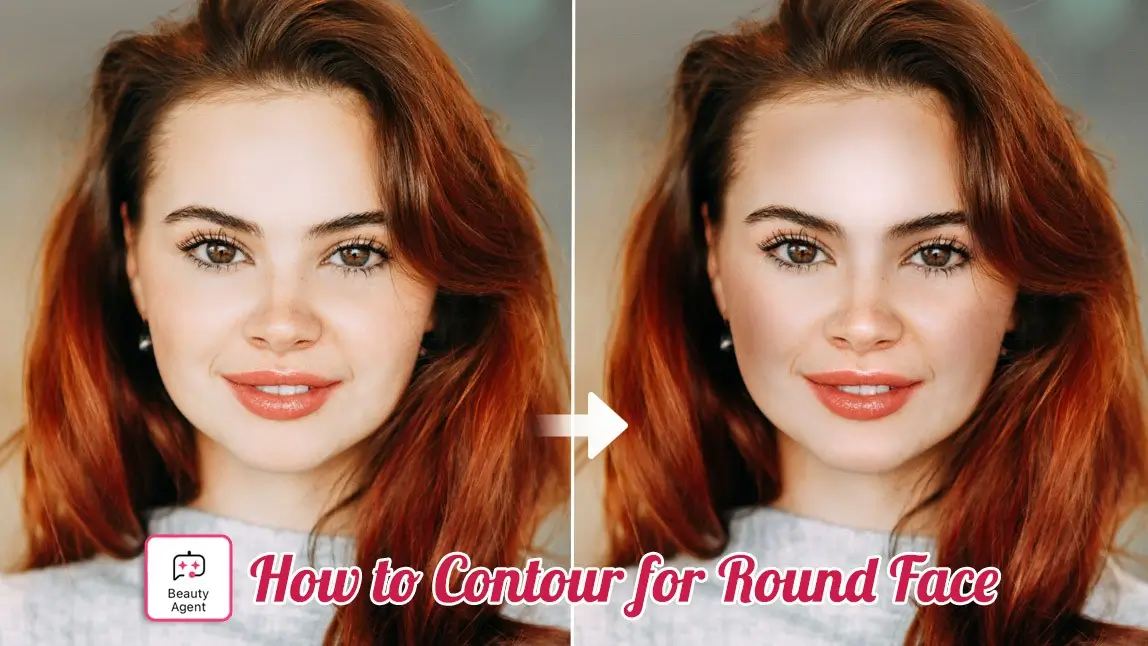
Ever scrolled through Instagram, wondering how everyone achieves that perfectly sculpted jawline, especially if you have a beautiful, full, round face? You’re not alone. The secret to transforming a round face into a chiseled masterpiece isn't complicated; it's about knowing exactly where to place that shading.
We're here to make the process simple, fun, and instantly achievable, even if you’ve never picked up a contour stick. Your dream look is just a few taps away. Ready to ditch the guesswork and embrace your best angles?
✨ Download YouCam Makeup now and let's master the art of the perfect contour together!
💡 Key Takeaways: Mastering Contour Makeup for Round Face
| Strategy | Goal | Key Location |
|---|---|---|
| Slimming Effect | Create length and definition | Sides of forehead, under cheekbones, jawline. |
| Lifting Effect | Avoid dragging the face down | High on the temples, blend up toward the ear. |
| Pro Tip | Use AI for personalized placement | YouCam Makeup's AI Agent feature. |
Find out what's your face shape>>>
How to Contour for Round Face
✨ Why Contour for Round Face is Your Secret Weapon
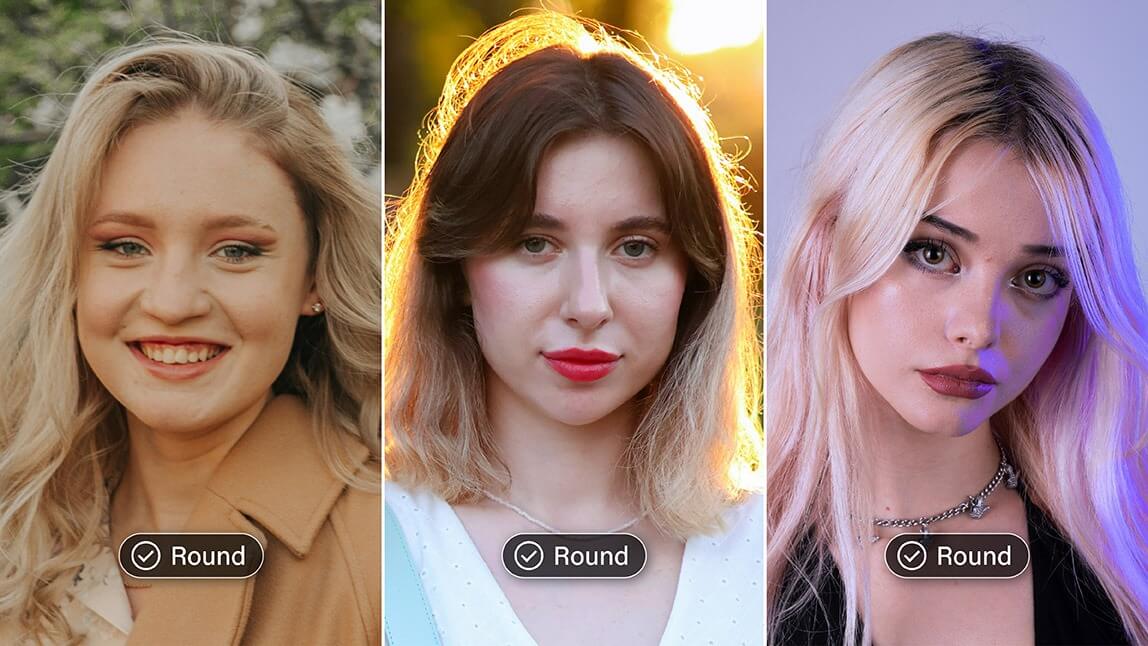
A round face is defined by its softer features and equal width and length. This is lovely, but sometimes you crave more definition. That’s where contouring comes in!
Contouring for a round face isn't just about applying makeup; it's an optical illusion that helps create shadows and highlights. By placing darker shades strategically, you can:
- Create Dimension: Make your face appear less flat and more three-dimensional.
- Add Length: Visually elongate the face to achieve a more oval shape.
- Define Features: Sharpen the cheekbones and jawline for a sculpted look.
📐 How to Nail the Positioning: Your Face Contour for Round Face Map

For a round face, the goal is always to add length and slim the sides. Skip the horizontal lines!
- The Cheekbones: Start from the top of your ear, aiming for the corner of your mouth, but STOP at least an inch away from your mouth. Apply the contour in a slightly diagonal, straight line, not a curved one. Blend UPWARD to lift.
- The Forehead: Apply contour along your temples, near the hairline. This creates a vertical shadow that subtly narrows the top of your face.
- The Jawline: Apply contour directly under the edge of your jawbone, extending from the ear down to the chin. This creates a sharp shadow for that sought-after definition.
- The Nose (Optional): Draw two very fine, straight lines down the sides of your nose to make it appear longer and slimmer.
Discover how to try makeup contouring for a round face on photos>>>
🤖 Face Contour for Round Face Tips: The Ultimate AI Advantage
The biggest challenge in contouring is finding the exact right spot on your unique face. Stop wasting time guessing in front of the mirror—let AI be your personal makeup artist!
💡 Try YouCam Makeup’s AI Agent for Contour Tips
YouCam Makeup’s AI Agent is a revolutionary feature that provides personalized, expert advice based on your uploaded photo. Instead of following generic guides, you can literally ask the AI: "How should I contour for my round face?" and see the result applied instantly!
📸 How to Use the AI Agent Feature for Face Contour
This is the fastest, most foolproof way to master contouring for a round face:
Step 1. Download YouCam Makeup
Shared Materials by Strapi
*Adjust the size of images ONLY. Please go to Strapi to edit the materials info.
Find the YouCam Makeup app in your App Store or Google Play.
Step 2. Tap AI Agent

Open the app and locate the AI Agent feature.
Step 3. Ask Your Question
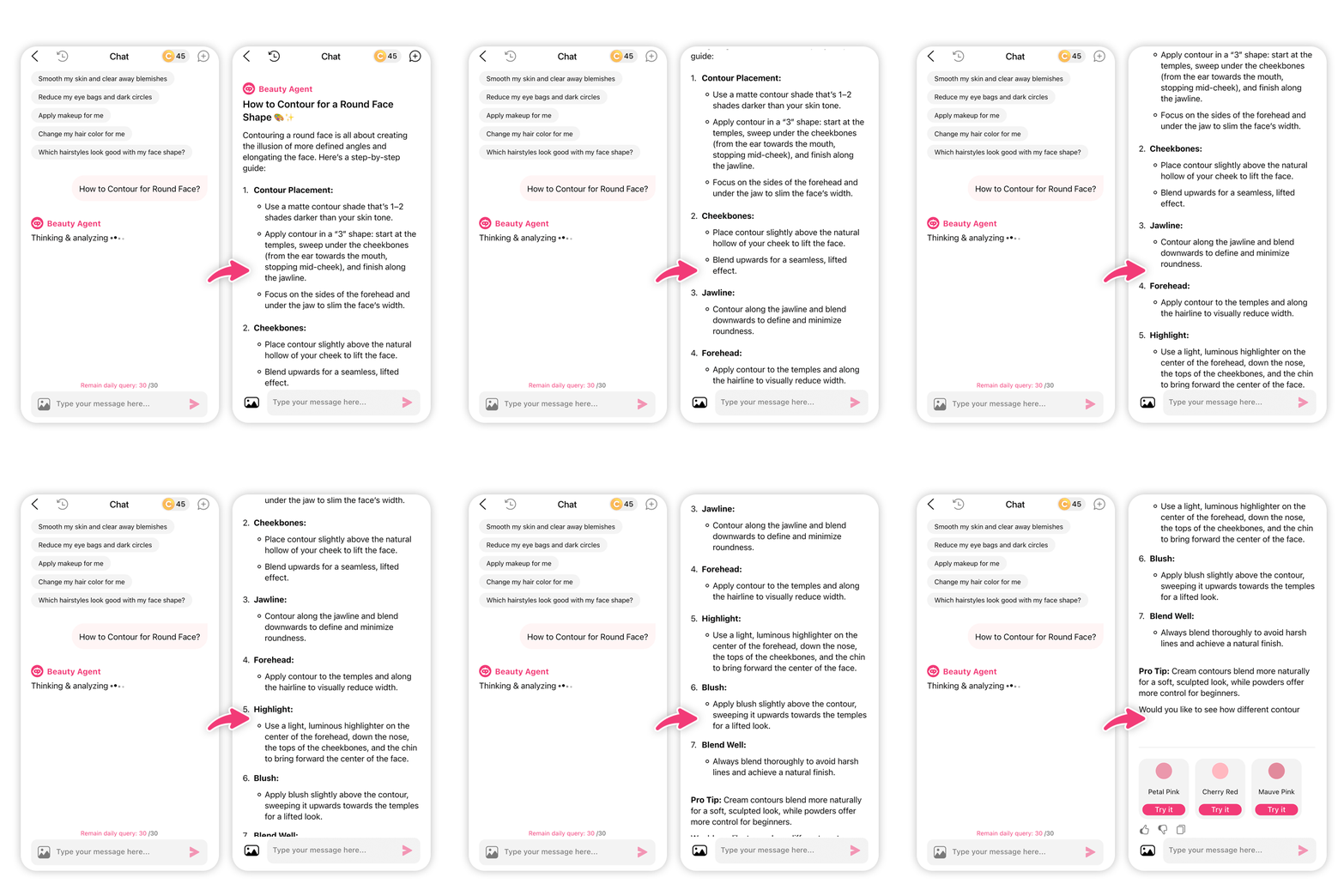
Upload a clear photo of yourself, then type in your specific contour query (e.g., "Give me contour makeup for round face tips," or "How to apply contour for a slimmer face").
Step 4. Upload Photo & Apply Contour

The AI will analyze your facial structure and generate the perfect contour placement and application method specifically for your face shape.
Step 5. Get the Face Contour for Round Face Result

Instantly see the professional result on your photo. You now have a custom visual guide to replicate with your own products!
🖼️ Bonus: How to Contour for Round Face On Photos
Want to instantly enhance your social media selfies with that sculpted look? YouCam Makeup also offers an easy manual contour tool for photos.
Step 1. Tap Makeup & Upload photos

In the app, select Makeup and upload the photo you want to edit.
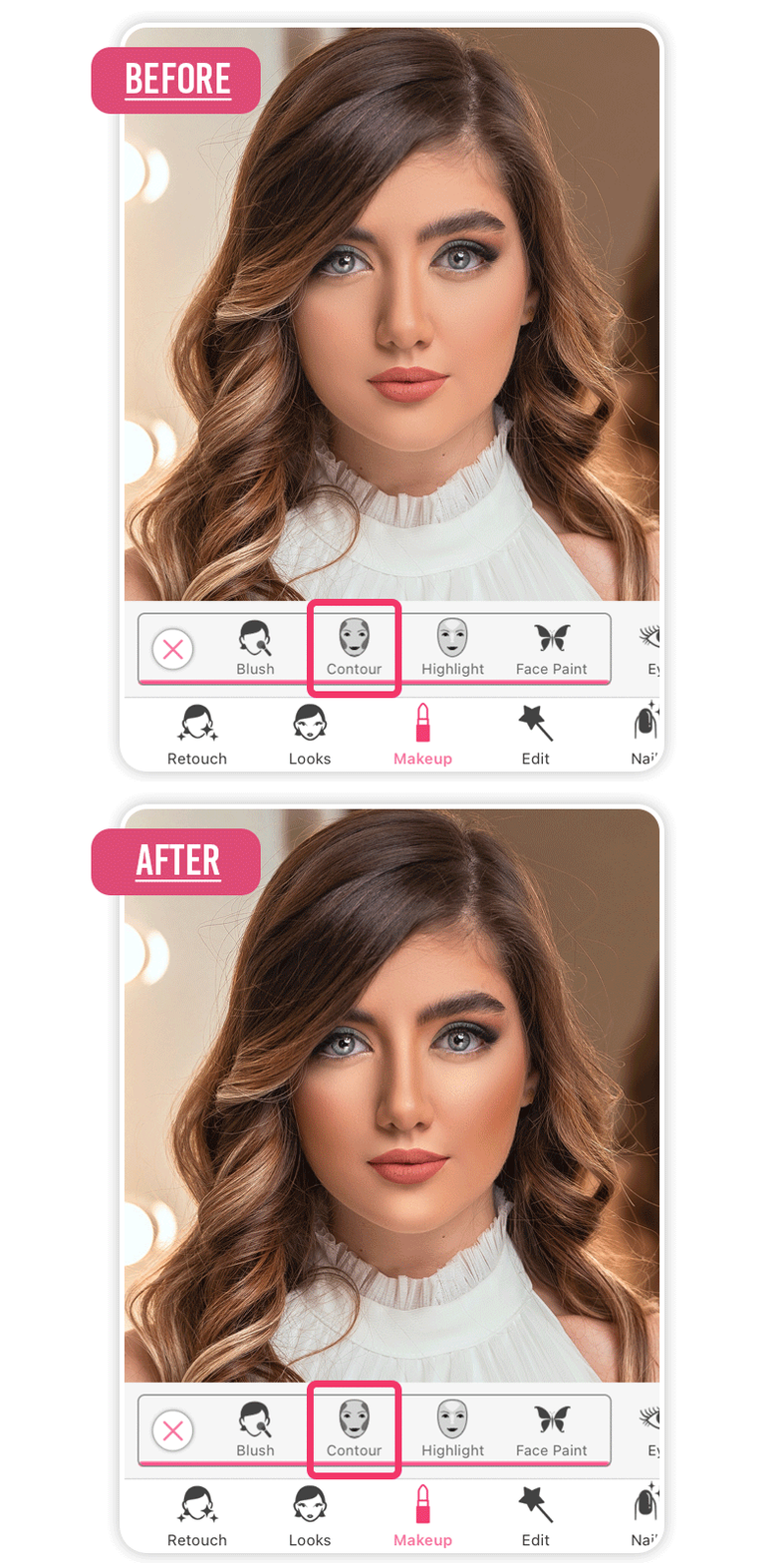
Step 2. Select the Contour feature

Scroll through the features menu and tap on Contour.
Step 3. Select the Best Contour Template

You can choose from various preset styles or manually adjust the intensity, shape, and color of the contour until it’s perfect.
Step 4. Save & Download

Hit Save and share your perfectly chiseled look!
Explore more contour filters to perfect your selfies>>>
Sculpt Your Way to Confidence with the Best Contour Makeup for Round Face
Shared Materials by Strapi
*Adjust the size of images ONLY. Please go to Strapi to edit the materials info.
We told you it would be simple! Contouring for a round face is no longer a professional secret—it's a technique made easy and accessible through technology. By focusing on adding length, defining your jawline, and leveraging the precision of AI, you can achieve that sculpted look you've always wanted.
Stop doubting your makeup skills and start celebrating your angles!
Ready to transform your look with personalized, expert contouring advice?
➡️ Download YouCam Makeup Today and discover your best face shape!
About the Editors

The PERFECT Corp. Editorial Team
We are a team of experts on photo and video editing apps. Our goal is to deliver engaging content on everything from stunning selfie edits to eye-catching video effects. We cover the latest trends and share niche tips to help you master digital creation.