Author:


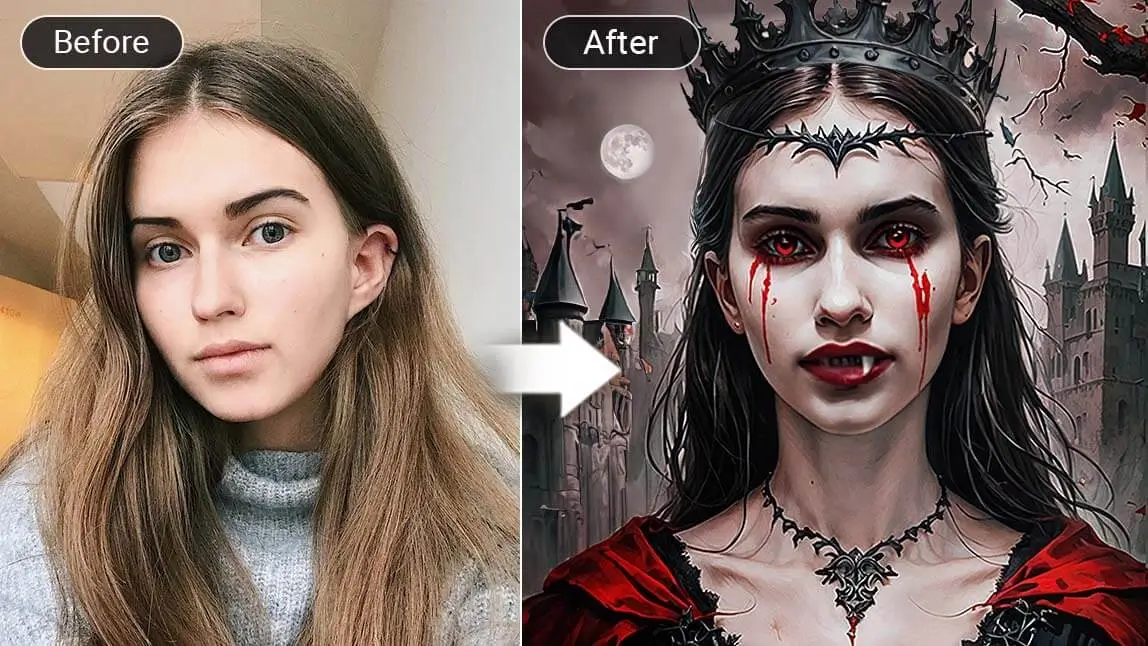
The vampire look is a classic and timeless choice for Halloween.
Some may wonder if they can simply add a vampire filter to their photos to achieve the look with less effort. The answer is yes! I re-tested every step for Halloween 2026 — let me tell you how.

| About Vampire Filter |
|---|
🧪 How I tested this: For this Halloween 2026 update, I ran my own selfies through each vampire tool in YouCam Perfect: Artistic Avatar, AI Fashion and AI Replace. I compared a close-up face photo with a half-body shot, and the half-body photo gave the outfit tools much more to work with. The avatar style felt more like dramatic fantasy art, while the outfit tools kept more of the look of a real photo. My notes below explain which tool I would use for which kind of post.
What do Vampires Look Like?
Before you apply the vampire filter to your photo, let's learn about about what do vampires look like.
There are several iconic characteristics of vampires, and knowing them is essential to achieving a convincing vampire look:

- Pale Skin: Vampires are said to be allergic to sunlight, so they usually have extremely white and pale skin, indicating their life in the dark.
- Dark Circles Around the Eyes: Since vampires rely solely on blood to survive, their eyes often appear bloodshot, and the areas around them are usually dark and dull.
- Bloody Lips or Corners of the Mouth: Blood is a crucial element of the vampire look. Having some blood dripping from the corners of your mouth makes it more realistic.
- Vampire Teeth: The defining feature of a vampire look is the sharp, long canine teeth used to suck blood from victims.
- Black and Red Outfits: Vampires typically wear royal-style outfits. Females are recommended to wear a black dress with red embellishments, while males should try a black tuxedo or overcoat with a vampire collar.
🧪 My test notes: When I compared my edits against this checklist, pale skin and dark red lips did the most to make the result read as "vampire" at a glance. Fangs are a fun detail, but they are easy to miss unless your mouth is slightly open in the photo.
How to Turn Yourself into a Vampire?
People often do vampire makeup, wear Dracula costumes, or even get fake vampire teeth to transform themselves into 19th-century vampires.
But without these, you can still turn yourself into a vampire by adding vampire filters to your photo!
With the vampire filter app, YouCam Perfect, you can turn your pictures into different styles of vampires. Follow these steps to turn yourself into a vampire.
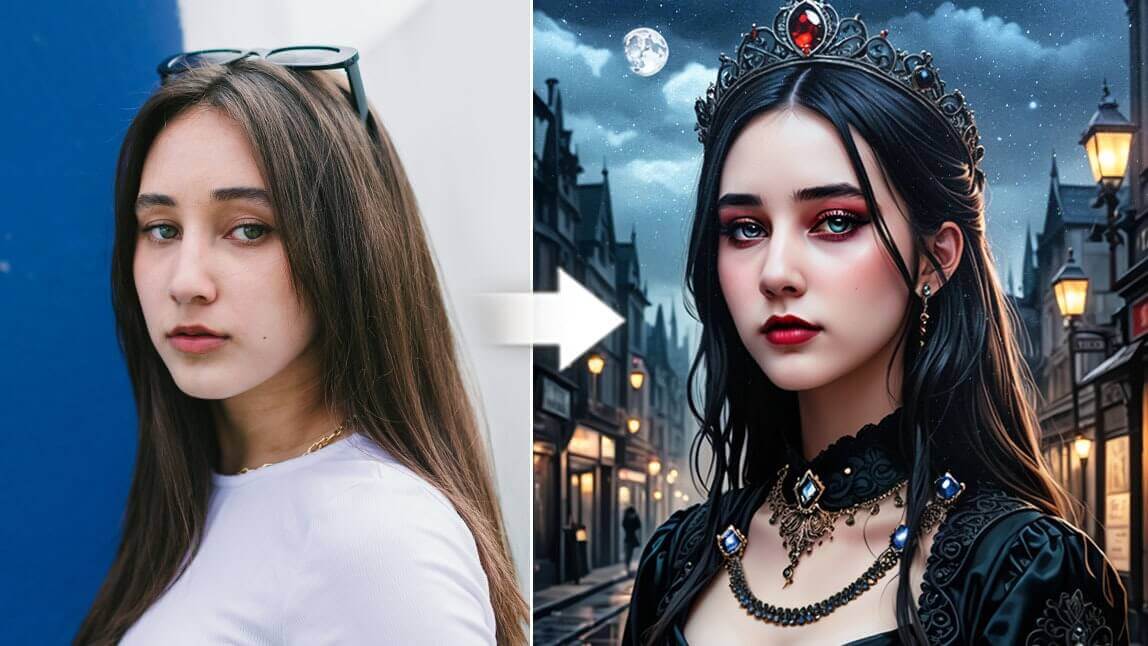
Artistic Avatar: AI Vampire Avatar
The vampire filter in YouCam Perfect can turn you into a vampire with pale skin and bloody eyes!
- Download YouCam Perfect from the App Store or Google Play.

- Go to Artistic Avatar and select the Specter Queen style.
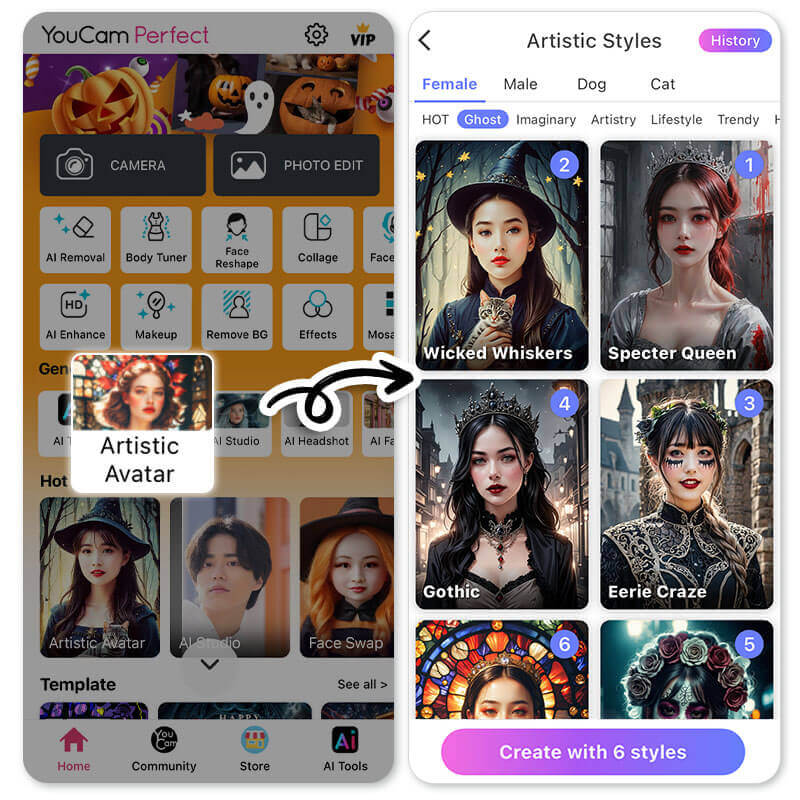
- Upload a clear photo of yourself without any coverings.
- Wait for the AI to generate a vampire avatar of you.
- Save the AI Vampire to your gallery!


🧪 My test notes: Specter Queen gave the most dramatic result of everything I tried, but it looks like a stylized portrait rather than a real photo of me. A well-lit, front-facing selfie kept my features recognizable; a dim or side-lit photo drifted further from what I actually look like. I would generate a few versions and pick the one that still looks most like you.
How to Get a Vampire Outfit
Besides adding a vampire filter to your photo, you can even get a vampire outfit with YouCam Perfect.
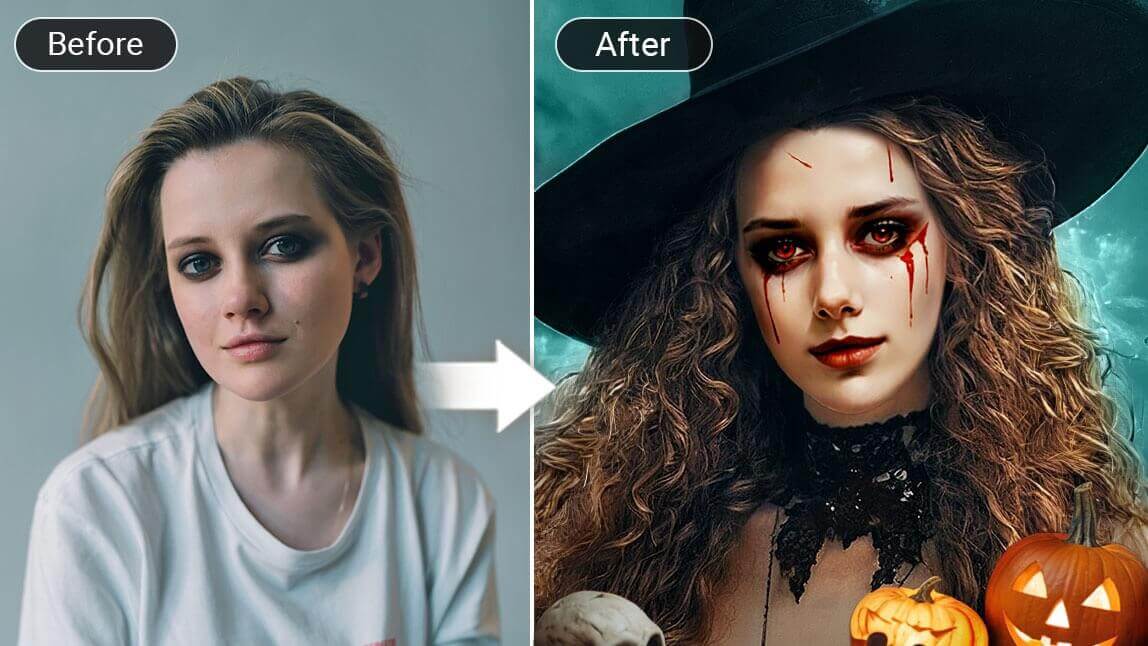
With the AI Fashion feature in the YouCam Perfect app, you can easily change your simple outfit into a classic Dracula costume!
Go to AI Fashion, choose "Cursed Festival", and select one of your photos. You will see yourself being dressed with a classic vampire outfit!

Read more: Witch Filter: Turn Your Photo into a Witch or Wizard
You should also try AI Replace to generate different styles of vampire costumes. After you get a vampire avatar, you can upload the result and go to Photo Edit.
Click AI Replace in the tool bar and type in "Vampire clothes" or "Dracula outfit" to let AI change the outfit of you in the photo.
Read more: Skeleton Filter: Add Skull Filter to Photo for Halloween
🧪 My test notes: The outfit tools worked best when my shoulders and upper body were fully in the frame. On a tight face crop there simply was not enough clothing area to replace. With AI Replace, simple, descriptive wording gave me more consistent results than long prompts.
Other Halloween Features to Try in YouCam Perfect
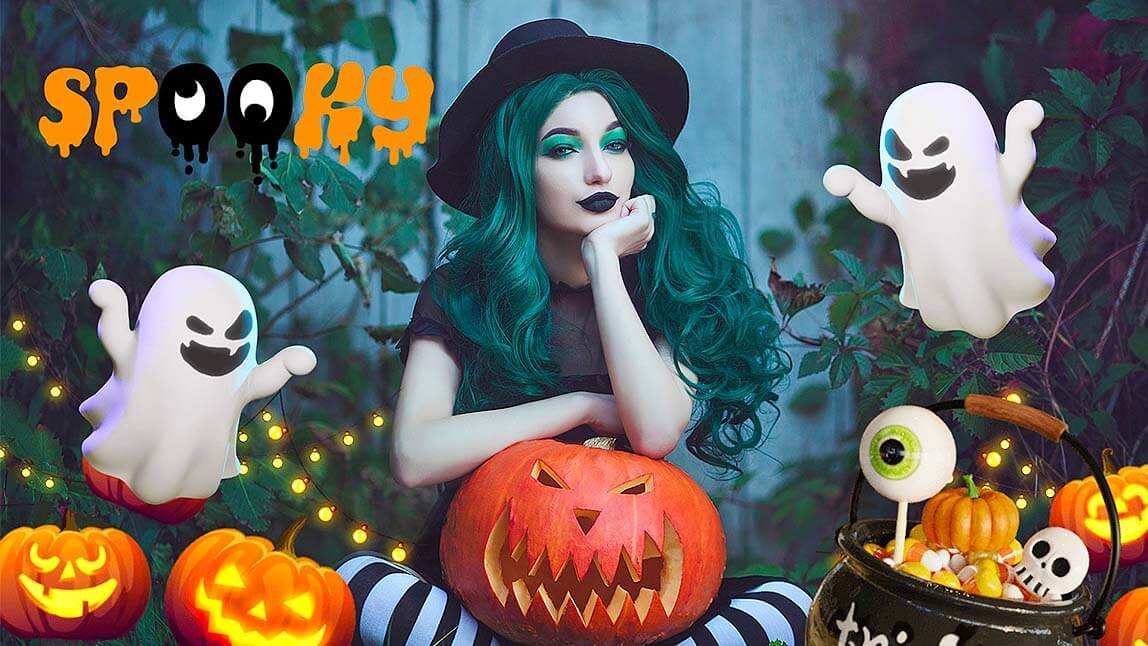
YouCam Perfect is more than a Vampire Filter App. There are more photo editing features that would come in handy for the exciting Halloween!
Let me tell you about it.
Halloween Templates

Frames and collages are usually the last step in editing Halloween photos.

Whether you are editing one photo or multiple photos, you can always find suitable frames or collage templates in YouCam Perfect.
Read more: 7 Best Halloween Profile Picture Ideas to Try
Add Animated Sticker

Add animated stickers to make your photo livelier! YouCam Perfect provides a multitude of Halloween options, including jack-o’-lanterns, crawling spiders, and skeletons.
You can find them in the Stickers section under the Animation category in the menu.
Place the stickers wherever you like, resize them, adjust the speed of the animation, and showcase your creativity!
🧪 My test notes: A single animated sticker in a corner looked more polished to me than stacking several. I also found it easier to add templates and stickers last, after I was happy with the vampire edit itself.
Vampire Filter Options Compared: Which Option Is Best?
Here is how the YouCam Perfect tools in this guide compare for a vampire look, based on my testing.
| Option | Best For | My Verdict |
|---|---|---|
| Artistic Avatar (Specter Queen) | A dramatic vampire portrait from a single selfie | Biggest transformation; looks like stylized art rather than a photo |
| AI Fashion (Cursed Festival) | Adding a Dracula-style costume to a photo of you | Keeps a realistic photo feel; needs a half-body shot |
| AI Replace | Custom vampire clothing you describe yourself | Most flexible; simple, specific wording works best |
| Real vampire makeup and costume (DIY) | Halloween parties and in-person events | Preview the look in the app first to decide on colors and outfit |
Verdict: For a quick, eye-catching Halloween post, start with Artistic Avatar. If you want the result to still look like a real photo of you, go with AI Fashion or AI Replace on a half-body shot.
What Real Users Say
Here is what one YouCam Perfect user shared in a recent Google Play review.
"also you can use filters and they have tons of options for borders it adds a nice touch to the photo. some of them are for different holidays" — Shine The Light, ★★★★★ (Google Play review)
Pro Tips for Better Results
- Pick the right photo for the tool: Use a clear, front-facing close-up for Artistic Avatar and a half-body shot for AI Fashion and AI Replace.
- Light your face evenly: Soft, even light helps the AI keep your features recognizable under the pale vampire skin.
- Part your lips for fangs: A slightly open mouth gives fangs and dark lips room to show.
- Go moody with the background: A dark or plain background makes pale skin and red details stand out.
- Generate a few versions: AI results vary, so create several and keep the one that looks most like you.
- Finish last: Add Halloween templates and animated stickers after the main edit so you are not redoing them.
New for Halloween 2026: Horror Tops the Costume Trends
Horror films are the top adult costume theme for 2026 in retailer HalloweenCostumes.com's trend data, which names horror titles like Backrooms, Obsession and The Bride! (Source: Syracuse.com, August 4, 2026). A vampire is still the classic horror costume that needs no movie tie-in, and a vampire filter lets you test the pale skin, dark lips and dramatic outfit before you commit to real makeup.
Want more spooky edits? Try the skeleton filter or explore more ideas with this Halloween photo editor guide.