Author:


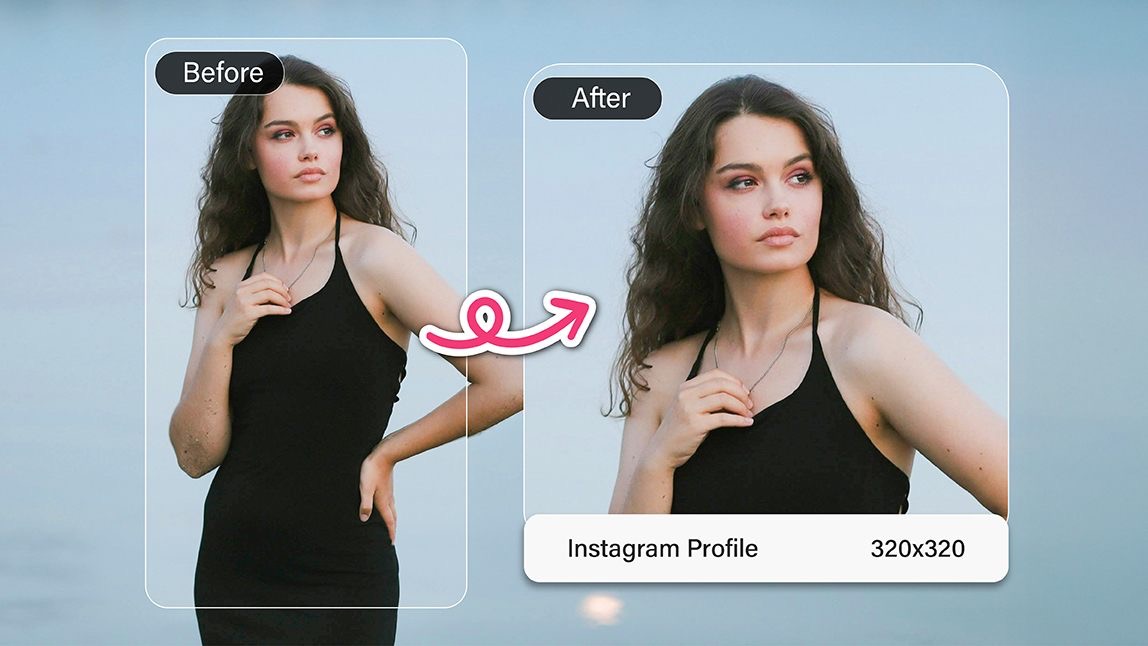
Your Instagram profile picture is your first impression in a sea of scrolling. Whether you're running a brand, growing your personal following, or just keeping your profile fresh, that tiny circle deserves some love.
Wondering how to resize your image perfectly without distorting it? YouCam Perfect app has you covered.
Let’s break it all down!
Understanding Instagram Profile Picture Requirements
Instagram Profile Pic Dimensions
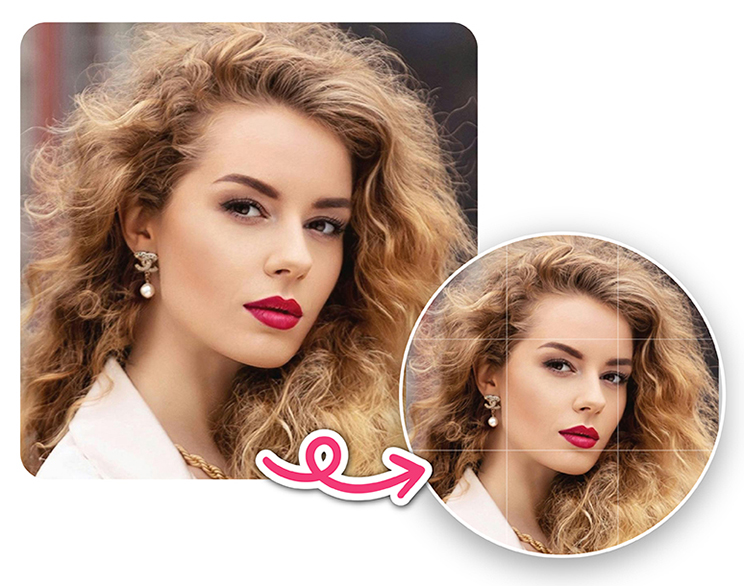
Instagram recommends a size of 320 x 320 pixels for profile pictures. But keep in mind: even though the image is square, it’s displayed as a circle. So make sure nothing important is in the corners.
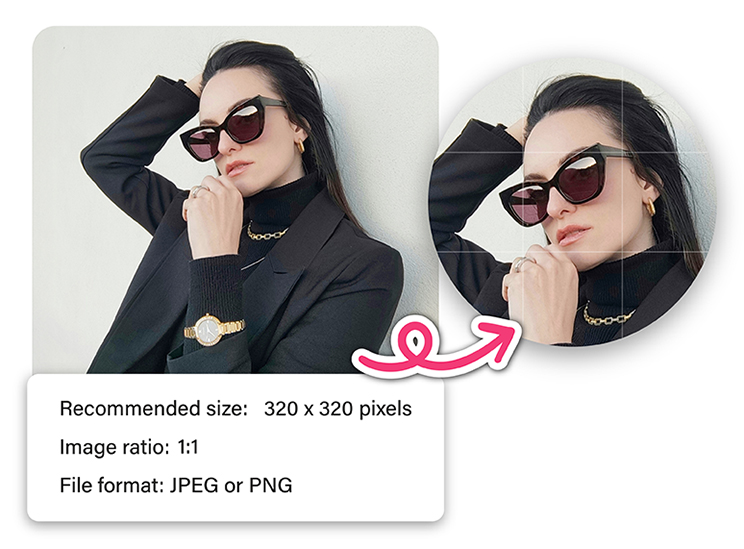
Aspect Ratio and Format
Always use a 1:1 aspect ratio for profile photos. JPEG and PNG are the most accepted formats, with PNG being better for transparent or sharp-edged images.
Why Proper Sizing Matters
An incorrectly sized or poorly cropped profile pic can blur, crop off your face, or just look amateur. You want a clean, high-resolution image that fits perfectly into that neat little circle.
Step-by-Step Guide to Resize Image for Instagram Profile
Want your Instagram profile picture to look polished and perfectly centered?
Here's a quick and easy way to resize your photo using the YouCam Perfect app - no guesswork, no cropping fails.
Step 1: Download the YouCam Perfect App
First things first: grab the free YouCam Perfect app from the App Store or Google Play. It’s one of the top photo editing apps out there, and perfect for Instagram profile prep.
Step 2: Select the Photo You Want to Resize
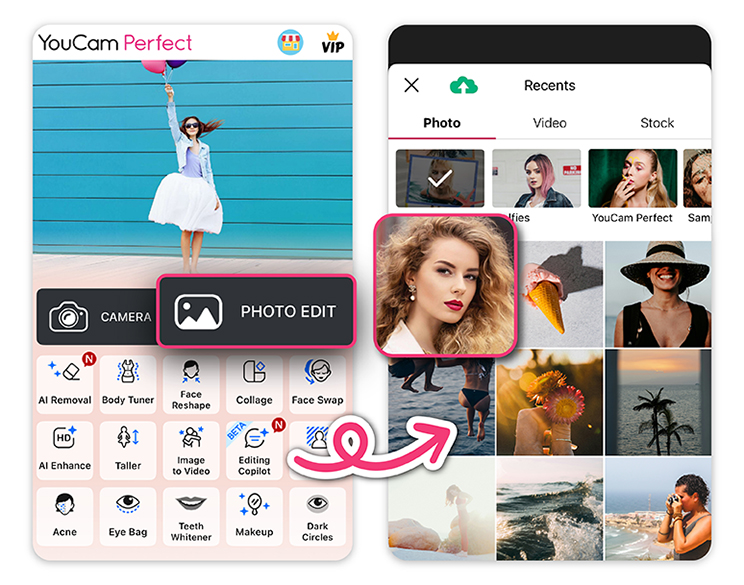
Open the app and tap “Photo Edit”. Choose the image you want to use from your phone’s gallery.
This will launch the editor, where all the magic happens.
Step 3: Choose the “Crop” Tool
Look for the "Crop" option at the bottom toolbar. Tap it to open sizing options.
Step 4: Select the Instagram-Specific Ratio (1:1)
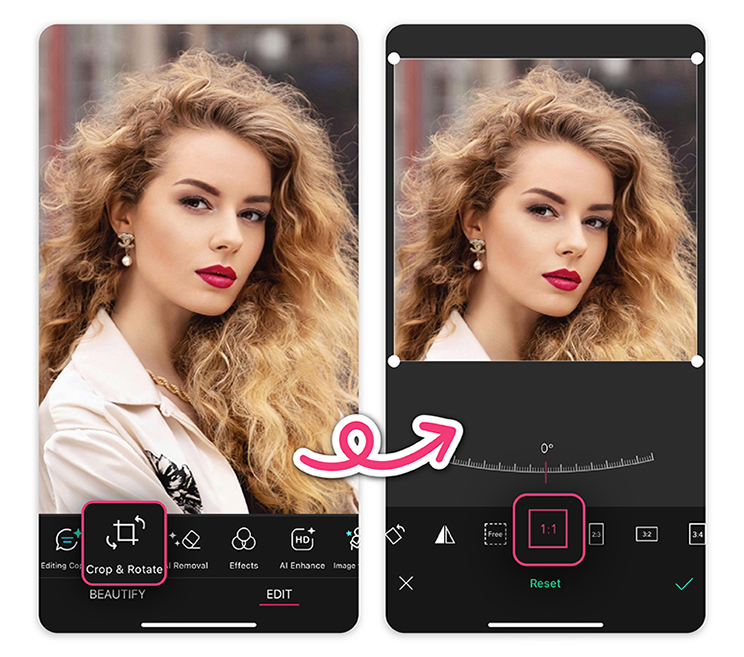 Choose the 1:1 (Square) option. This size fits Instagram's profile picture dimensions perfectly and helps avoid awkward cropping, especially since the platform displays your profile pic in a circle.
Step 5: Adjust and Save the Image
Now, position your photo so the most important part - your face, logo, or focal point - is centered within the square.
You can pinch to zoom or drag the image around until it looks just right. When you're happy with it, tap “Save” and you’re ready to upload!
Pro Tips for the Perfect Instagram Profile Pic
Center Your Face
It’s a circle crop, so don’t risk cutting off your head or showing too much background. Keep your face smack dab in the middle.
Keep the Background Clean
Busy backgrounds distract. Use a plain wall, solid color, or use the background remover tool in YouCam Perfect.

Enhance with Filters (But Don’t Overdo It)
A light touch of filter can elevate your pic, but too much and it feels fake. Aim for natural results.
Common Mistakes to Avoid
Ignoring the 1:1 Ratio
That 3:4 selfie might look great in your gallery, but it’ll get awkwardly chopped in a profile circle. Stick to 1:1.
Using Low-Resolution Images
Pixelated = unprofessional. Start with a high-quality photo for the best result after cropping.
Overediting Your Photo
Too much smoothing or reshaping can make you look robotic. You want people to recognize you, not your filter!
Resize Image for Instagram Profile with YouCam Perfect!
Resizing your image for an Instagram profile picture doesn’t have to be a chore. With YouCam Perfect, you get a fast, intuitive way to make your profile pic truly pop.
Whether you’re aiming for cute, professional, or bold, it’s all about finding the right balance between aesthetics and accuracy.
Follow the steps, try out a few edits, and go live with confidence!