Author:


Watching New Year’s fireworks is magical but let’s be real, when it comes to photos, it’s usually a trade-off. Either the fireworks look amazing or you do… rarely both:)
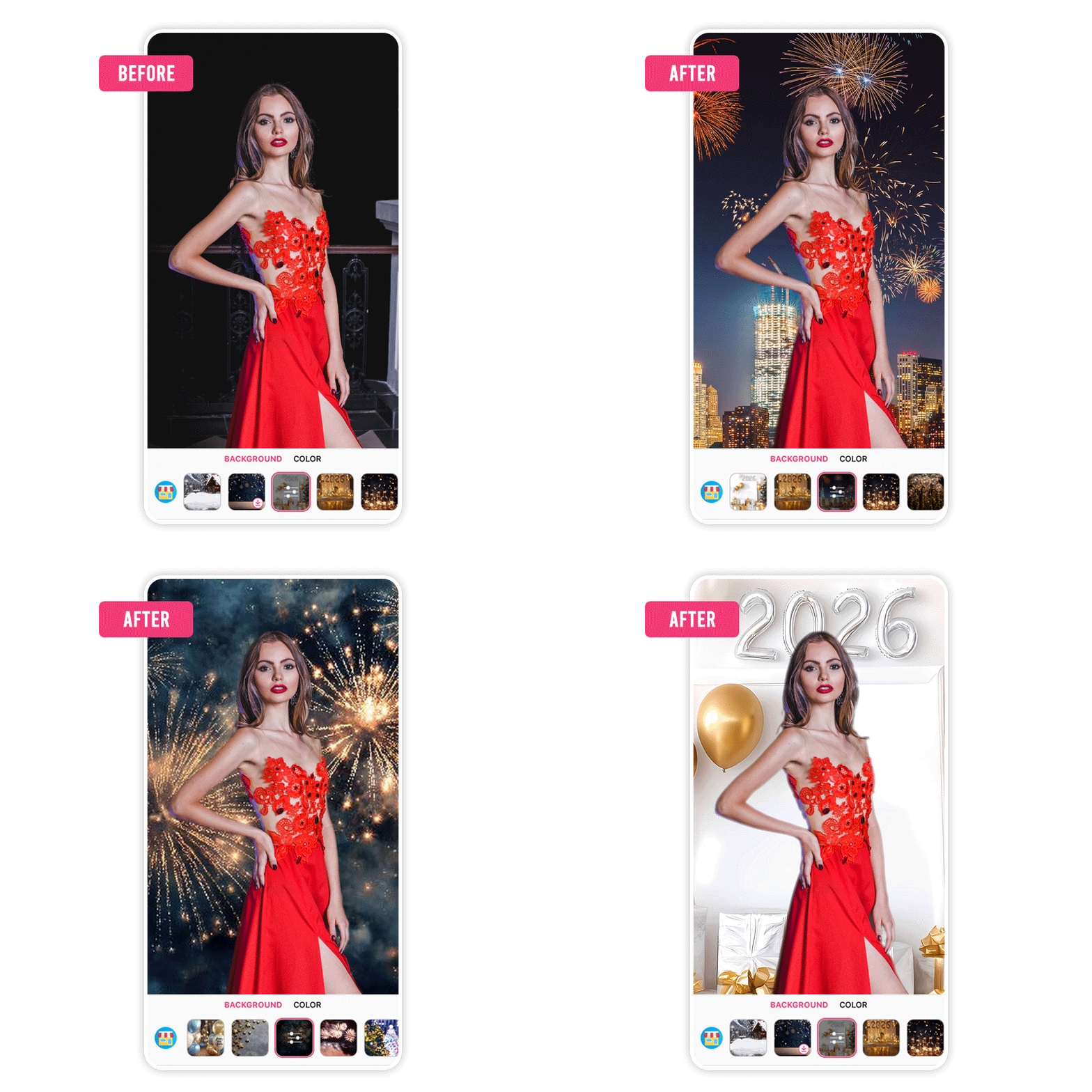
That’s where a little editing magic comes in. With YouCam Makeup, you can keep yourself looking flawless and upgrade your background with stunning New Year fireworks at the same time. From sparkling city skies to bold countdown vibes, we’ve got 40+ New Year backgrounds to make sure both you and the fireworks shine.
Ready to see how it works? Let’s jump in!
Why Choose YouCam Makeup for New Year Photo Backgrounds?
 YouCam Makeup is the perfect companion for your New Years Eve background because it combines simplicity with innovation.
Whether you're a novice or a pro, the app’s interface is intuitive, letting you create stunning visuals effortlessly.
Plus, it offers exclusive themed updates that cater to every celebration, making it a top choice for your 2026 New Year Eve edits.
Best 2026 New Year Background Images
Try Firework New Year Eve Backgrounds

Whether you’re capturing midnight kisses, party poses, or solo glam shots, firework backgrounds bring that festive energy to life.
Try Cityscape New Year Background Images
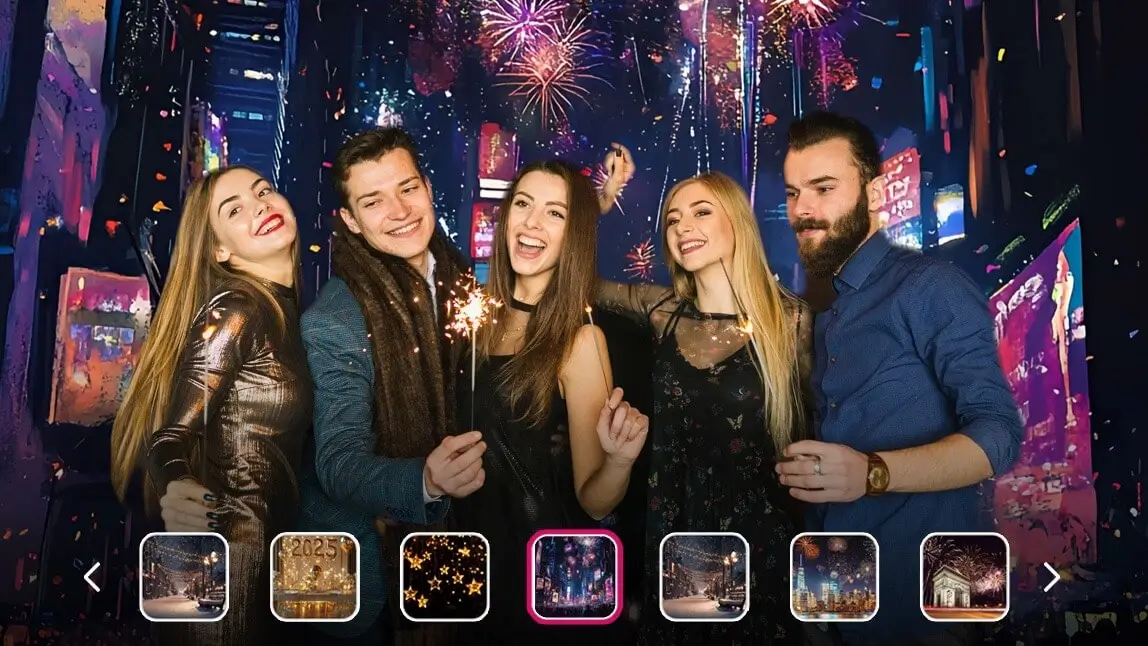
4Capture the magic of New Year’s Eve with stunning cityscape photo backgrounds! Imagine your photos glowing with the energy of Times Square in New York, the romantic lights of Paris, or the festive charm of London in winter.
Whether it's sparkling skyscrapers, snowy streets, or iconic landmarks, these backgrounds bring a touch of urban holiday glamour to your pictures.
Try Balloon New Year Photo Backgrounds

Celebrate the New Year in style with festive balloon photo backgrounds! Whether you’re all about glitzy gold balloons or sleek black-and-shiny combos, these 2026 photo backgrounds instantly add a party vibe to your pictures.
Easily pop these fun, celebratory designs into your photos for that perfect Instagram-worthy look.
Try Star New Year Background Images

Whether it’s glowing golden stars or dreamy silvery sparkles, you can easily transform your pictures into something unforgettable by editing them with New Year background feature of Youcam Makeup.
Try Lunar New Year Photo Backgrounds

Unlike Western New Year, which starts on January 1st, Lunar New Year falls a bit later, typically in January or February, depending on the lunar calendar.
You can bring a touch of that lively spirit to your photos by adding stunning Lunar New Year backgrounds, full of culture and charm.
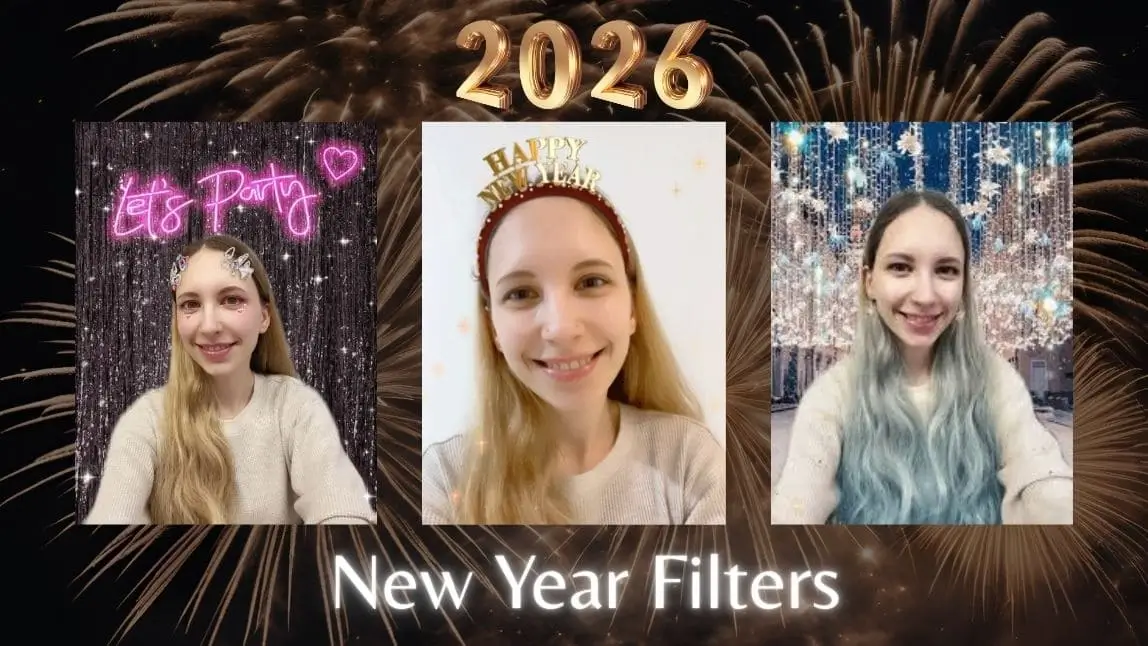
How to Add New Year Background Image with YouCam Makeup
To get a picture with festive New Year Background, you just need 5 simple steps.
Step 1. Download YouCam Makeup
First, head over to the App Store (for iPhone) or Google Play Store (for Android) and search for the YouCam Makeup app. Download it and open it once it’s installed.

Step 2. Upload a Photo to Edit

Step 3. Browse and Apply New Year Background Pic

Scroll until you find the "Background" option. Tap on it, then look for the little 'Store' icon. Click it to explore a variety of New Year-themed backgrounds. Pick the one that fits your vibe, or feel free to try out a few different ones until you find your favorite!
Step 4. Save and Share Your New Year Photo
Once you’re happy with your new look, hit the save button to keep the photo. Now, share it with your friends and family, or post it on social media to spread some festive cheer!
Download the Best Photo Editor for New Year Photo Backgrounds
The 2026 New Year promises endless opportunities to create and capture beautiful moments. With YouCam Makeup’s stunning range of backgrounds, your photos can truly reflect the joy and excitement of the season.
So why wait? Start creating your perfect New Year edits today!