Author:



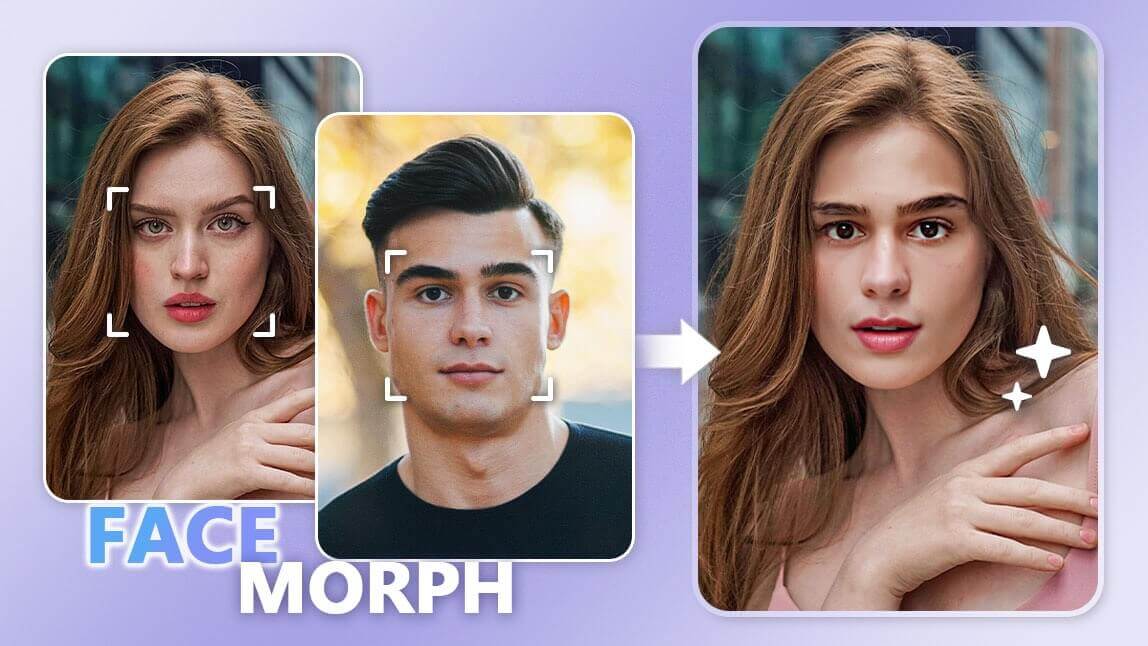
Ever wanted to see what you'd look like as a movie star, a famous painting, or even a cartoon character? You can now achieve that without prop purchase, makeup transformation, or Photoshop editing skills.

With the power of photo editing tools, you can do just that by inserting your face into another picture.
This process, often referred to as "face in hole", can be a fun way to put your face on another picture or to imagine yourself in a different setting.
This May Also Interest You: 10 Best Face Swap Apps and Online Tools in 2025
Face in Hole: How to Put Your Face on Another Picture
To create a face-in-hole effect, you can use either an online tool such as FACEinHole or a face in hole app. For this example, we'll use YouCam Perfect to achieve your desired look!
Step 1: Upload a Scenario Photo

The first step in creating a face-in-hole image is to choose a scenario photo where you'll be inserting your face. It could be a poster of a movie, a portrait, a group photo, or any other picture of your choice.
When picking a scenario photo, consider the position and angle of the face in the picture. Ideally, the face should be front-facing and in good lighting to make the editing process easier.
Step 2: Put Your Face on the Picture

Insert face into picture: Create movie posters with faces of you and your friends
Use the "Face Swap" tool to auto-detect your face from the photo and paste it onto the scenario photo. Also, we suggest using the "Add face" button to insert more faces for a quick face replacement process.
Pro Tip: You can easily find the options to adjust the size, orientation, and position of faces to ensure they fit well into the scenario photo using our "Cutout" feature to achieve a similar effect.
Learn More: How to Switch Faces in Group Photos
Step 3: Save Your Face in Hole Image

Change your face in 1 tap to achieve gender swap effects in photos
Once you're satisfied with the placement and look of your face in the scenario photo, save your edited image and share it with your friend to brighten their days!
Read More: How to Try Female & Male Filter with AI
Bonus Tip: Create Your Celebrity Look-alike Photos
If you want to see how your face will look like on your favorite celebrity picture, you can try that with Face Swap too!

The steps are simple:
- Just search for a celebrity by typing their name or character name in the gallery (powered by Microsoft Bing).
- Upload your own photo to perform the celebrity face swap.
- For the best results, use a photo with good lighting and a straight-on angle.
Why Use YouCam Perfect to Put Someone's Face on a Picture?
With so many face in hole online tools and apps available, here are the main 3 benefits of using YouCam Perfect to do your picture editing.
#1 Easy & Convenient AI Feature

You get to paste anyone's face on photo by using the intuitive face swap feature.
It automatically detects all the faces in the photo for you to do the face swap. All you need to do is upload a photo with the face you want to swap on, and the AI will put the face on the picture for you.
#2 Minimal Photo Editing Skills Required

If you want to put your face on a group picture, no worries, you don't need advanced photo editing skills to do that.
In YouCam Perfect, you get to insert the face into a picture, say your friend in a group photo, by using two features: 'Add Photo' and 'Cutout'.
👉 Read more to see how it works: How to Add People in Photos for FREE
#3 Fix Face Expressions in a Few Taps

In case you want to fix a bad facial expression, then Cutout tool alone can make your picture better!
Just swap the blinking face with a smiling one to fix group photos of friends and family!
What Are the Best Face in Hole Apps?
If you are looking for some best face in hole apps, we have created a list for you here:
- YouCam Perfect - AI Face Swap Feature available
- FACEinHOLE
- ChatGPT
- Reface
- YouCam Video (for video face swap)
1. YouCam Perfect
Available in both App Store and Google Play.

YouCam Perfect provides AI Face Swap feature that can detect your face and complete the face swap with ease. It also has a built-in gallery. You can just look for celebrities or characters you like to do the face swp on their photos.

2. FACEinHOLE
Available in both App Store and Google Play.

FACEinHole is definitely the most well-known face in hole app and face in hole generator online.
The website has a lot of available preset you can just click on and add your face to it. The site also supports video face swap.

3. ChatGPT
ChatGPT nowadays can fulfill various kinds of photo editing requirements, with face swap being one of them! We tried with the Pedro Pascal's AirPods ad. You can just upload two pictures and define how you want to do the face swap.

Here’s the final photo! The face swap looks quite natural. Just remember, when working with more complex photos—especially ones with multiple people—using the right prompt makes a big difference.

*Now ChatGPT has a daily limitation of how many photos you can upload. Need to unlock the number by subscription to a Pro user
4. Reface
Available in both App Store and Google Play.

Reface is another popular app that does a great job with face swaps. You can easily change your face in both photos and videos. For more professional use, all it takes is one selfie to generate an AI-powered headshot—perfect for LinkedIn or your personal profile.

The Best Video Face in Hole App - YouCam Video


For people who are looking for a video face in hole app, we recommend you try YouCam Video!
This app is available in both iPhone and Android, providing a video face swap feature that can help create the video face in hole in motion!
👉 Read More: AI Video Face Swap