


 Author:


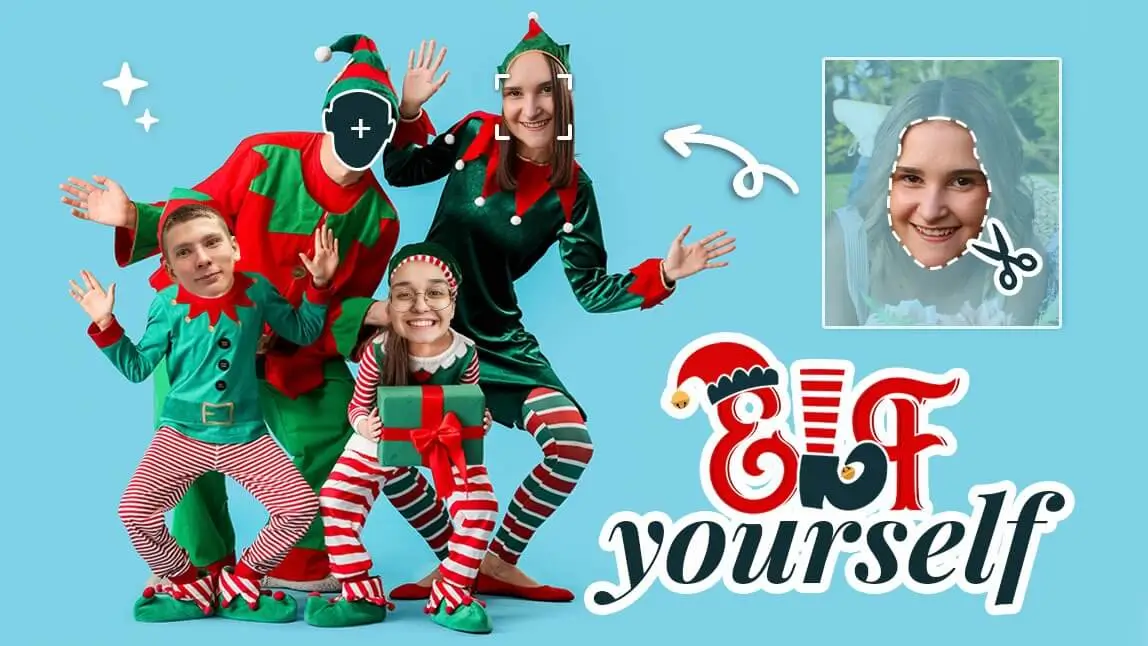
Join us for the Christmas party! Christmas is around the corner, and some of you may be contemplating what kind of Christmas cards to give out this year.
If you’d like something hilarious for this Christmas, try elfing yourselves and creating cute and funny Christmas cards to send to your family and friends.
With the adorable little elves on your Christmas cards, you can express your feelings in a humorous way!

In this blog, we’ll show you how to elf yourself for free with the best "Elf Yourself" templates in the Christmas Photo app YouCam Perfect!
| Elf Yourself Christmas Cards |
|---|
Add Elf Magic to Your Photos with AI Agent
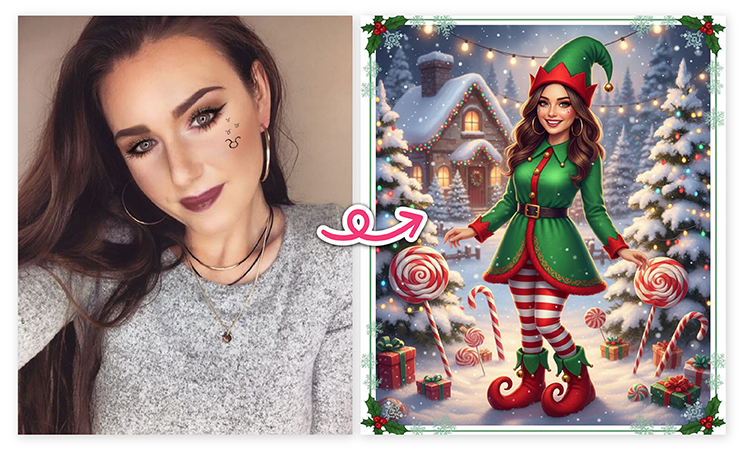 You don’t need any editing skills! With AI Agent in YouCam Perfect, you can instantly turn yourself—or your friends and family—into cute little elves for your Christmas cards. The results are fun, festive, and ready to share!
How to create your Elf Yourself Christmas Card in 4 easy steps:
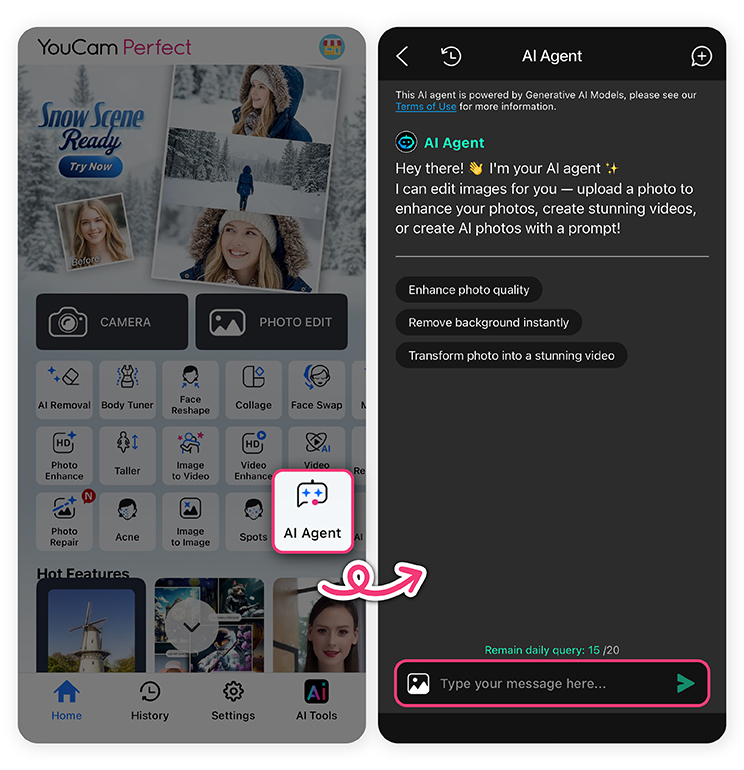
1. Open YouCam Perfect and select “AI Agent.”
2. Upload your photo—choose a picture where your face is clearly visible.
3. Type your creative prompt, for example:
-
“Create a festive Christmas card with my face as a cheerful elf. The elf wears a green and red outfit, pointy hat, and curly-toed shoes. The background is a cozy winter wonderland with snow, twinkling lights, and candy canes. Add a friendly, smiling expression and vibrant colors.”
“Turn me into a Christmas elf”
-
“Make my friend a cute elf next to a Christmas tree”
-
“Cartoon-style elf waving at the camera”
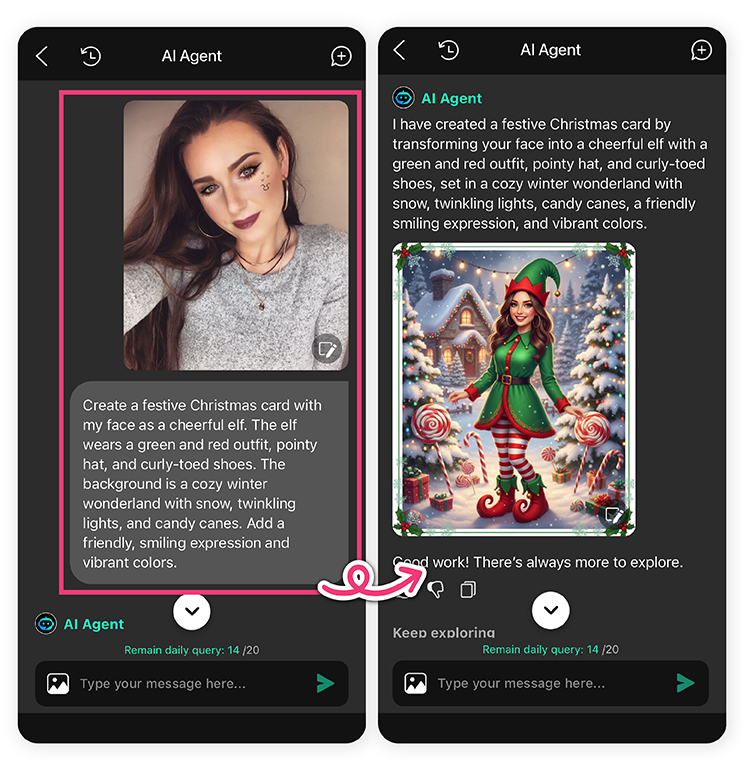 4. Generate and save your Elf Yourself holiday photo!
Now you can use your elf-powered photo to make adorable Christmas cards, shareable on Instagram, TikTok, or with friends and family for the holidays!
Face Swap Christmas Cards: How to Create Elf Yourself Christmas Cards
If you'd like to make your own Elf Yourself Christmas cards, you can try using the Face Swap feature in YouCam Perfect.
This AI-supported function allows you to swap faces with anyone you want, including your friends and celebrities!

- Step1. Get the Elf Yourself app, YouCam Perfect, on App Store or Google Play.
- Step2. Go to Photo Edit and upload one of your photos. Make sure your face is clearly visible and not covered.
- Step3. Click Face Swap and add an Elf photo where you'll be inserting your face. You can download one to your camera roll, or find one in the Stock.
- Step4. Tap Continue and the AI tool would do the face swap for you.
- Step5. Find Templates for Christmas card templates to make your own face swap Christmas cards for Christmas 2024!

How to Put Your Face on an Elf Body?
Another way to edit an elf yourself photo is to put your face onto an elf’s body. If you have no idea how to start doing it, read the article and learn how to create elf selfies easily!
Follow the steps below to make yourself an elf:
Step1. Download the Elf Yourself App YouCam Perfect.
Shared Materials by Strapi
*Adjust the size of images ONLY. Please go to Strapi to edit the materials info.
Step2. Open the app and tap Photo Edit.
Step3. Find ‘Christmas Elf’ in Stock, or select an Elf photo from your gallery.
Step4. Click ‘Add Photo’ in the tool bar and upload photos of you or your friends.

Step5. Use ‘Cut Out’ to crop the faces out. You can simply erase the unwanted area from the AI detected part of the photo.
Step6. Adjust the placements of the faces and make sure the faces are put on the elves' bodies.
Step7. Add Christmas Card templates to customize your Elf Yourself Christmas Cards!
Tip: Add Christmas stickers to make your Elf Yourself Christmas Card even more charming!
Best Elf Yourself App to Edit Elf Yourself Photos
Except creating Elf Yourself Christmas Cards, you can also edit Elf Yourself photos in other styles or make yourself an elf for this festive season using the Elf Yourself App YouCam Perfect!
Elf Yourself Photo: Elf Costumes
The AI Fashion feature allows you to turn your simple outfit in photos into elf looks. Simply upload one of your photos, and find the elf costume in the Holiday category.

Read more: Dress to Impress Filter: Pick, Try, and Style My DTI Outfits
Elf Yourself Photo: Elf Your Pets
In YouCam Perfect, you can edit your pet photos into cute elves, and use them as stickers for your Elf Yourself Christmas Cards!

What’s New for Christmas 2025: Fun & Fresh Elf-Yourself Ideas
Christmas cards are getting a modern makeover in 2025!
This year’s trends are all about bright colors, creative AI effects, and shareable digital designs. You’ll see more people creating vertical, mobile-friendly cards for Instagram and TikTok, using AI face-swap tools to turn the whole family into cheerful elves.
Whether you’re designing a funny elf-selfie greeting or a sleek, personalized holiday card, this is definitely one of the 2025 trends that will help your creations feel fresh and ready to share online!
Final Thoughts about Elf Yourself Photos
To elf yourself is such a good idea for creating a fascinating Christmas card. You should definitely try elfing yourself or your friends this Christmas to create unforgettable memories!
Create your 2025 Elf-Yourself Christmas Photo with YouCam Perfect now and share it on Instagram/TikTok!


