Author:


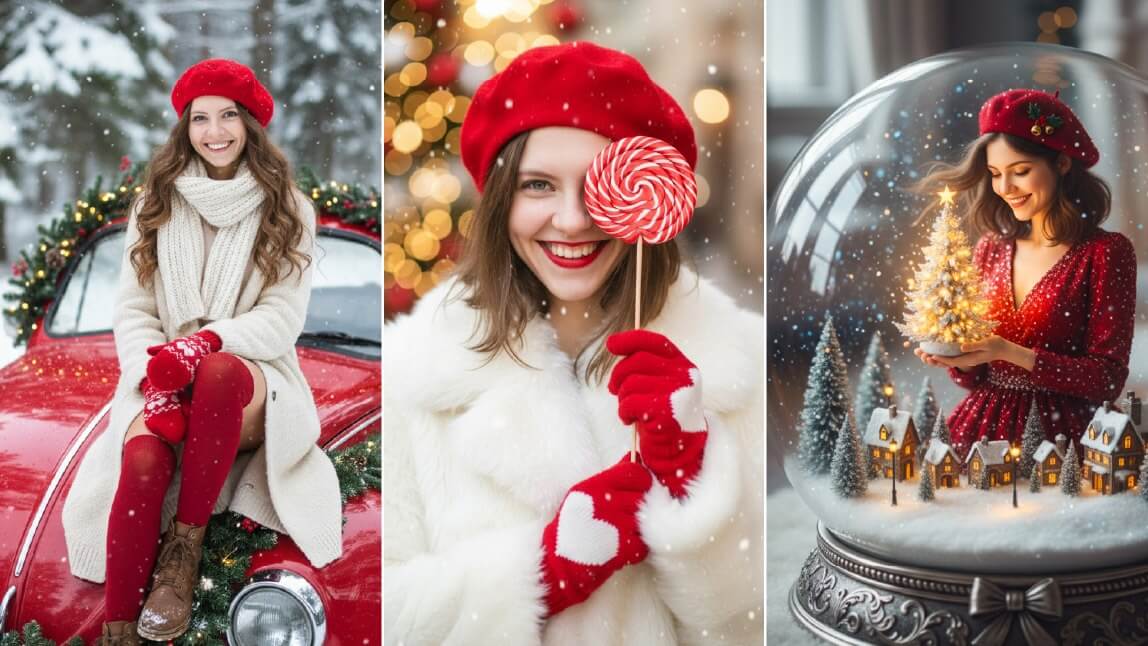
If you’re searching for a free Christmas photo app, wondering how to add Christmas decorations to a photo, or looking for the best Christmas filters for photos, this guide has you covered.
Below, we’ll show you 6 creative ways to edit festive photos using YouCam Perfect, an all-in-one Christmas photo editor powered by AI.

All we want for Christmas is… YouCam Perfect! It’s the best app for Christmas photos to celebrate this joyful holiday. Whether you want to add a Santa hat to your photo, create DIY photo ornaments, or apply Christmas photo filters to your selfies, your options for photo decoration are endless and easy to achieve with this Christmas photo app!
1. Festive Christmas Photo Filters

❄️ Make sure to upload a selfie with a larger face for better quality
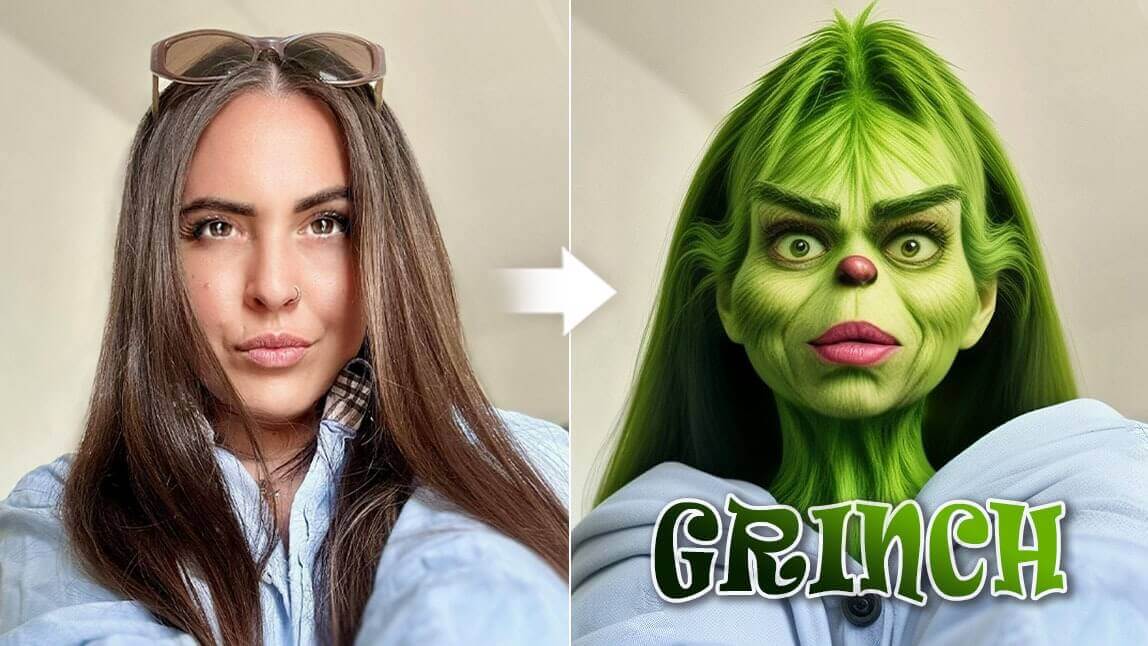
Why settle for less when there's a fun way to make your pictures stand out during the holiday season? The responsive AI Christmas filters in AI Selfie can immediately turn your selfies into impressive holiday-vibe portraits without buying actual props or wearing makeup to change profile pictures for the holiday countdown.

▲ Press to impress with every tap by applying the same filter
To apply holiday filters or Christmas filters to photos:
- Tap Photo Edit and upload your photo
- Navigate to AI Selfie
- Tap on Timeless Joy, Jingle Bell or Deerly Yours for the holiday look
- Save and share your AI Christmas selfie
How To Add Christmas Filters for Photos
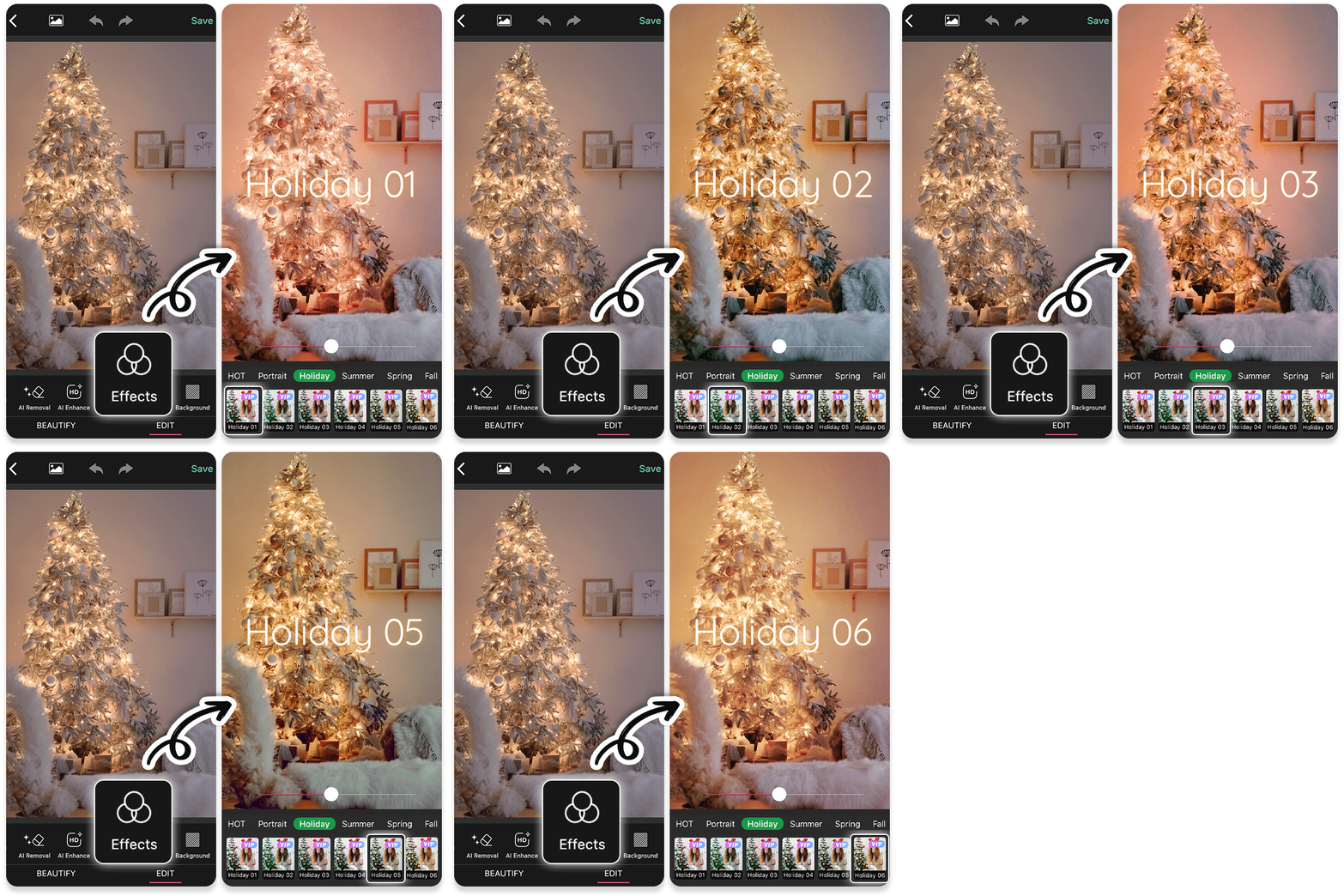
▲ Make your Christmas photos blink festively using Christmas filters
With 600+ photo filters (including Christmas filters) under the Effects tab, you can easily create aesthetic Christmas shots with a click or two. Whether you're looking for a classic wintery overlay or a dazzling Christmas lights effect, this app is here to fulfill your wishes.
To apply Christmas filters to photos, simply:
- Tap Photo Edit and upload a photo
- Find Effects and locate Holiday for Christmas filters
- Find Effects and locate Winter for seasonal filters
2. Generate Christmas Profile Pictures with Your Selfies

What makes the best festive profile picture even better than personalized Christmas avatars? With the Artistic Avatar feature, you can turn yourself or your loved ones into festive holiday figures with a Santa hat or reindeer antlers.

Use your AI Christmas avatars to connect with loved ones by sharing your results and inviting them to join in the fun! Spread the joy and festive spirit with your friends, family, and social media followers by using these fun and cheerful avatars, or send them as personalized holiday greetings!
To generate AI Christmas avatars in this Christmas app:
- Tap on AI Studio at the app’s homepage
- Choose 1~5 styles for the holiday look
- Upload 1 picture of yourself
- Wait for AI avatar generation (you will be notified)
- Save and share your Christmas avatars
Read More: Christmas Filter for Photo: Make Me Santa
3. How To Add Christmas Background to Photo

The weather outside is not frightful but delightful with the Christmas photo editor’s Remove BG and Background features. You don’t need to suffer from standing under low temperatures for a truly immersive Christmas shot.

The app offers 30+ backgrounds with snowy landscapes and Christmas-themed elements. It can auto-detect subjects in your photos and remove the original backgrounds. The app includes a Stock feature with a variety of backgrounds from Shutterstock, eliminating the need to download and store backgrounds in advance.
*The Stock feature is currently available for iOS users only
🎄 Read more: How to add wintery backgrounds to your pictures
4. Merry Christmas Photo Frames

The holiday season is all about spreading joy, and what better way to do that than by adding festive touches with Christmas photo frames to your pictures? YouCam Perfect, the best app for Christmas photo frames, has 30+ Christmas-themed frames integrating holiday elements such as “Happy New Year” text, Merry Christmas decorations, and vivid color design.

To add Christmas photo frames to photos:
- Tap Photo Edit and upload a photo
- Locate Frames in the toolbar
- Tap the Store icon and find the Holiday category
- Scroll to find Christmas
- Download the ones you like and apply them to photos
- Save and share your Christmas photo
🎅 Read more: How to frame your holiday memories with the charm of Christmas
5. How To Add Christmas Lights to Photo

Add a touch of fun and playfulness to your photos with adorable animated Christmas photo stickers. You can easily express your creativity by accessing over 5 animated effects and 15+ animated stickers with falling snow, cute Santa Claus, or illustrated snowmen.
Each sticker comes with cute designs, and some even allow you to adjust the animation speed using a slider!
🎄 Read more: How to create vivid animated Christmas pictures
 We also have a cool trick to share with you for making intriguing Christmas pictures! Under the Animation feature, the snowing effects allow users to add falling snow effects to photos. Find these lovely effects in the Weather category and use the Accumulation feature to control the direction, density, and size for the desired effect.

Or you can easily add Christmas lights to photos in the Light category, with various lighting effects to add festive blinks to your Christmas photos!
To add Christmas lights to photos:
- Tap on Photo Edit and upload a photo
- Locate Animation and press Stickers
- Scroll to find the Light category
- Apply the lighting effect to your Christmas photo
- Save and share your Christmas-lighted photo
6. Customizable Christmas Templates & Collages

To make your Christmas photos even more special, YouCam Perfect offers over 20 customizable Christmas templates and 25+ Xmas photo collages. These templates provide a quick and easy way to create stunning holiday-themed photo compositions. Simply select a template, add your photos, and customize the layout and design to suit your preferences.
Moreover, you can easily create your Xmas wishlist using a pre-made template. Customize your gift list via the Text features with 300+ font styles, then print your list out and wait for your Secret Santa to make your wishes come true!
🎄 Read more: Ideas for making the best holiday & New Year's templates
Get the Best Christmas Photo App to Edit Your Christmas Photos
YouCam Perfect is more than just an app - it's your ticket to create unforgettable Christmas memories. From diverse Christmas filters for photos to adorable holiday photo frames, the photo editing app offers a variety of Xmas-related tools to express your creativity during the holiday. Get the app now and start making this holiday season extra special with your photos!