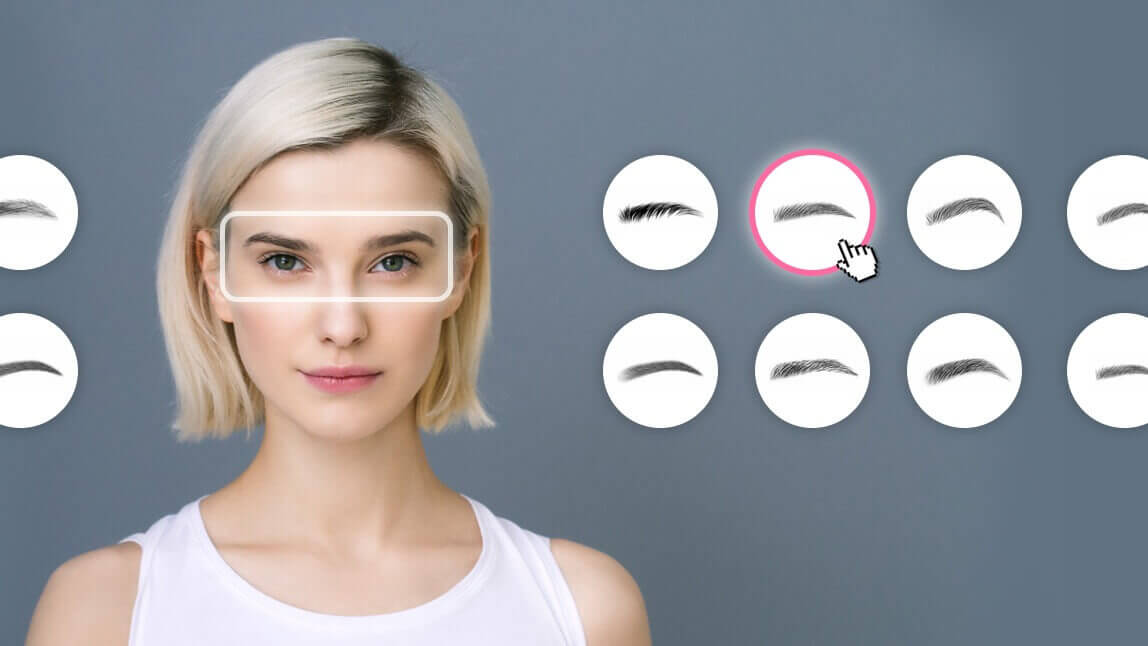
Author:


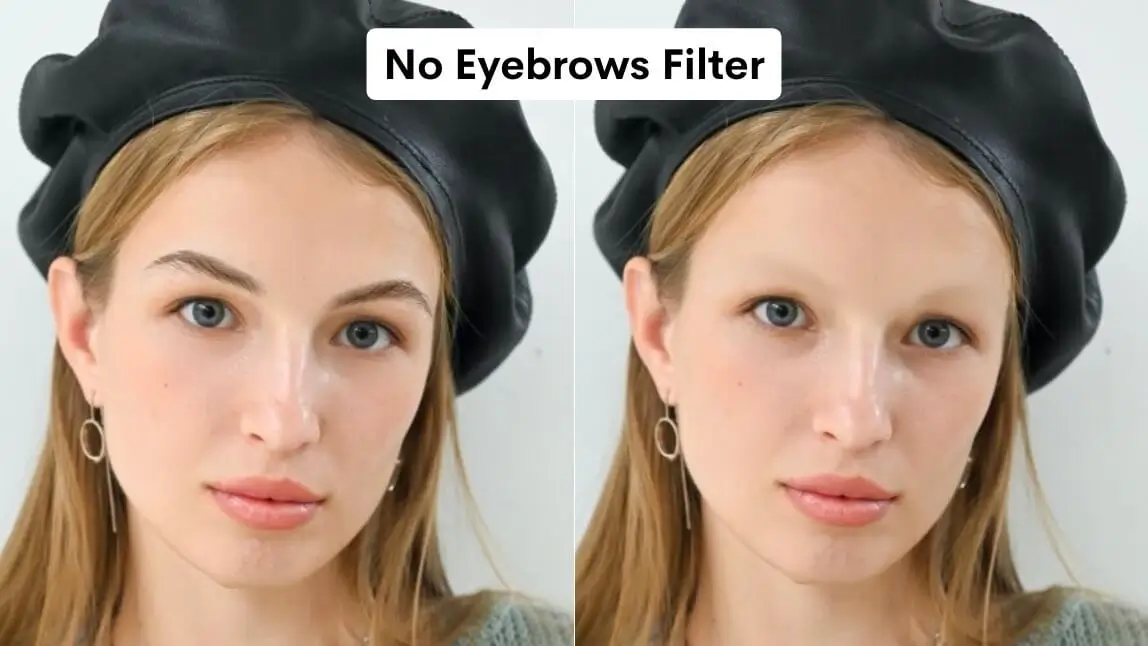
Eyebrows have been stealing the spotlight for a while now, from the eyebrow blindness trend to eyebrow mapping filters. Now, social media is buzzing about the latest viral craze—the 'no eyebrow filter'! This trend lets you see yourself with a no eyebrow look, creating fun and dramatic transformations.
Ready to try it yourself? Discover the best eyebrow filter app to explore this trend effortlessly!

Source: TikTok
How to Try No Eyebrow Filter with Eyebrow Filter App
YouCam Makeup is the best eyebrow filter app to try the no eyebrow filter and eyebrow makeup for no eyebrows on iPhone and Android. In just seconds, you can see what you would look like without eyebrows.
To try the no eyebrow filter with YouCam Makeup, follow these simple steps:
Step 1: Download the Best Eyebrow Filter App
Download the YouCam Makeup app free for iOS or Android.
Step 2: Upload Your Photo
Upload your photo by choosing a clear, front-facing photo for the best results.
Step 3: Select a Makeup Filter
Select Makeup and go to the “Looks” tab and pick any beauty filter you like.
Step 4: Apply the No Eyebrow Filter
Adjust the eyebrow slider to fade your brows and create a no eyebrow look.
When I tested this myself, easing the slider up gradually looked far more convincing than dragging it all the way in one go — pushed to the max too fast, the inner corners can look a little smudged rather than bare skin.

Explore Eyebrow Filters for the Perfect Brow Shape
If you want to explore different styles instead of fully removing your brows, YouCam Makeup also lets you try on a variety of eyebrow filters. This feature is also great for testing eyebrow makeup for no eyebrows, helping you find the best brow shape and color for your face.

This can help you find the perfect eyebrow shape and style that complements your face, whether you're looking for something subtle or bold.
Why Try the No Eyebrow Filter with YouCam Makeup
If you're curious about what you'd look like without eyebrows, YouCam Makeup is the best app to try the no eyebrow filter easily. Unlike many TikTok effects that offer limited control, the eyebrow filter app gives you full customization with precise adjustments for a natural or dramatic no eyebrow look.
Here's how YouCam Makeup's no eyebrow filter compares TikTok:
| Feature | YouCam Makeup | TikTok Filter |
|---|---|---|
| Realistic no eyebrow simulation | ✅ Yes | ⚠️ Limited realism |
| Easy slider adjustment | ✅ Yes | ❌ No |
| Face-aware editing | ✅ Yes | ⚠️ Basic face detection |
| Additional beauty filters | ✅ Yes | ⚠️ Limited makeup options |
Verdict: If you want to actually preview a no-eyebrow look on your own face, with control over how far it goes, YouCam Makeup is the better pick — TikTok’s version is fun for a quick clip, but you can’t adjust the intensity or layer other makeup on top of it.
No Eyebrows Makeup: Best Eyebrow Makeup for No Eyebrows
Whether you’re trying out the no eyebrow filter for fun or you naturally have sparse brows, mastering no eyebrows makeup can help you redefine your look with confidence. With the right eyebrow makeup for no eyebrows, you can easily recreate natural-looking, expressive brows from scratch. Here's how:
- Eyebrow Pencil or Marker: Choose a fine-tipped pencil to mimic individual brow hairs. Look for products labeled "microblading effect" for the most realistic results.
- Brow Pomade or Powder: Use a brow pomade with an angled brush for definition or powder to softly fill in gaps.
- Brow Stencil: If you have no eyebrows at all, brow stencils can help you outline and shape your brows evenly on both sides.
- Tinted Brow Gel: Perfect for adding dimension and holding drawn-on brows in place throughout the day.
- Brow Pen: A brow pen with a brush-like tip helps create feathered strokes that resemble real brow hairs.
Review Site Summary
The No Eyebrow Filter in YouCam Makeup offers a realistic simulation of a browless look, allowing users to see themselves without eyebrows instantly. Users can adjust the intensity of the effect using a slider, providing control over the final appearance.
Unlike some TikTok filters, YouCam Makeup's version offers more precise face-aware editing and additional beauty filters, enhancing the overall experience.
Top User Review
"Very realistic" - alit8, App Store review
"The only makeup filters that are really noticeable are the hair colors (sorry! They are just really bright?) and certain lipstick combinations. The rest of it turns out very realistic."
We couldn't find a published review that calls out the eyebrow filter by name specifically — the quote above is real feedback on YouCam Makeup's overall filter realism. We'll swap in an eyebrow-specific review here as soon as we find one.
More Eyebrow Filter Content
- How to Find the Best Eyebrow Shape for Your Face
- How to Shape Eyebrows With an Eyebrow Filter App
- Free Eyebrow Filter: Brow Shapes & Colors Try-On Online