Author:


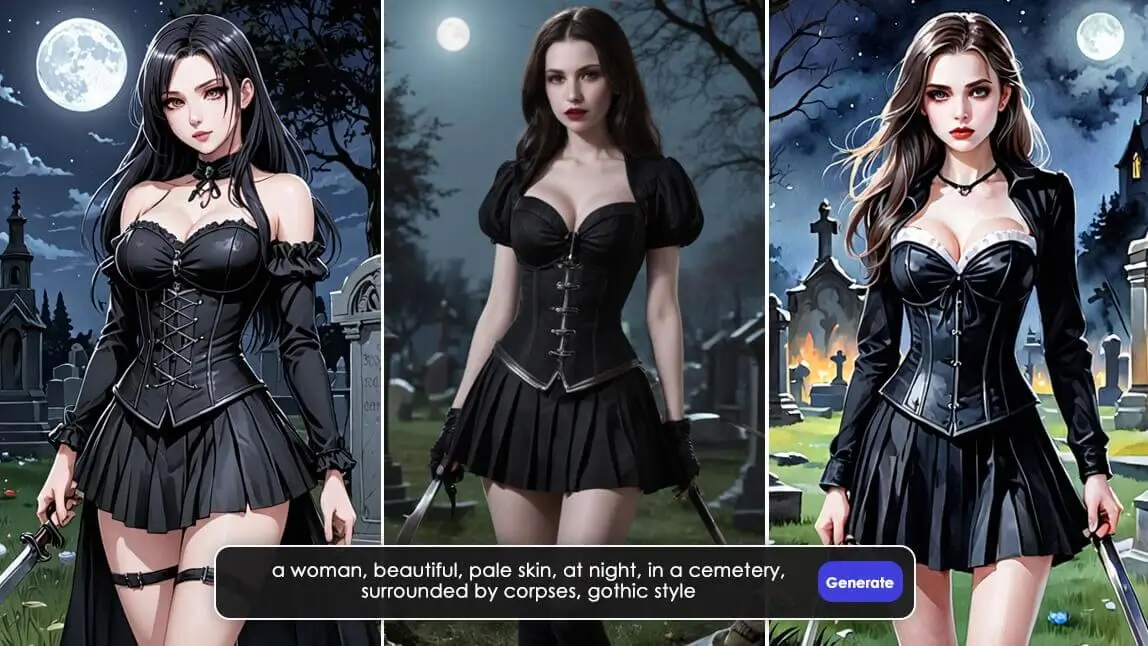
Gothic art, with its dark allure and mysterious charm, has always captivated the imagination, especially during the Halloween season, and this guide has been updated with my own hands-on notes for Halloween 2026. Whether you’re a digital artist or a gothic art enthusiast, AI art generators can bring your dark visions to life with ease. In this post, we’ll explore how to create Gothic Art with the best Gothic AI generator.

🧪 How I tested this: I rebuilt this guide for Halloween 2026 by running gothic prompts through YouCam AI Pro myself — starting with the article's own example prompt, then rewriting it in plainer and more detailed versions. I kept the prompt fixed while switching between the Gothic, 2D Anime, Comic, 3D Cartoon and Movie Persona styles so I could see what the style choice changes on its own. The biggest lesson: lighting and material words (candlelight, velvet, lace, wrought iron) shaped the mood far more than stacking the word "gothic" over and over. I also noticed that regenerating the same prompt is worth doing a few times before you rewrite anything, because the compositions vary a lot between runs.
Best Gothic AI Generator for Gothic Art: YouCam AI Pro

For those serious about creating authentic gothic art, YouCam AI Pro is one of the top AI generators. This platform captures the haunting beauty and intricate details of gothic art. With YouCam AI Pro, artists can explore various gothic styles, perfect for Halloween.
Various AI Gothic Art Styles for Halloween

YouCam AI Pro stands out for its versatility, supporting a range of gothic art styles from classic Gothic to3D Cartoon looks. This allows users to explore and choose the style that fits their Halloween vision, whether it's elegant and intricate or dark and dramatic.
Using the Same Prompt for Different Results

YouCam AI Pro utilizes AI to generate diverse results from the same prompt, enabling artists to experiment with variations in their artwork. By selecting different styles, users can explore endless creative possibilities, making each piece unique and personal.
To demonstrate the power of AI in generating gothic art, we’ll use the following prompt: “A woman in cashmere, gothic art style, highly detailed, gothic art, Arthur Rackham, gothic vampire, gothic portrait, unreal engine, intricate, whimsical contrast, colorful lighting.”
🧪 My test notes: Keeping one prompt fixed was the most useful test I ran. Faces and outfits changed a lot from style to style, but the color palette I described (black, deep burgundy, silver) carried through almost every result, so I now lock in colors first and experiment with style second.
Gothic Style
🧪 My test notes: The Gothic style was the one that read most like a moody oil painting to me. Ornate details such as lace collars and candelabras came through best when I named them outright; vague words like "spooky" gave me generic dark backgrounds.
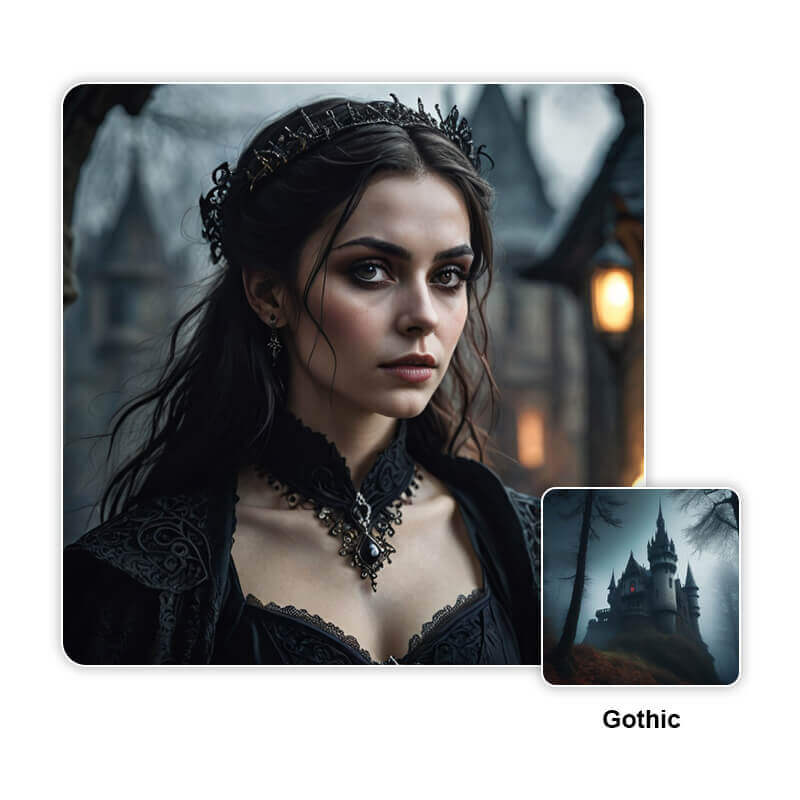

The classic gothic style is dark, mysterious, and eerie. The AI generator creates a highly detailed and atmospheric portrait, with intricate details and muted colors enhancing the gothic vibe.
2D Anime Style
🧪 My test notes: Anime style softened everything — it was great for a cute goth-girl avatar, but it lost the heavy shadows I wanted for a creepier poster. If you want both, I'd add "dramatic rim lighting" to the prompt.
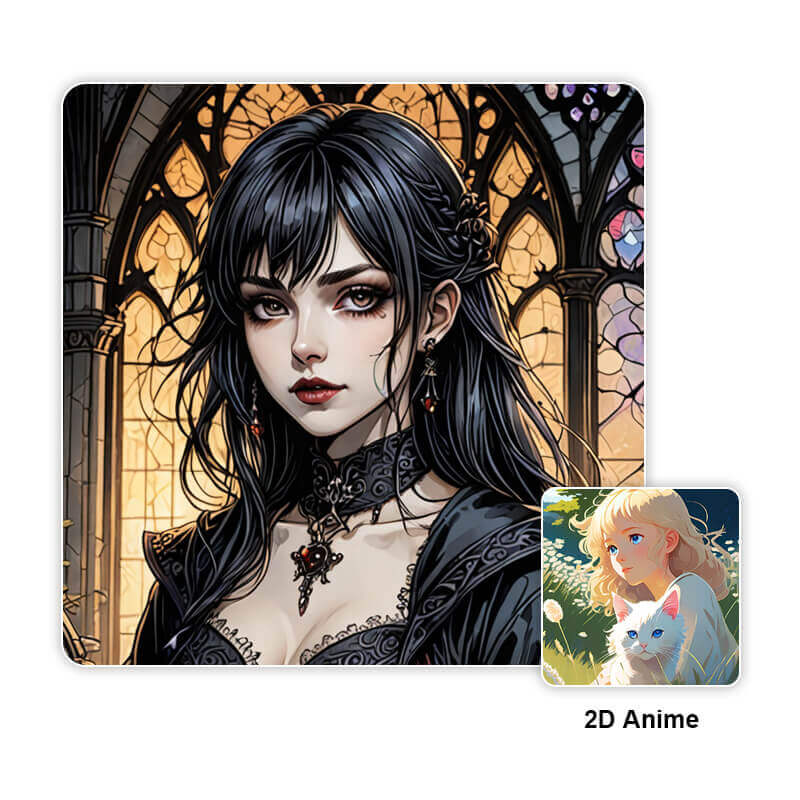

For anime fans, this style provides a unique take on gothic art. The AI generates a beautifully detailed anime character with expressive eyes and intricate clothing, blending gothic with anime charm.
Comic Style
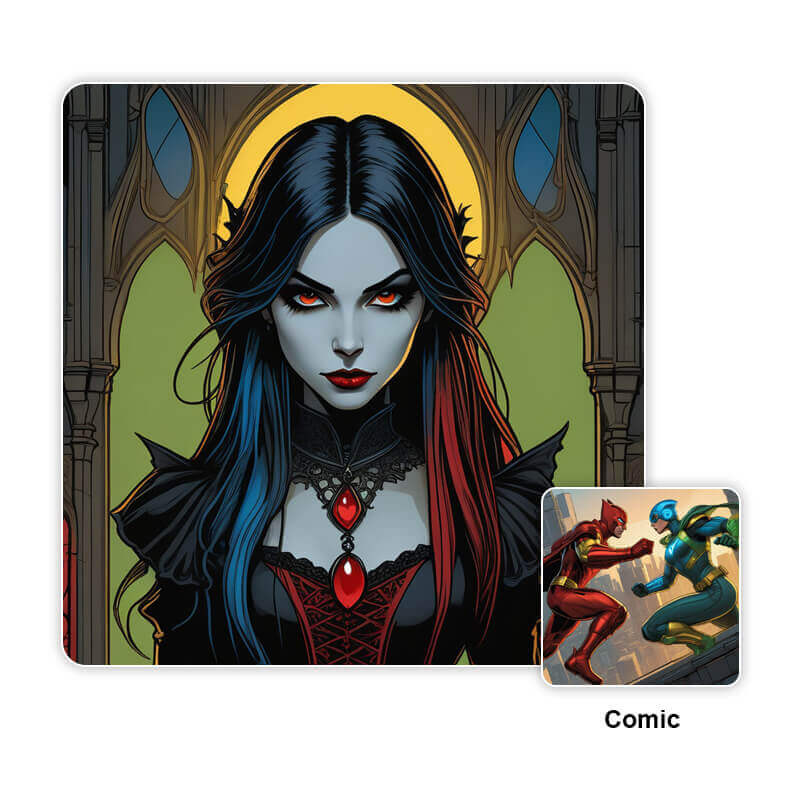

The comic style brings a bold and dynamic look. The AI produces a striking comic book character with sharp lines and dramatic contrasts, perfect for gothic-themed comics.
3D Cartoon Style
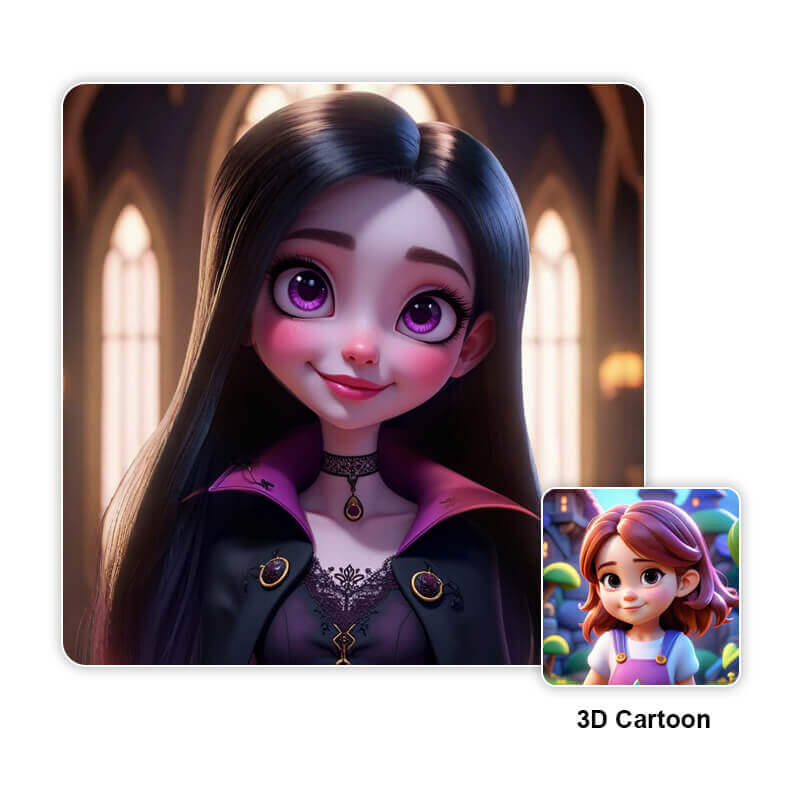

This style offers a playful yet dark interpretation. The AI generates a vibrant 3D character with exaggerated features and a spooky charm, blending gothic and whimsical elements.
Movie Persona Style
🧪 My test notes: Movie Persona gave the most cinematic framing of the five. It worked best when my prompt described a single character and one clear setting; crowded scene descriptions tended to get simplified.
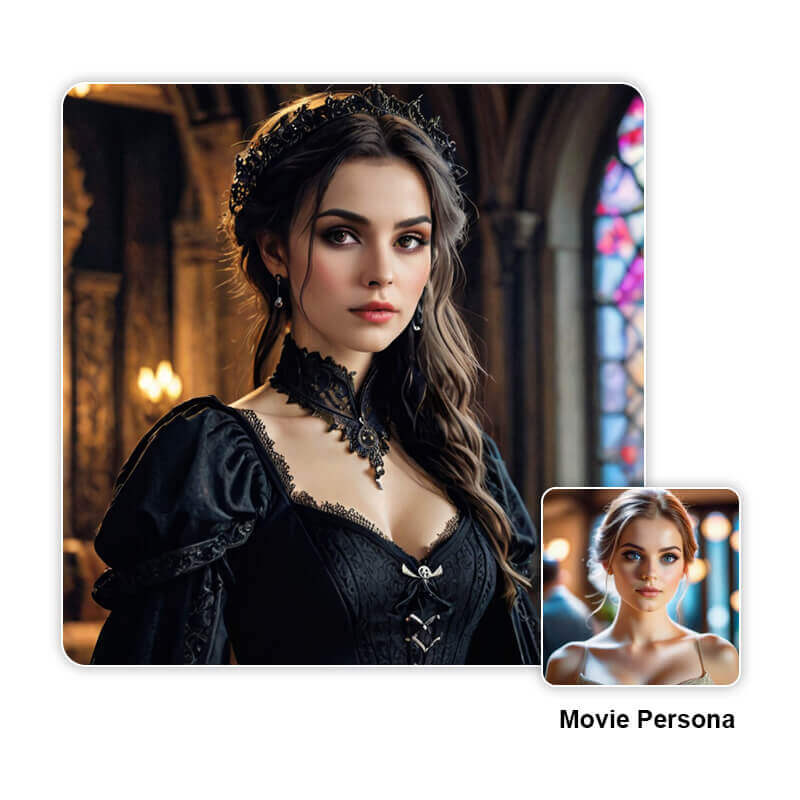

This style offers a cinematic and realistic portrayal. The AI creates a lifelike image, as if the character stepped out of a gothic horror film, with intricate details and realistic lighting.
How to Create Gothic Art with the Best Goth AI Generator: YouCam AI Pro

Download the Goth AI Generator

YouCam AI Pro is easy to start with: just download the app, available for iOS & Android. Its user-friendly interface simplifies navigation, making it beginner-friendly. Once installed, you'll access a powerful toolkit for creating gothic art effortlessly.
Input Your Prompt for Gothic Art
Next, input your prompt. This could be a description of the scene, characters, or mood you want to capture. Be as detailed or as vague as you like—the AI will handle the rest.
🧪 My test notes: The long example prompt works, but I got cleaner results after trimming it to one subject, one setting and one lighting cue, then adding details back one at a time. That also made it much easier to tell which word caused which change.
Choose Your Style for Gothic Art
YouCam AI Pro offers various Gothic styles to choose from. Select the one that best fits your vision. Whether you prefer a classic Gothic look or something more modern and abstract, there’s a style for you.
Generate Your Gothic Art
Finally, hit the generate button and watch as YouCam AI Pro brings your Gothic art to life. You can tweak the results or start over with a new prompt if needed.
🧪 My test notes: What I'd do differently: save every version I like as I go. A couple of my favorite generations came from early runs that I lost track of after regenerating too quickly.
5 Best Gothic AI Generators for Gothic Art in 2026
While YouCam AI Pro is a top choice, there are other notable Goth AI generators available in 2024:
Gothic AI Generator: YouCam AI Pro

If you’re into Gothic art and looking for the best AI generator in 2026, YouCam AI Pro is where it’s at! This tool is a game-changer for creating stunning Gothic visuals. Whether you’re aiming for dark, moody landscapes or intricate, eerie designs, YouCam AI Pro has got you covered.
YouCam AI Pro Key Features:
- Various AI Gothic Art Styles for Halloween
- Easy Text-to-Image Generator
- Same Prompt Provides Unlimited Results
Gothic AI Generator: Lumenor AI

Known for its intricate and detailed Gothic designs, Lumenor AI is a great alternative for those seeking high-quality art.
Goth AI Generator: AnimeGenius

This AI generator combines Gothic themes with anime aesthetics, offering a unique blend for fans of both genres.
Goth AI Generator: DeepAI

A versatile tool that supports various art styles, including Gothic. It’s user-friendly and produces impressive results.
Goth AI Generator: Starry AI

Specializes in creating atmospheric and moody Gothic art, perfect for setting a dark and eerie tone.
Make Gothic Art with the Best Goth AI Generator

Creating gothic art with AI is an exciting way to express your creativity, especially during Halloween. With tool like YouCam AI Pro, you can explore the dark and beautiful world of gothic art. Dive into this captivating world and discover how AI can enhance your gothic art. Don’t wait—start experimenting with YouCam AI Pro today and craft your masterpiece this Halloween!
More Halloween Image Ideas
- AI Haunted House: Create Spooky Designs This Halloween
- Monster High Filter: See Which Monster High Character Are You
- AI Scary Image Generator: How to Make Horror Images for Halloween
🧪 My test notes: Gothic art also made a great starting point for Halloween party invites and phone wallpapers — I just added the format ("vertical phone wallpaper" or "poster with empty space at the top") to the end of the prompt.
Gothic AI Art Styles Compared: Which Option Is Best?
I ran the same gothic prompt through each style in YouCam AI Pro. Here is how I would choose between them for Halloween.
| Option | Best For | My Verdict |
|---|---|---|
| Gothic Style | Dark, painterly portraits and moody Halloween posters | My top pick for true gothic art; rewards detailed lighting and fabric words |
| 2D Anime Style | Goth-girl avatars and profile pictures | Cute and clean, but softer and less eerie |
| Comic Style | Bold, graphic Halloween stories and stickers | Strong outlines; great when you want fun rather than creepy |
| 3D Cartoon Style | Playful, family-friendly Halloween characters | Charming, though the gothic mood is lighter |
| Movie Persona Style | Cinematic, film-poster-style characters | Most dramatic framing; keep the prompt focused on one character |
Verdict: For classic gothic Halloween art, start with the Gothic style; switch to Movie Persona for a cinematic poster, or to Anime and 3D Cartoon when you want a softer, shareable avatar.
What Real Users Say
Here is what App Store reviewers have said about YouCam AI Pro, in their own words.
"I was surprised by how realistic the images turned out, which is exactly what I wanted!" — Jayleigh42, ★★★★☆ (App Store review)
"I haven't discovered yet whether my original artwork can be more part of the results rather than getting random totally unpredictable styles and colors nowhere near what I used as source file." — Lars in ATX, ★★★★☆ (App Store review)
Pro Tips for Better Results
- Build prompts in layers: Start with subject + setting + lighting (e.g., "a vampire queen in a ruined cathedral, lit by candlelight"), generate, then add one detail at a time.
- Name materials and textures: Words like velvet, lace, wrought iron, cracked stone and stained glass give gothic art its richness far better than "dark" or "spooky."
- Set a color palette: Specify two or three colors (black, oxblood, antique silver) so every regeneration keeps a consistent Halloween mood.
- Match the format to where you'll post: Mention "vertical" for phone wallpapers and Stories, or "leave empty space at the top" if you plan to add party-invite text.
- Regenerate before you rewrite: Results vary between runs, so try a prompt a few times before assuming the wording is the problem.
- Sharpen before printing: If you want to print your gothic art as a poster or card, run it through an AI upscaler such as YouCam Enhance first.
New for Halloween 2026: Classic Character Costumes as Gothic Art Prompts
ABC News' Halloween 2026 costume guide points to character costumes and classic spooky looks — including witches and Rocky Horror Show characters such as Magenta and Frank-N-Furter — as popular picks this season. Those looks translate well into gothic AI art: try a prompt like "a glamorous gothic character portrait inspired by vintage cult-movie costumes, candlelit castle, dramatic shadows" in the Gothic or Movie Persona style to preview a costume concept before you commit to it. (Source: ABC News, September 25, 2026)
Want to put yourself in the picture instead of generating a character from scratch? See how to turn your own photo into a goth aesthetic, or explore the Tim Burton filter for a whimsical, spooky art style.