Author:


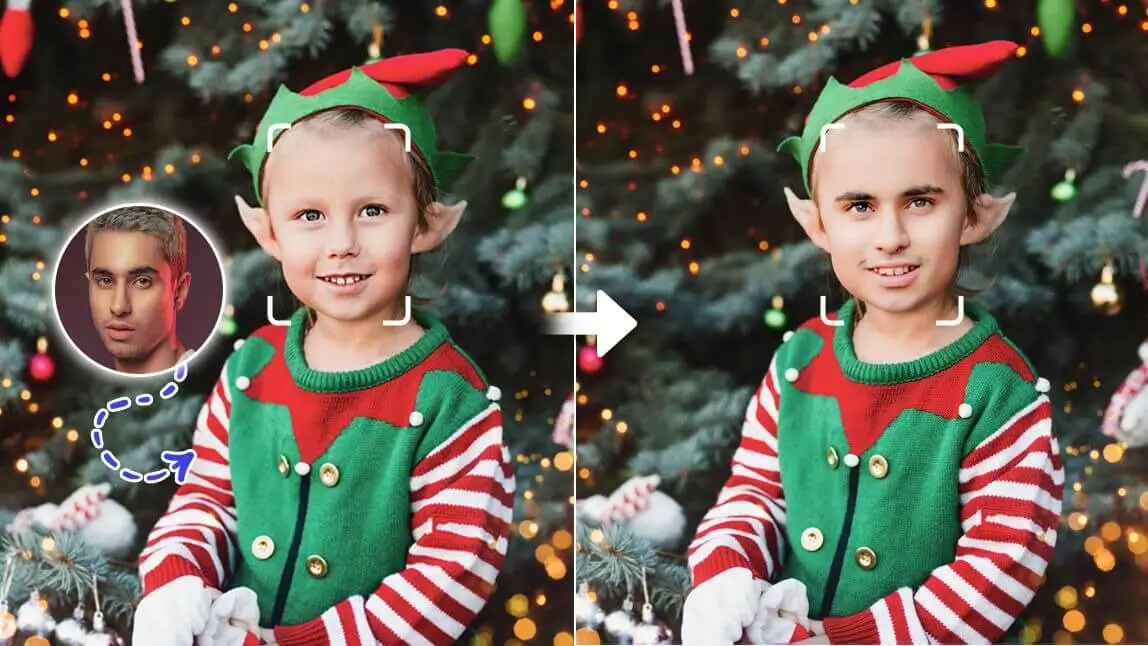
Ever wondered what you’d look like as a festive Christmas elf spreading holiday cheer in Santa’s workshop? With AI, you can turn your face into a whimsical elf photo in minutes—perfect for sharing on social media or sending to friends and family. Elf face swap technology is trending, letting holiday fans transform selfies into fun, customized photos.
Here’s how to become a holiday elf using the YouCam AI Pro app. Follow these easy steps to create your elf-inspired photo and explore more fun “face in hole” ideas for the 2025 holiday season!

Elf Yourself: Why Put Your Face on a Christmas Elf?

Transforming yourself into a Christmas elf can add a touch of festive fun to your holiday season! Whether you're looking to create personalized holiday cards, share amusing photos with friends and family, or simply get into the Christmas spirit, putting your face on a Christmas elf is a delightful way to spread joy and laughter.
Here’s why Elf Face in Hole creations are a holiday favorite:
- Fun and Festive: A playful way to get into the holiday spirit.
- Social Media Gold: Unique elf photos grab attention and rack up likes.
- Easy to Share: Perfect for holiday cards or Instagram posts, guaranteed to bring smiles.
- A Twist on Holiday Photos: Skip traditional poses by adding yourself—or loved ones—to a jolly elf scene.
Sound fun? Stay tuned for the easiest way to create your own Elf Face in Hole masterpiece!
Best Elf Face in Hole App: How Do I Put My Face on an Elf?
YouCam AI Pro is the top app for creating festive elf face photos. With advanced AI and holiday-themed templates, it makes your Christmas photos fun and polished.
Step 1: Download the Best Elf Yourself Photo App
Shared Materials by Strapi
*Adjust the size of images ONLY. Please go to Strapi to edit the materials info.
Download the YouCam AI Pro app, available for free on iOS and Android. While some features may require a subscription, it’s easy to explore and get familiar with its tools before using them.
Pro tip: Download ahead of time!
Step 2: Use Face Swap Feature for Elf Bodies Put Your Face

Install YouCam AI Pro and use the intuitive face swap feature to merge your face with fun Christmas elf templates. Choose from a variety of designs and let the app guide you through the process.
Step 3: Upload Image for Elf Face in Hole

- Upload the photo you want to transform. If you have a preferred elf photo on your phone, you can use that one.
- Alternatively, browse through dozens of stock images directly in the app to find the perfect elf photo.
- Once you've selected your photos, the AI technology will automatically swap faces, giving you hyper-realistic results.
Step 4: Save and Share Your Elf Yourself Photo

Once your elf photo is ready, it’s time to save and share the magic! You can:
- Save to Your Gallery: Download the finished image and store it on your device.
- Share on Social Media: Upload directly to Instagram, Facebook, or TikTok. Don’t forget to tag friends and challenge them to elf themselves too!
- Create Holiday Cards: Use your elf photo as the centerpiece of this year’s Christmas cards.
With just a few clicks, you’ll have a unique, festive photo that’s sure to spread holiday cheer.
Bonus: Elf Template to Put Face In
In YouCam AI Pro, you can also use the Image to video feature to turn yourself into a happy elf! Here's how to do it:
- Go to AI Video Tab
- Select Image to Video Feature
- Check on more templates & Tap "Elf in a box"
- Upload Your Photo
- Generate & Save
More Elf Yourself Photo Ideas
Elf Yourself Photo Idea 1. Elf Costumes

Transform into an elf with our AI Fashion feature! Just upload a photo and choose an elf costume from the Holiday category to give your outfit a festive makeover.
Elf Yourself Photo Idea 2. Elf Your Pets

Elf Your Pets with YouCam AI Pro! Edit your pet photos into adorable elves and use them as stickers for your Elf Yourself Christmas Cards!
Elf Yourself Photo Idea 3. Elf Yourself Christmas Cards

Elf yourself by putting your face onto an elf’s body! If you’re unsure how to start, read the article to learn how to create Elf Yourself Christmas cards easily. Try YouCam Perfect's Cut Out feature and Christmas templates.
Create your own Elf Yourself Christmas cards>>>
Other Face in Hole Ideas for Holidays 2025
Want to take your holiday photos to the next level? YouCam AI Pro offers a variety of fun and festive face swap options beyond just Christmas elves. Here are three ideas to try this season:
1. Try an AI Grinch Filter

Feeling a little mischievous this season? Transform yourself into the infamous Grinch with YouCam AI Pro’s green face filter. It’s the perfect way to capture those playful “bah humbug” moments while still staying festive.
Learn how to Grinch Yourself >>>
2. Try Santa Face in Hole

Why stop at elves? Turn yourself into the big man himself—Santa Claus! Don a virtual red suit, fluffy white beard, and jolly belly with just a single upload. Perfect for creating a hilarious holiday greeting or surprising your kids.
3. Add Rudolph the Reindeer’s Red Nose

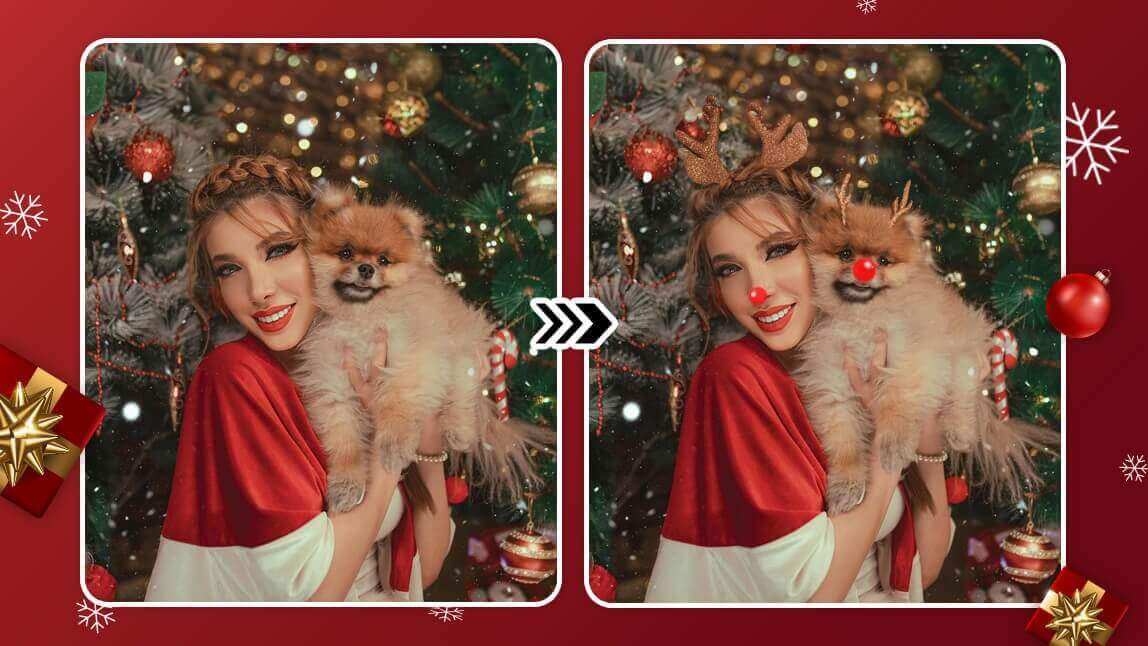
Step into the hooves of the most famous reindeer of all! Add Rudolph’s iconic red nose and antlers to your photo for a light-hearted touch. Great for getting the kids involved or creating family-themed photos.
Learn how to add cute reindeer red noses to your pets>>>
Best Free AI Elf Generator from Text

Experience the magic of our AI Elf Generator for free! Simply enter your text prompt and choose your favorite style to create your Elf in seconds. Summon enchanting fantasy realms and craft elegant, mystical elf characters with ease.
Elf Yourself with the Best Elf Face in Hole App
Shared Materials by Strapi
*Adjust the size of images ONLY. Please go to Strapi to edit the materials info.
AI makes customizing your holiday photos easier, faster, and more fun. With tools like YouCam AI Pro, you can swap faces, try holiday themes, and share your creations with the world in minutes. Whether you’re creating an elf face, becoming Santa, or channeling your inner Grinch, the possibilities are endless. Ready to get into the holiday spirit? Download YouCam AI Pro today and start creating your own festive elf photos!
More AI Holiday Photo Ideas
- Grinch AI: How to Make Grinch Pictures with AI this Holidays
- Wicked Movie Filter: Which Witch Are You from Wicked Characters on TikTok
- Reindeer Filter: What My Pet & I'd Look Like as a Reindeer with AI