


 Author:


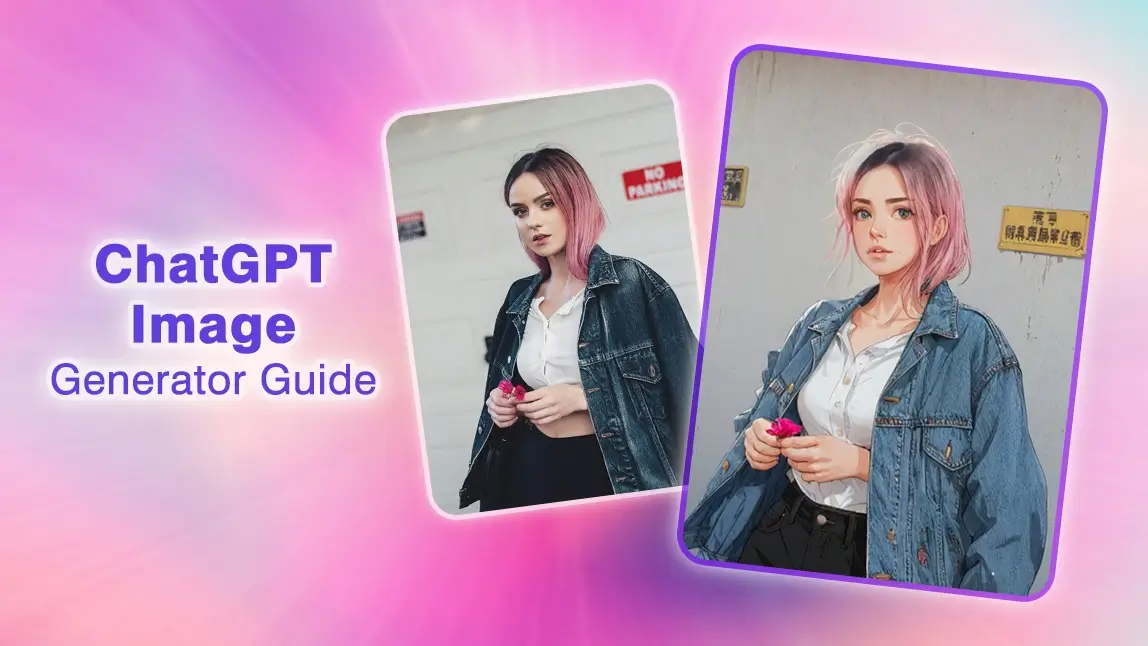
In the world of digital art, the blend of AI and creativity is opening up some seriously cool possibilities for artists and enthusiasts. One standout innovation is the ChatGPT Image Generator. This nifty tool lets you create images in all sorts of styles, including those magical Studio Ghibli vibes we all love.
In this guide, we'll dive into the awesome features of the ChatGPT Image Generator, walk you through how to make your own Ghibli-style masterpieces, and check out some top alternatives like YouCam AI Pro. Let's get creative!

Will Chatgpt-5 Have a Better Image Generator?
Based on verified sources from OpenAI's official announcements and user reports, ChatGPT-5 (powered by GPT-5) does not introduce a new or improved image generator. Image generation in ChatGPT-5 remains handled by the existing "gpt-image-1" model, which was rolled out earlier in 2025 as part of GPT-4o enhancements. While GPT-5 supports image generation as a built-in tool (alongside others like web search), there are no documented upgrades to the core image creation capabilities, such as better quality, fidelity, or prompt adherence beyond what was available in GPT-4o.
ChatGPT-5 V.S. ChatGPT-4
Improvements
ChatGPT-5 is faster, supports a larger context window, and offers seamless multimodal integration, making it better suited for complex, multi-step visual tasks. Its prompt optimizer and unified architecture reduce the need for model switching, enhancing efficiency.
Drawbacks
Some users report that GPT-5’s image generation is less reliable than GPT-4o for specific tasks, such as rendering text or following detailed prompts, suggesting potential early-stage inconsistencies.
Use Case Suitability
GPT-5 is ideal for professionals needing advanced visual reasoning and rapid content creation (e.g., marketing, education). GPT-4 (or GPT-4o) remains sufficient for simpler tasks or users with budget constraints, as it offers reliable image generation at a lower cost.
Recommendation
Upgrade to ChatGPT-5 if you require advanced multimodal capabilities, faster processing, or complex visual reasoning for professional applications. Stick with GPT-4 for basic image generation or if budget is a concern, as it remains dependable for simpler tasks. For optimal results with GPT-5, refine prompts carefully to address reported inconsistencies.
User Feedback
User feedback on X & Reddit indicates mixed experiences, with some reporting usability regressions (e.g., additional confirmations required) and no noticeable improvements in output quality.
What is ChatGPT Image Generator?

The ChatGPT Image Generator is a cutting-edge feature integrated into ChatGPT, leveraging the GPT-4o model to produce high-quality images based on textual prompts.
Key features include:
- Text-to-Image Conversion: Transform descriptive text prompts into detailed images.
- Various Artistic Styles: Generate images in various styles, including anime, realism, and more.
- Text Rendering: Add a few words to your images with GPT-4o to make them stand out and tell a story.
- Multi-Turn Generation: Refine your images through conversation. Perfect for keeping designs, like video game characters, consistent across tweaks.
- In-Context Learning: GPT-4o learns from your uploaded images to enhance its creations with those details.
- Usage Across Subscription Tiers: Available to users on Plus, Pro, Team, and Free tiers, free users can generate up to 3 images per day.
- Robust Safeguards: Implements measures to prevent misuse, including blocking harmful content and embedding C2PA metadata to indicate AI-generated images.
How to Generate AI Images with ChatGPT-5’s AI Image Generator
Creating AI-generated images with ChatGPT involves a straightforward process:
Step 1. Enter a Text Prompt

Begin by describing what you want to see. Be as specific as possible. Specific phrases lead to better results.
Step 2. Upload an Image (Optional)
If you have a base image you'd like to transform into the Ghibli style, upload it to provide the AI with a reference point.
Step 3. Generate Image

Once the Ghibli-style image is generated, tweak any fine details using ChatGPT or switch to an alternative tool for advanced touch-ups.
Step 4. Fine-Tune Details
Not happy with the results? Adjust your prompt or provide additional details, like a color palette or specific artistic style. AI learns from your input to refine the final image.
Step 5. Save Your Work
Once you’re satisfied with your artwork, save the file in high resolution.
Comparison of Ghibli-Style Image Results from Different AI Generators

The image showcases four different AI-generated versions of the same subject, transformed into artistic styles by different AI tools: Copilot, ChatGPT, YouCam AI Pro, and Grok 3. Below is a detailed comparison of how each AI performed in creating a Ghibli-style image.
| AI Image Generator | Best For | Weaknesses |
| Copilot | Light AI edits, not for artistic transformation | Lacks Ghibli-style elements, blurred face |
| ChatGPT | Anime-inspired, retains character details | Semi-realistic anime portraits |
| YouCam AI Pro | Highly detailed, High-quality AI digital portraits | Too refined for the classic Ghibli look |
| Grok 3 | Authentic Ghibli-style art | Simplified details |
Disclaimer: The AI-generated images and videos are inspired by the visual style of Studio Ghibli, but are not affiliated with, endorsed by, or representative of the original works by Studio Ghibli or its creators. All rights to Studio Ghibli’s characters and original artworks belong to their respective owners.
Best ChatGPT Image Generator Alternative App: YouCam AI Pro
Shared Materials by Strapi
*Adjust the size of images ONLY. Please go to Strapi to edit the materials info.
For those seeking alternatives to ChatGPT's image generator, YouCam AI Pro stands out as a premier choice. This app harnesses AI-powered text-to-image technology to deliver stunning visual creations.
Key Features:
Image to Image

Transform existing photos into artistic renditions by applying various styles, including Ghibli-inspired aesthetics.
Text to Image

Generate unique images from textual descriptions, allowing for limitless creative possibilities.
70+ Styles

Choose from a vast array of artistic styles to customize your images to your liking.
AI Replace & AI Remove for Fine-Tuning

Utilize advanced editing tools to replace or remove elements within your images, ensuring perfection in every detail.
Best ChatGPT Image Generator Alternative Online Tool: YouCam Online Editor

For those who prefer an in-browser experience, the YouCam Online Editor is the ultimate alternative to generate Ghibli-inspired visuals.
With no downloads required, this tool delivers:
- Easy, intuitive controls for customization.
- Ghibli-style preset filters.
- High-quality image generation scalable across devices.
How to Generate AI Images with YouCam AI Pro
Follow these five easy steps to create your Ghibli-inspired masterpiece.
Step 1. Download the Best AI Image Generator App: YouCam AI Pro
Shared Materials by Strapi
*Adjust the size of images ONLY. Please go to Strapi to edit the materials info.
Visit the app store, search for YouCam AI Pro, and download the app to your smartphone.
Step 2. Enter Your Prompt for Ghibli Art Style Image

Write a detailed and creative description of your desired Ghibli-style image. For example, “a whimsical village with floating sky islands under a lavender-hued sunset in Ghibli style.”
Step 3. Upload a Photo for Ghibli Art Style Image (Optional)

For more control, upload a base photo. This could be a portrait, scenery, or anything you want transformed into a magical Ghibli aesthetic.
Step 4. Select 2D Anime Style for Ghibli Art Style Image

Select the style that best emulates the Ghibli aesthetic. YouCam AI Pro offers over 70 styles, giving you ample choices to achieve the desired effect.
Step 5. Generate & Save the Ghibli Art Style Image

Tap "Generate" to bring your vision to life, and once you’re happy with the result, save it to your device.
Bonus Tip: Turn Your Ghibli-Style Image into Video
After generating the Ghibli image, you can easily animate it with our Image-to-Video feature.
- Navigate to the Image-to-Video feature under AI Editing section.
- Upload your Ghibli-style image.
- Select an animation template or write a prompt to describe how you want the photo to move.
- Generate & Save the video.
Final Verdict: Which AI Image Generator is Best for Ghibli-Style Art?

| AI Image Generator | Best For | Weaknesses |
| Copilot | Light AI edits, not for artistic transformation | Lacks Ghibli-style elements, blurred face |
| ChatGPT | Anime-inspired, retains character details | Semi-realistic anime portraits |
| YouCam AI Pro | Highly detailed, High-quality AI digital portraits | Too refined for the classic Ghibli look |
| Grok 3 | Authentic Ghibli-style art | Simplified details |
If your goal is to generate images that truly reflect the Ghibli aesthetic, Grok 3 is the best choice. However, if you prefer a more refined digital illustration, YouCam AI Pro offers impressive results. ChatGPT strikes a balance between anime and realism.
Explore ChatGPT Image Generator and Top Alternatives
Shared Materials by Strapi
*Adjust the size of images ONLY. Please go to Strapi to edit the materials info.
With the ChatGPT Image Generator and alternatives like YouCam AI Pro, the world of AI-generated art is right at your fingertips. Whether you’re a digital artist or someone exploring new creative hobbies, these tools are designed to unlock your potential. Dive into a world of endless possibilities today. Download YouCam AI Pro and start creating immersive, Ghibli-style visuals that will captivate your audience.


