Author:


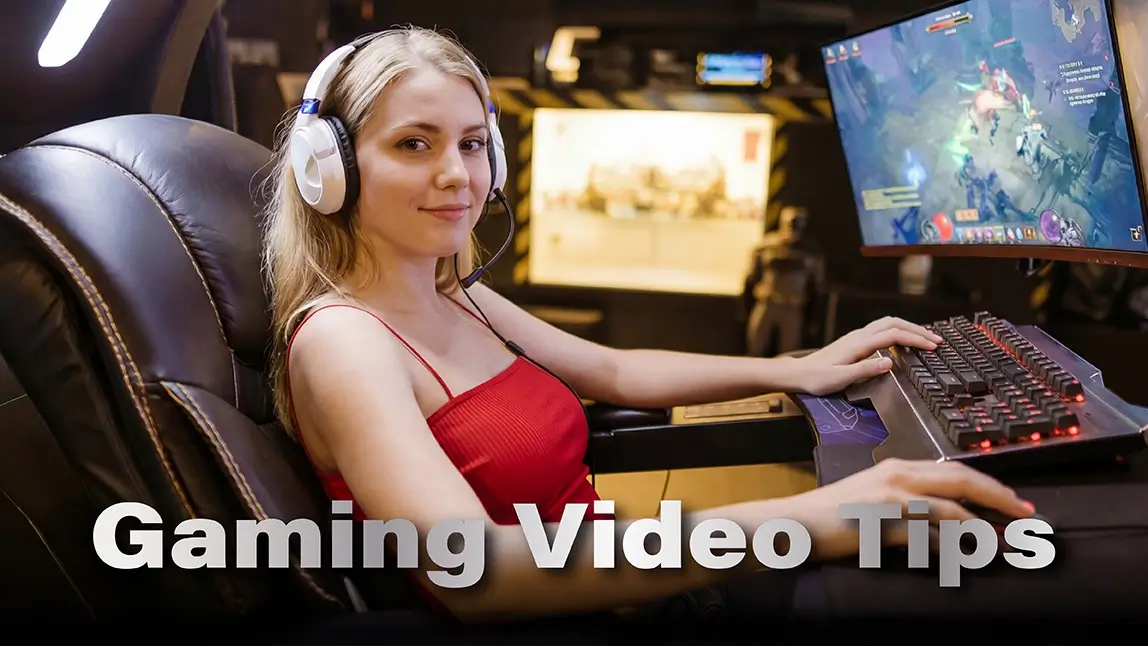
Creating a gaming video that truly captures attention can feel like a challenge. You’ve got amazing gameplay, but how do you turn raw clips into content people actually want to watch?
The secret is combining smart editing, creative effects, and the right tools to showcase your skills.
In this guide, we’ll walk through 12 gaming video tips that will help your content shine, whether you’re posting on YouTube, TikTok, or streaming platforms.
Some of these tips include practical steps using YouCam Video, a powerful app that makes editing smooth and fun.

Best AI Video Editor
The Best AI Video Editor & Makeup App.
Edit your gaming videos easily.
What Is a Gaming Video and Why Make One?
A gaming video is a recording of gameplay footage that showcases your in-game skills, funny moments, tutorials, or strategy highlights.
These videos can range from short clips for social media to full-length streams on platforms like YouTube. People watch gaming videos for entertainment, education, or inspiration.

Whether you want to show off your best plays, teach others how to succeed in a game, or simply create fun content, a well-crafted gaming video can help you connect with an audience and even grow a following.
Creating one isn’t just about pressing “record.” The best gaming videos combine high-quality footage, smart editing, engaging commentary, and visual flair.
If you put the effort into making your content shine, viewers are far more likely to watch, share, and return for more.
Now, let’s dive into the tips.
1. Capture High-Quality Gameplay

The first step in creating a standout gaming video is capturing crisp, smooth footage. Use the highest resolution and frame rate your system allows. For fast-paced games, higher frame rates like 60 fps keep motion fluid and prevent choppy visuals.
Avoid low-resolution recordings, as blurry or pixelated footage can make even epic plays look dull. If possible, use a screen recorder that supports high-quality audio capture too, since sound is just as important as visuals.
2. Plan Your Video Before Recording
Don’t rely on luck to get great footage. Decide ahead of time which moments you want to highlight, whether it’s a clutch victory, an epic fail, or a clever strategy.
Planning helps you focus on the most compelling content and reduces the amount of editing later. Some creators even storyboard their videos, noting which sequences will be paired with commentary or special effects.
3. Keep Videos Concise
Attention spans are short, especially online. Trim long or repetitive segments so each scene adds value. Ideally, your gaming video should be long enough to show skill but short enough to maintain excitement.
Think of it as keeping only the highlight reel that viewers will remember.
4. Use YouCam Video for Easy Editing

How to:
1. Import your footage into YouCam Video.
2. Trim unnecessary parts and arrange clips in order.
3. Add effects, instantly improve quality to HD, or add aesthetic filters to emphasize key moments.

5. Add Engaging Intros and Outros
First impressions matter. A quick, branded intro sets the tone, while an outro can include calls to action or links to other content.
Keep intros under 10 seconds and avoid overly long animations that distract from gameplay.
6. Highlight Key Moments with Effects
Visual effects can make a gaming video more dynamic. Slow motion, zoom-ins, or pop-up text can draw attention to epic kills or hilarious fails.

YouCam Video makes this easy with AI tools that detect action points automatically, allowing you to add effects precisely where they matter. Highlighting moments visually not only entertains but also guides the viewer’s attention.
7. Choose Background Music Wisely
Background music can elevate a gaming video, but it must complement the gameplay. Pick tracks that match the pace of your clips, and always ensure they are royalty-free or licensed.
Keep music volume balanced so that in-game sounds and commentary remain clear. Music adds energy to a video, but it should never distract from the action.
8. Include Commentary or Voiceovers
A gaming video with your personality shines more than silent clips. Narrate your strategy, react to exciting moments, or explain tips for viewers.

Use YouCam Video’s audio tools to clean up background noise and sync your commentary with gameplay seamlessly.
9. Add Text and Subtitles
Text can highlight strategies, tips, or funny moments. Subtitles make your content accessible to a wider audience and can emphasize reactions.
YouCam Video allows easy text overlays with customizable fonts and timing, keeping your gaming video professional yet fun.
10. Optimize Video for Different Platforms

Adjust aspect ratios and resolutions for each platform to ensure your gaming video looks its best everywhere.
For example, vertical formats work better for mobile social media, whereas widescreen formats are ideal for YouTube.
11. Test, Review, and Get Feedback
Before publishing, watch your video from a viewer’s perspective.
Are transitions smooth? Is the commentary clear? Share a draft with friends or followers to get feedback. Small tweaks can make a big difference in engagement.
12. Use Consistent Branding and Style

Consistency makes your gaming videos recognizable. Use similar color schemes, font styles, or intro/outro sequences across videos.
Over time, this creates a personal brand that viewers can immediately identify. When your style becomes familiar, your audience is more likely to return for new content.
Start Creating Your Standout Gaming Videos
A standout gaming video combines crisp visuals, smooth editing, engaging commentary, and a personal touch. With these 12 tips, you can create content that captures attention, keeps viewers watching, and grows your audience.
Tools like YouCam Video make the process simple, from trimming clips and adding effects to recording voiceovers and subtitles.
Download YouCam Video now and start turning your gameplay into videos that stand out, entertain, and inspire.
Best AI Video Editor
The Best AI Video Editor & Makeup App.
Edit your gaming videos easily.