Author:


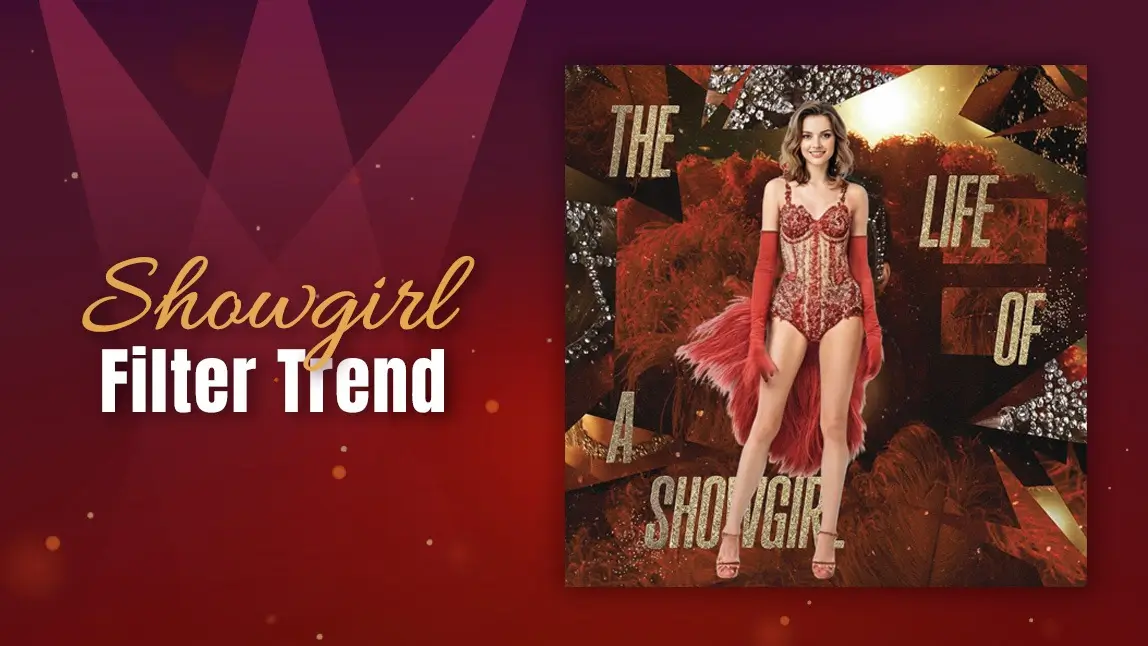
When Taylor Swift dropped The Life of a Showgirl album, the internet didn’t just listen—it transformed. From shimmering corsets and sparkling feathers to cinematic cabaret makeup, the showgirl aesthetic became a viral sensation overnight. TikTok feeds filled with fans recreating Swift’s dazzling visuals, using everything from vintage props to AI filters.
Now, you can join the trend instantly with the Showgirl filter in YouCam Makeup. Whether you want to recreate Taylor Swift’s Showgirl filter look or design your own glamorous stage fantasy, this AI-powered tool lets you transform any photo into your very own spotlight moment.
Welcome to your showgirl era.

Why Everyone Loves the Showgirl Filter Trend

(Source: TikTok)
The Showgirl filter trend captures everything people love about vintage glam: feathers, rhinestones, and bold confidence. A blend of Old Hollywood glamour, Broadway lights, and the unapologetic confidence of being the main character. Taylor’s recent visuals turned this vibe into a full-blown aesthetic movement, one that’s all about fantasy, femininity, and unapologetic sparkle.
With the Showgirl effect, you can step into that same fantasy world. Whether you want to channel Taylor’s signature elegance or a more playful showgirl vibe, YouCam Makeup’s AI tools let you shine like the star you are.
How to Try the Showgirl Filter with YouCam Makeup
Ready to try the Showgirl filter for yourself? Here’s how to recreate Taylor’s The Life of a Showgirl look using YouCam Makeup’s AI features:
- Step 1: Download the YouCam Makeup App
- Step 2: Change into the Showgirl Outfit
- Step 3: Get the Showgirl Filter Vintage Aesthetic
- Step 4. Experiment and Refine
Step 1: Download the YouCam Makeup App
Grab the app for free from the App Store or Google Play.

Step 2: Change into the Showgirl Outfit
In the menu, tap on the AI Clothes feature and upload a full body photo of yourself. Then upload a reference photo of a showgirl outfit. Tap Full Body to change your entire outfit.

Step 3: Get the Showgirl Filter Vintage Aesthetic
First find a photo of Taylor Swift’s ‘The Life of a Showgirl’ picture. Then upload the photo of your outfit change and the photo of Taylor Swift. Then enter the prompt:
"Keeping the face and body, apply the same background, aesthetic, and text from the second photo to the first photo."

The AI analyzes both images (your selfie and the reference photo) to merge their visual elements. In seconds, you’ll see your photo reimagined with full “Showgirl filter” flair.
Step 4. Experiment and Refine
Don’t stop at one edit! Try different references to explore the spectrum of showgirl aesthetics - from bold and dramatic to soft and romantic. Each version gives you a new take on your inner performer.
Enter Your Showgirl Era with YouCam Makeup
There’s something undeniably empowering about seeing yourself in that light: confident, glamorous, ready to perform. The Showgirl filter isn’t just about sparkle; it’s about transformation. It’s about capturing that version of yourself that’s bold enough to take center stage.
So go ahead and download YouCam Makeup, upload your favorite photo, pick your dream reference, and let the AI reveal your show-stopping alter ego.
Because everyone deserves their moment under the lights and your showgirl era starts now.