Author:


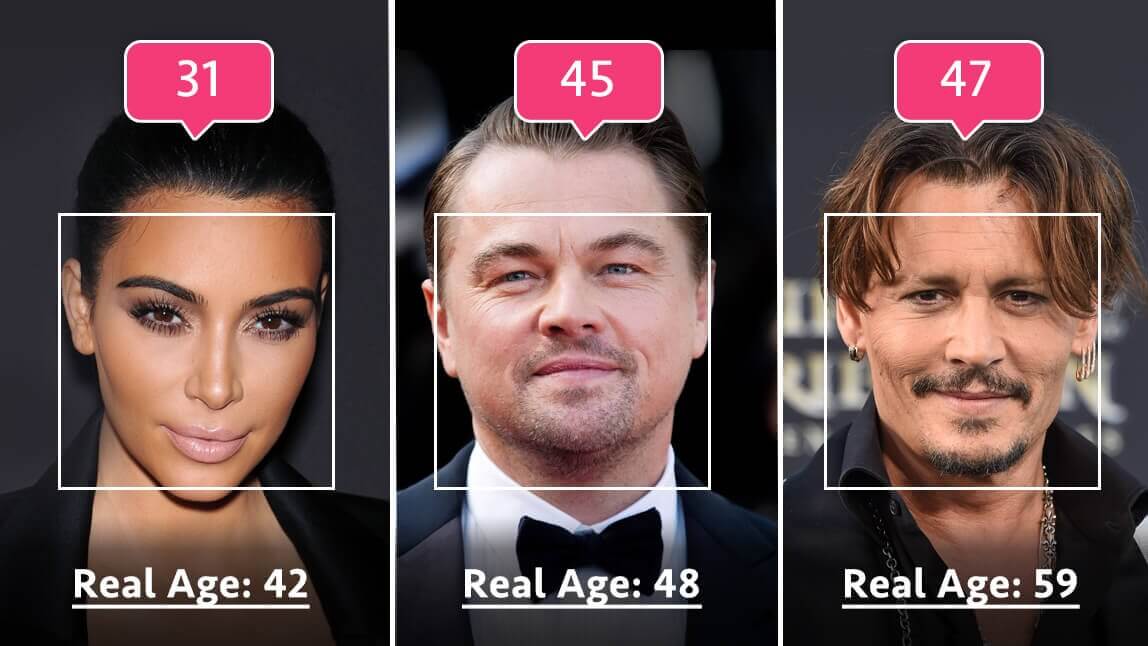
If you’ve been scrolling TikTok lately, you’ve probably seen people posting side-by-side videos of their current face next to a shockingly realistic older version. This viral AI Old Version Filter trend has taken over TikTok and Instagram, with millions of creators testing how they might age—and the results are both fun and surprisingly lifelike.
With YouCam Makeup's old age filter, you can easily join the trend and create your own AI old-age transformation in seconds. Let’s dive into how to do it.
What Is the AI Old Version Filter Trend?
The AI Old Version Filter (or AI Aging Filter) is a viral effect that uses artificial intelligence to age your face digitally. The filter adds realistic wrinkles, grey hair, fine lines, and other aging details to show what you might look like in the future.

What started as a few viral posts from influencers has turned into a full-blown AI aging challenge across TikTok and Instagram, where users show their “future selves” reacting to their current ones—or share emotional “me at 80” videos.
Creators love it because it’s the perfect mix of curiosity, humor, and realism—and now, anyone can do it with YouCam Makeup.
How to Try the AI Old Version Filter with YouCam Makeup
Follow this simple step-by-step tutorial to create your own AI aging filter photo or video:
Step 1. Download the Best Age Progression App
Get YouCam Makeup free from the App Store or Google Play.
Once you open the app, tap Beauty Agent, YouCam’s AI photo generator that lets you create custom edits with text prompts.

Step 2. Upload Your Photo for Face Aging
Upload a clear selfie or portrait photo. The clearer the lighting, the better the aging effect will look.
Step 3. Enter Your Prompt
In the prompt box, type something like:
“Make me look 40 years older with realistic wrinkles and grey hair. Keep the lighting and style natural.”

The AI will instantly generate your aged version, giving you a preview of your future self in seconds.
Step 4. Merge Your Photos Together
Combine the old version of yourself and the photo of yourself now together using AI Beauty Agent. Give text instructions like "Combine the two photos together side by side.".
Step 5. Make Your Aged Self Come to Life
Want to take it one step further?
Use YouCam Makeup’s AI Image-to-Video feature to turn your still aged photo into a short video Give the future you a hug or snuggle! It’s a fun twist that makes your video even more shareable.
Bonus: Use AI Aging Filter to See Age Progression
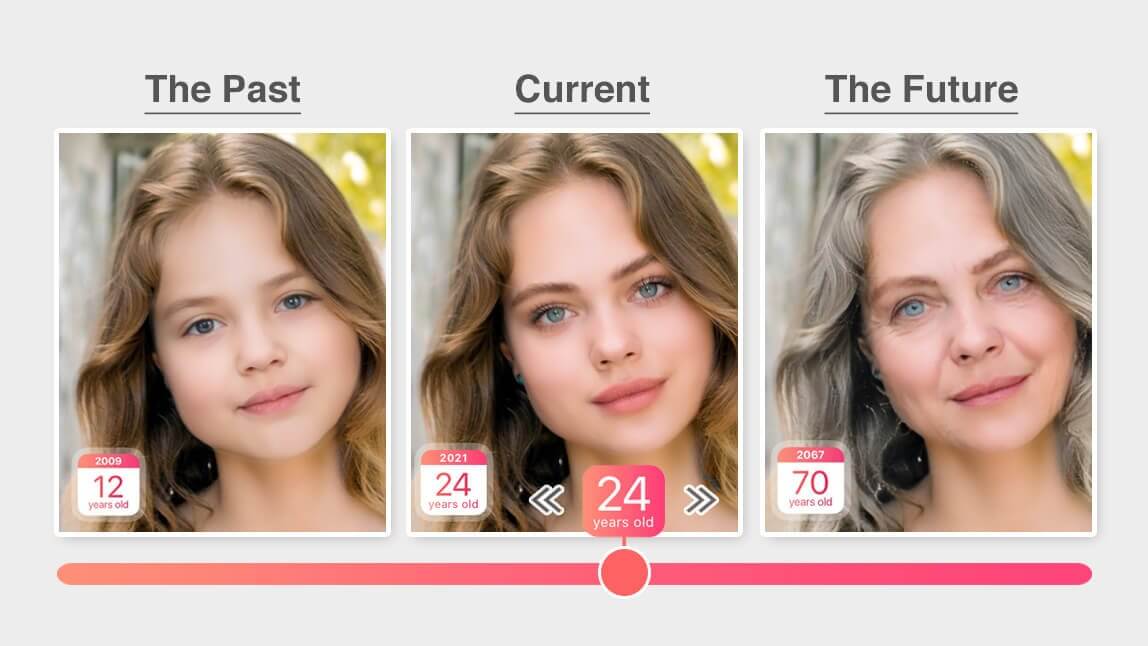
Want to see yourself age over time? YouCam Makeup’s AI aging filter can realistically simulates age progression to show how your face might change over time — from subtle fine lines to mature features.
Step 1: Find AI Tools in the app menu,
Step 2: Under the Portrait category, tap AI Aging.
Step 3: Upload your photo to try the AI Aging filter.
Step 4: Use the slider to see your age progress between 12 years old to 70 years old. You can even relive the past and see a younger version of yourself.

Try More AI Photo Trends
Once you’ve tried the old version filter, there are even more viral AI trends to explore. With YouCam Makeup’s Beauty Agent, you can turn any idea into a realistic AI edit in seconds.
Here are a few popular AI trends you can try next:
- AI Baby Filter – See how you looked as a baby or child.
- AI Gender Swap Filter – Transform yourself into your opposite gender.
- AI Celebrity Lookalike – See what celebrity you’d resemble.
- AI Time Travel Filter – Age yourself forward or backward in different eras.
- AI Couple Aging Filter – See how you and your partner will look together in the future.
Try the AI Old Version Filter with YouCam Makeup
The AI Old Version Filter trend is the perfect mix of humor, curiosity, and creativity—and now you can try it yourself in seconds.
With YouCam Makeup’s AI Aging filter, you can watch yourself age realistically, then use AI Image-to-Video to bring that transformation to life. Whether you’re hopping on the latest TikTok trend or just curious about your future look, this is your chance to go viral with style.