Author:


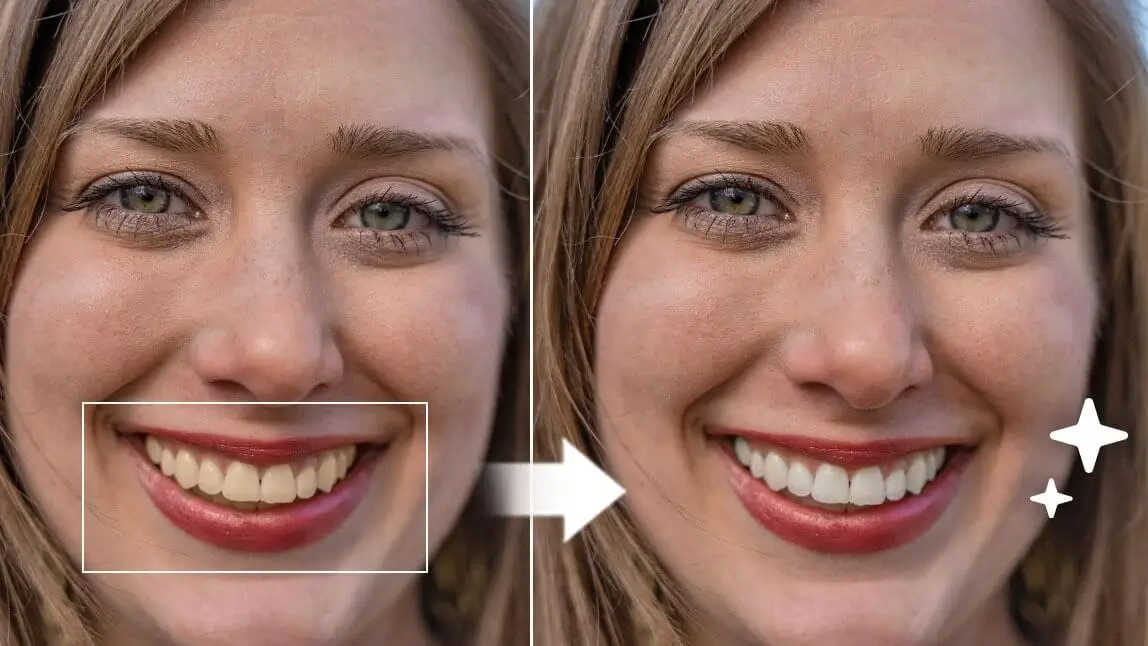
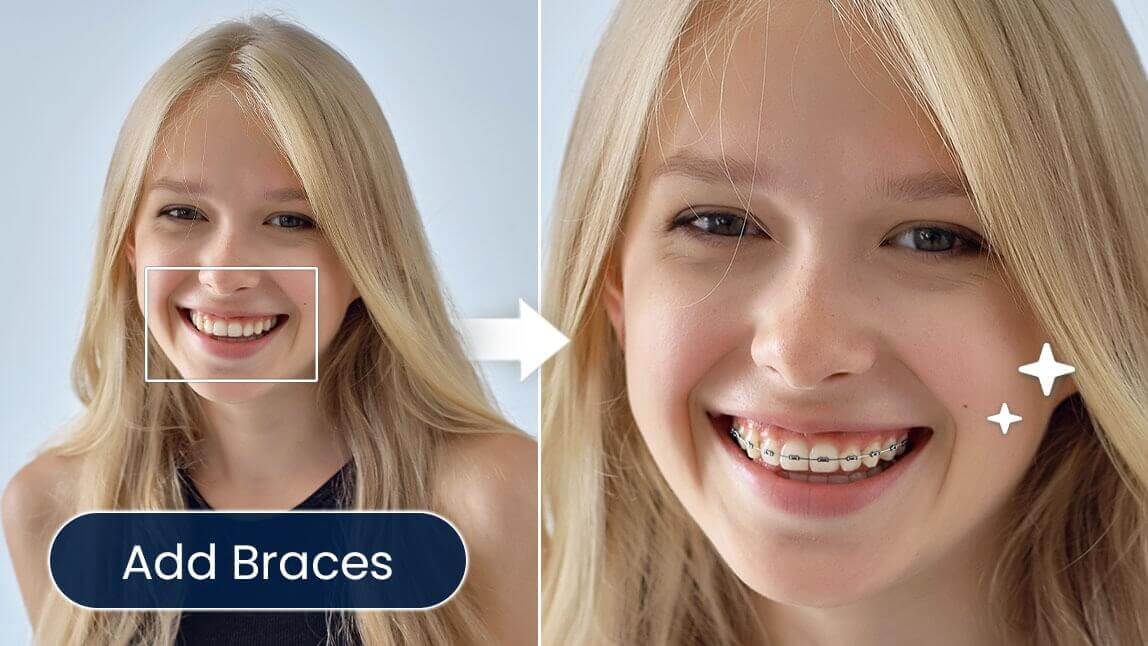
Let’s be honest—everyone wants a bright, confident smile. If you’ve ever wondered “What would I look like with veneers?”, a perfect teeth filter is the easiest way to find out—no dentist visit required.
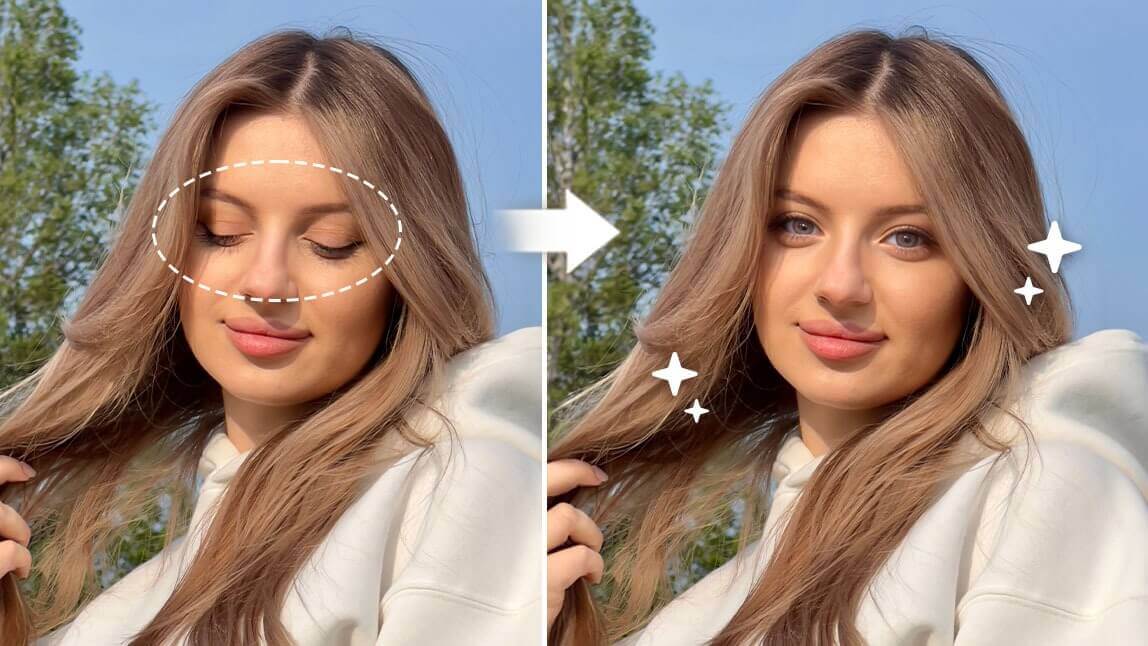
With AI-powered veneer filters, you can instantly preview a flawless smile and see how veneers, whiter teeth, or even orthodontic changes would look on your face.

What Would I Look Like with Veneers With AI
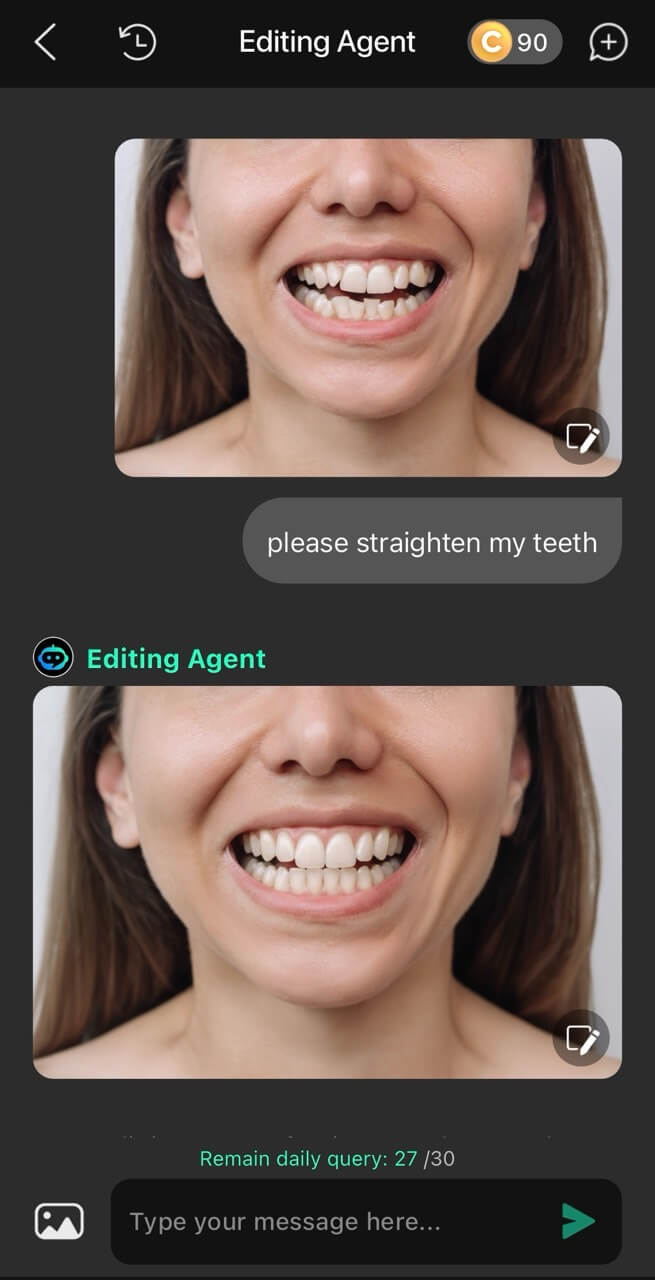
Curious about how veneers would transform your smile? The AI Editing Agent in YouCam Perfect lets you visualize realistic veneers using a simple text prompt.
With just one command, the AI analyzes your facial features, lighting, and tooth alignment, then applies natural-looking veneers that blend seamlessly with your smile.

How to Perfect Your Teeth With AI Prompt
- Download YouCam Perfect: Get the app from the App Store or Google Play to access the latest AI editing tools.
- Open the Editing Agent: Tap the Editing Agent feature to start your AI photo transformation.
- Upload Your Photo: Choose a clear image that shows your full smile for the best result.
- Enter the AI Prompt: Type prompts like “Add realistic veneers to my teeth” or “Straighten my teeth”
- Save & Share: Download your new smile or post it directly on social media to share your glow-up!

Best AI Photo Editor
The Best AI Photo Editor & Selfie Camera.
Remove objects, apply filters & more.

How To Use Perfect Teeth Filter?
Step 1: Download YouCam Perfect
Best AI Photo Editor
The Best AI Photo Editor & Selfie Camera.
Remove objects, apply filters & more.
First, download YouCam Perfect.
It also serves as a virtual teeth makeover app. For instance, YouCam Perfect offers a veneer filter that you can see yourself in whiter teeth, or whiten your teeth in an already taken picture.

Step 2: Apply Perfect Teeth Filter via Live Camera
Tap the "Camera" button on the app's home page, locate the feature in 'Beautify,' and use the slider to view what intensity suits you most before taking the killer shot!

📌 And here’s an important tip: DON'T OVERDO IT. Make sure your teeth still look natural with the veneer effect. Otherwise, you might end up like Ross in that episode where his veneers were so unnaturally bright they were blinding!
Step 3: Try the Smile Simulator
In YouCam Perfect, another feature we'd recommend you to try is "AI Replace", which can get you a perfect smile.

You can simply upload your selfie to YouCam Perfect and find a tool called "AI Replace." This tool allows you to edit your teeth or smile to straighten them.
Just type the right prompt, like "straighten teeth," and the AI will help you create a perfect smile in the photo.
How to Add Perfect Teeth Filter on a Photo
If you want to fix a photo of yourself by adding the veneer filter to it, here's what you can do:
Step 1: Upload Your Photo
Upload the photo you want to whiten. Whether it's a selfie, group shot, or any other image, you can use a teeth-whitening filter to make your smile pop.

▲ Get Perfect Teeth Filter in group photos using smart face detection
Step 2: Apply the Veneer Filter to Photo

Smile bright like a (digitally enhanced) diamond 💎 ✨
- Go to Beautify
- Select Teeth Whitener
- Instantly brighten and refine your teeth
- Adjust the intensity slider for a natural veneer look
💎 Smile bright—digitally enhanced but still realistic.
Step 3: Save Your Final Picture

Snap, filter, smile - your teeth just got a major upgrade 👏
If you're happy with how your teeth look, go ahead and save the edited photo. You can then share it on social media or use it wherever you need a brightened smile, from daily selfies to special events.
Which Veneer App Is The Best?
We also put down a list for you to find the best veneer app that meets your needs.
Best Veneer Simulator App: YouCam Perfect
- Available on both App Store & Google Play
- Rating: 4.8 / 4.2
- Can apply veneer filter via live cam and on a saved picture

#2 Veneer Simulator App: TikTok
- Available on both App Store and Google Play
- Free veneer filter for live cam
#3 Veneer Simulator App: Dentist - editor
- Available on Google Play. A virtual teeth makeover app.
- Rating: 2.1 (1M downloads)
| Veneer Apps with Natural Teeth Whitening Effects | OS & Ratings | Demonstration |
| 1. YouCam Perfect | Available on both App Store & Google Play. Rating: 4.8 / 4.2 | Can apply veneer filter via live cam and on a saved picture. |
| 2. TikTok | Available on both App Store and Google Play, | Free veneer filter for live cam. |
| 3. Dentist - editor | Available on Google Play. Rating: 2.1 (1M downloads) | A virtual teeth makeover app. |
Fianl Thoughts
Trying a perfect teeth filter is a fun, fast, and risk-free way to see how your smile could transform. Whether you’re curious about veneers, want to whiten your teeth, or explore orthodontic changes, YouCam Perfect delivers realistic, dentist-level previews in seconds.
It’s the perfect way to explore your best smile before making any real-life decisions.
✨ Go ahead—experiment, share your glow-up, and discover how stunning your perfect teeth could look.
Best AI Photo Editor
The Best AI Photo Editor & Selfie Camera.
Remove objects, apply filters & more.