Author:


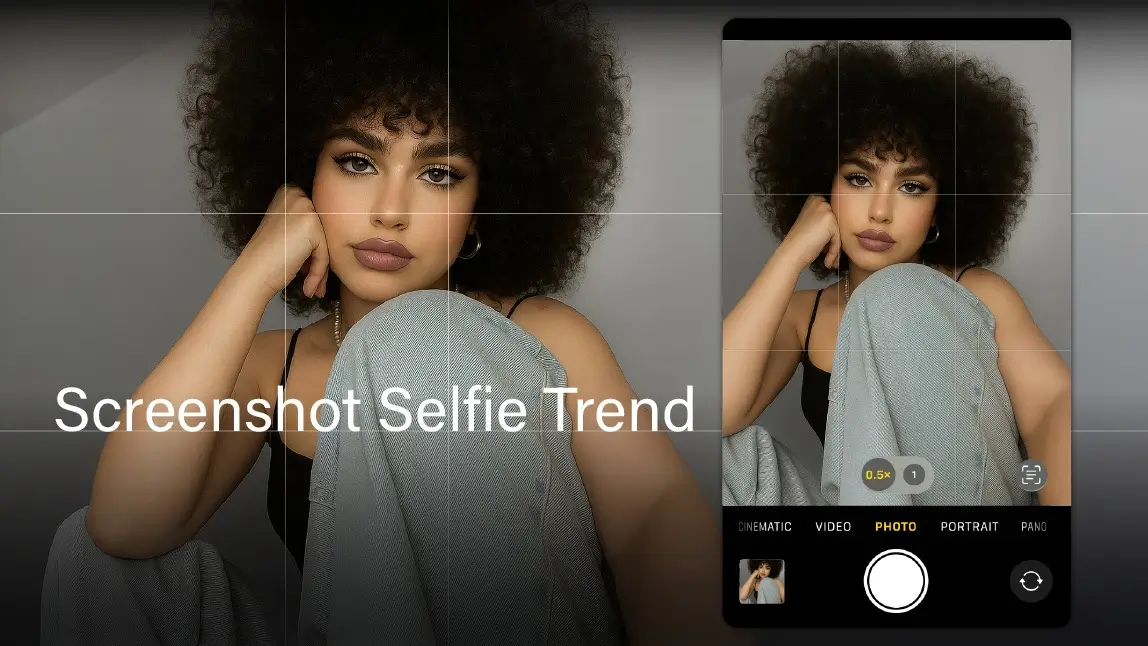
So, you’ve heard the term “screenshot selfie” buzzing around online and you're thinking… wait, what even is that? Don’t worry, you’re not alone, and yes, you’re about to be fully in the loop.
This quirky little trend is the internet’s latest obsession, and trust us, once you try it, you might never go back to old-school selfies again.
Let’s break it all down - from what they are to how to nail one like a pro.
What Are Screenshot Selfies?
The latest selfie trend captivating Gen Z and influencers like Hailey Bieber is the "screenshot selfie." Instead of using the traditional camera shutter, individuals pose using their phone's front-facing camera and then take a screenshot of the preview.
This method often results in images that appear brighter and more flattering, as it captures the screen's display, which may have different processing than the camera's captured image.

The appeal of screenshot selfies lies in their ability to produce images that many find more aesthetically pleasing. Some users have noted that the standard camera can sometimes over-process images, leading to less desirable results.
By capturing the screen's display, individuals can bypass some of these processing effects, achieving a look that feels more natural and aligned with their preferences.
How to Capture a Screenshot Selfie
1. Open the camera on your smartphone.
2. Pose as you normally would for a selfie (ideally to have a mirror or a tripod).
3. Take a screenshot of the preview image on your screen.
4. Edit the screenshot as desired, cropping out any interface elements or adjusting brightness and contrast.

Some users also experiment by recording a video and then taking screenshots of preferred frames, offering more flexibility in capturing the perfect moment.
This trend aligns with a broader movement towards authenticity in social media. By using screenshot selfies, individuals can present themselves in a way that feels genuine, moving away from heavily edited or filtered images.
It's a reflection of a desire for more relatable and unfiltered content in the digital age.
Edit Your Screenshot Selfie with YouCam Perfect
If you’re hopping on the screenshot selfie trend, the YouCam Perfect app is your secret weapon for taking those already-flattering captures to the next level—without losing their casual, spontaneous charm.
Once you’ve screenshotted your camera preview (or a frame from a video), you can upload it to the app and use the AI Enhance tool. This feature sharpens details, adjusts lighting, and subtly brightens the photo to give it that polished glow, like golden hour, but on demand. It keeps the selfie looking natural, just more elevated, which fits perfectly with the unfiltered feel of the trend.

Another standout tool is AI Object Removal, which can quietly clean up any accidental clutter or background distractions, like that rogue sock on the floor or the edge of your phone’s UI, without making the photo look overly edited.

Want a soft vibe or a dreamy touch? Explore filters and aesthetic effects that lean into minimal color grading or soft blurs. Think light leaks, pastel tones, or film-inspired finishes, just enough to complement the mood without overdoing it. The key is enhancing what’s already there: a confident, unposed moment made to look effortlessly cool.

Here’s a quick step-by-step to glow up your screenshot selfies using YouCam Perfect:
1. Download YouCam Perfect from the App Store or Google Play.
2. Upload your screenshot selfie from your photo gallery.
3. Use AI Enhance for instant lighting and clarity improvements.
4. Tap AI Object Removal to erase any distracting elements or UI overlays.
5. Try out a few filters or soft effects to give your selfie some subtle flair.
6. Save your edited photo and post with confidence.
Nail the Effortless Screenshot Selfie Trend
The screenshot selfie trend is all about capturing those candid, in-the-moment vibes—like a digital Polaroid taken straight from your screen. It skips the polish of traditional camera modes and taps into something more relaxed, more real.
And with the right tools, like the YouCam Perfect app, you can enhance these selfies just enough to make them pop without losing their raw charm. Whether you're fixing lighting, removing distractions, or adding a soft filter, it's the perfect companion for this effortlessly cool trend.