Author:


Whether you're an avid TikTok video creator or consume others' content, you've probably stumbled across the Perfect Face Filter.
 Millions use the effect to transform their selfies into high-quality portraits and elevate and/or add a dash of humor to their appearance in their videos.
However, TikTok isn't the only app with a perfect face effect, though its tool is among today's most popular options. Several other photo enhancement apps, including YouCam Perfect, also have a similar tool.

What Is a Perfect Face Filter?
When someone mentions a perfect face filter, they're talking about a tool that can alter a person's facial shape or features, often based on what it deems their ideal facial proportions.
You'll find these on apps like TikTok, Snapchat, and YouCam Perfect. Thanks to the power of modern technology, some perfect face filters require no effort on your part.

All you have to do is let the effect see your face on a photo or video recording. Then, artificial intelligence (AI) will adjust your current face to match the proportions it generated for you.
Other face-reshaping apps and effects leave the power in the user's hands. It may use AI to offer suggestions for what you should consider. However, how you alter your face's shape and features is up to you.
How To Create Your Perfect Face with YouCam Perfect
Of course, there's nothing wrong with your face as is. You don't need a perfect face filter.
Sometimes, though, it's fun to play around with effects like these and imagine what you might look like with features different from your natural ones. Face-shaper effects let you do just that.
Here's a step-by-step guide to YouCam Perfect's Face Reshape tool.
Step 1: Download the App
You can find YouCam Perfect on the Apple App and Google Play stores — no one has to miss out on the fun!
Step 2: Select a Photo to Reshape

After downloading the app to your mobile device, select a photo to upload to the platform.
For best results, choose a high-quality snapshot of your face taken in good lighting.
Step 3: Start Reshaping
Unlike the TikTok filter, which automatically scans and reshapes your face, YouCam Perfect's reshape tool gives you more freedom to create your ideal facial structure.
After uploading your photo, navigate to the Reshape tab. Then, get creative!
Enhancement options are available for your face, nose, lips, and eyes. Click each tab to experiment with the effects in each respective category.

Applying your selected reshapes to your photo is simple. A slider just below your photo allows you to move it to the left to decrease the size of something and to the right to make it bigger.
Remember to press the green check in the lower right-hand corner of the screen to save your work. Then, download the edited photo and post it on your social media profiles!
Try the Perfect Face Filter with YouCam Perfect
Millions of smartphone users take advantage of perfect face filters through tools like YouCam Perfect, TikTok, and Snapchat. Join in the fun and try one!
For a more hands-on reshaping experience — you can decide what your ideal face shape is, not AI — check out YouCam Perfect.

The user-friendly app allows you to choose what looks best on you. It also boasts plenty of other fun photo-enhancing features, like a teeth-whitening tool, an acne remover, and an object remover that makes unwanted items disappear from your photos without a trace.
If you've ever wondered what your face would look like with different proportions, this app solves the mystery.

Other Fun TikTok Face Filters We Recommend!
If you want to try out more interesting face filters, we have summarized a few options for you:
#1 Most Beautiful Feature Filter
Want to know which part of your face feature is the most beautiful? Try this filter on TikTok!

This filter detects your face and highlights your most attractive feature. We've tested it and the accuracy is pretty convincing.

Give it a try and see if you also agree!
#2 Face Ratio Filter
This face filter shows whether you have perfect facial proportions. It’s fun to try, but the accuracy can vary depending on your camera angle, so make sure to hold your phone straight in front of your face.

#3 Inverted Face Filter
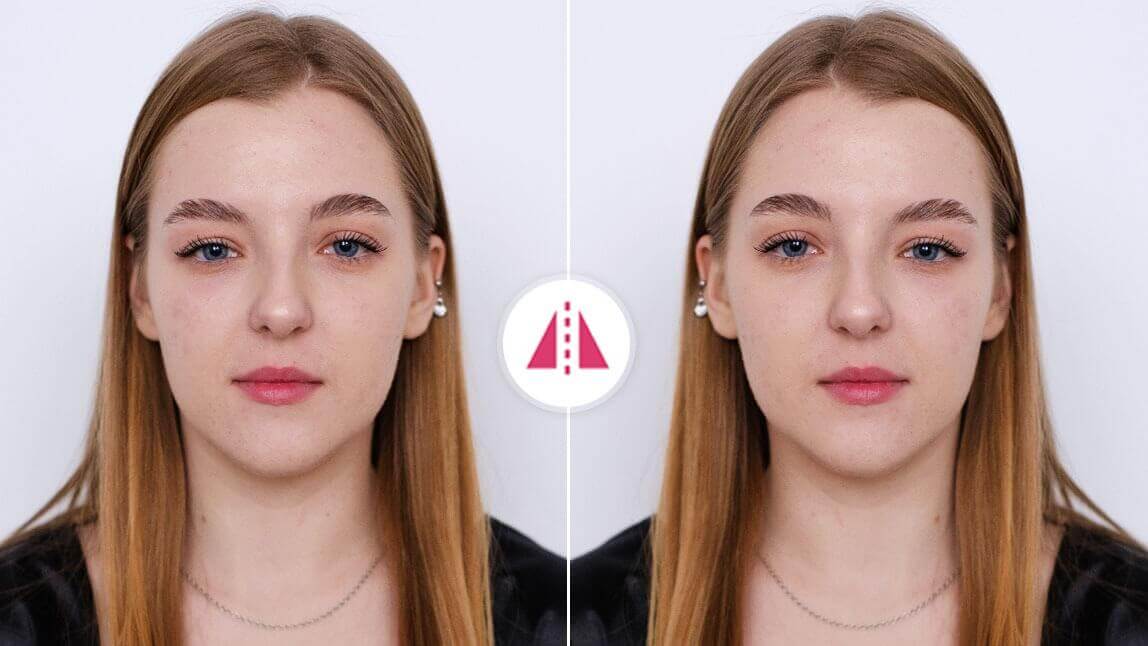
The inverted face filter is a popular TikTok effect that shows you how your face looks from the opposite perspective. It’s a fun way to see if your face is symmetrical on camera.