Author:


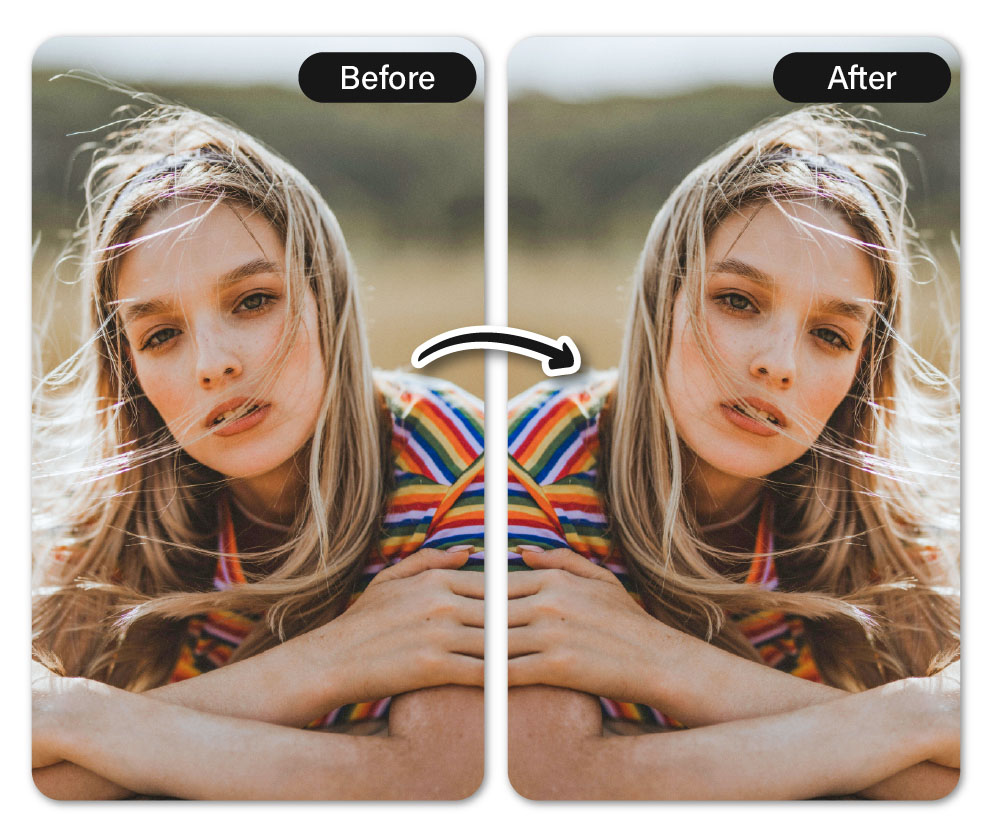
A mirrored image involves copying an image and flipping it either vertically or horizontally. Imagine writing "hello" on paper and holding it up to a mirror—you’ll see each letter flipped and reflected, creating a reversed version of the original.

How to Mirror an Image
Now that you know what mirroring an image means, how exactly can one achieve that result?
It's pretty simple, here's how:
1. Download Image Mirror App
First, download the best image mirror app on App Store or Google Play. It's the best all in one app for every photo editing need. From mirroring to cropping to even AI replace, YouCam Perfect really has it all.
2. Crop & Rotate Tool

Find the crop and rotate tool in the tool bar and click on it.
3. Flip Image

Flip the image horizontally or vertically based on your needs. To flip horizontally, click the triangular icon. Conversely, for a vertical flip, use the rotate icon to the left of the triangular icon. Keep in mind that since it’s a rotate tool, you’ll need to rotate the image twice to achieve a vertical flip.
4. Save and Share
Once you're happy with your mirrored image, click the green checkmark to save your changes. Don’t forget to download and share it with friends!
Why Mirror Images: 3 Ways to Use the Mirror Tool
1. Asymmetrical Face
 Everyone has a favorite side of their face, but photos don’t always capture it the way we expect. That’s where the mirror tool comes in, it works like a real mirror (and let’s face it, we all feel we look better in mirrors).
2. Fashion Mirror Effect:

Ever dreamed of a photoshoot with a stunning mirror reflection vibe? You can achieve it easily with a mirror tool—just create a reflected doppelgänger and place it below your image!
3. Landscape Photography:
 With landscape photos, you can mirror images and then place them together to make the best water reflected landscape shots.
How to Mirror Images Online
1. Go to Best Online Mirror Tool
Go to the best online mirror tool. Click on 'Product' on the top toolbar and select 'Flip & Rotate'. You can crop, rotate, or mirror images to your heart's content!
2. Upload Photo
 Click on 'Choose an Image' and upload your photo.
3. Mirror Photo
 To mirror horizontally, click the triangle on the far right. For a vertical flip, click the first triangle. To rotate, select the moving boxes icons.
4. Other Adjustments
You can make additional edits using the icons on the far left. For example, if your image isn’t as clear as you’d like, the ‘Photo Enhancer’ tool can help improve its quality effortlessly.
5. Save and Share

After finishing your photo edit, click 'Crop for free' and 'Download'.
Final Thoughts
Mirroring images is a simple yet powerful technique to elevate your photos, add creative flair, or achieve perfect symmetry. Whether you're enhancing selfies, creating artistic designs, or just having fun experimenting, tools like the mirror feature make it effortless. With just a few clicks, you can transform an ordinary image into something unique and eye-catching. So go ahead, play around, and let your creativity shine!