Author:


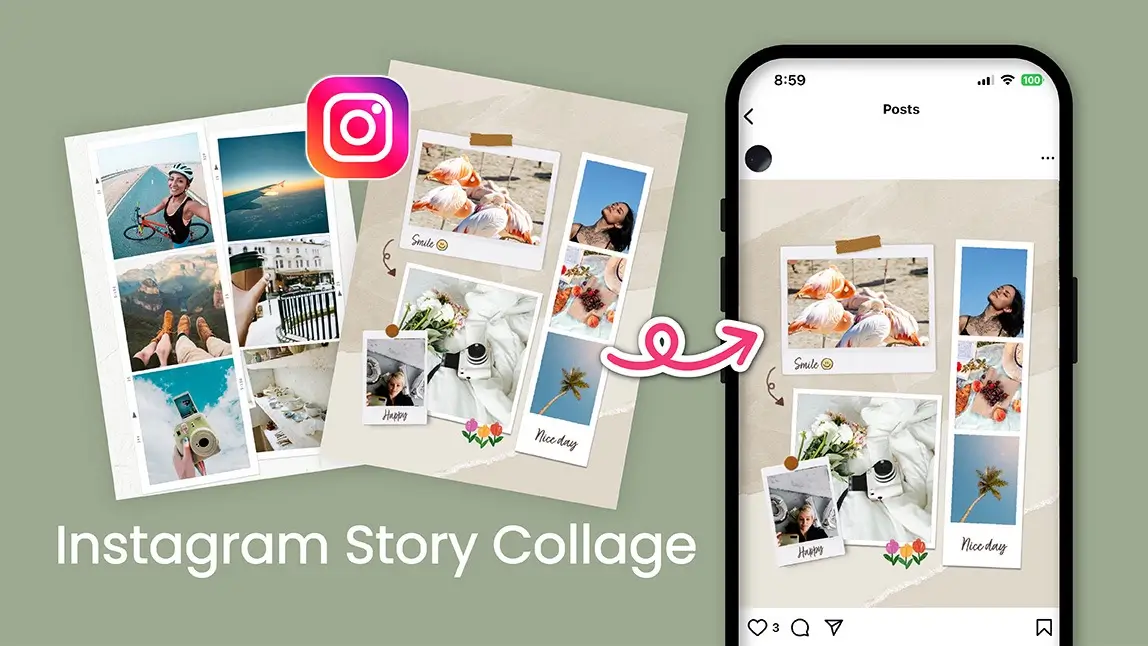
If you’ve ever tried to make a collage on Instagram Story directly within the app, you’ve probably realized it’s a little underwhelming.
Sure, Instagram gives you the Layout option or lets you copy-paste a few photos onto one Story, but the result usually looks more “rushed together at midnight” than “aesthetic masterpiece.”
So, if you’ve been wondering how to make a collage on Instagram Story that actually looks cohesive, polished, and maybe even a little scroll-stopping, you’re in the right place.
Let’s dive into the art of crafting the perfect Instagram Story collage and how the YouCam Perfect app makes it ridiculously easy (and fun).
| Table of Contents: Instagram Story Collage |
|---|
How to Make a Collage on Instagram
Instagram has a few built-in tools that make it simple to combine multiple photos right in your Story. Here’s how to do it:
1. Open Instagram Stories
Tap the “+” icon on your profile photo or swipe right from your home feed to open the Story camera.

2. Choose the Layout option
On the left side of the screen, tap the Layout icon (a grid symbol). You’ll see different grid patterns that let you place two, three, or four photos together.
3. Add your photos

4. Adjust and personalize
You can move, pinch, or rotate photos within the frames. After that, add text, stickers, or GIFs using Instagram’s built-in tools for a more creative touch.
5. Post your collage
Once you’re happy with how it looks, share it with your followers.
💡 Pro tip: If you want even more control, try creating a freestyle collage. Add one background image to your Story, tap the Sticker icon, then select the Photo sticker option to layer multiple pictures by hand.
You can resize and arrange them however you like for a more creative, scrapbook-style look.
How to Make a Collage on Instagram Story (The Easy Way)
Instagram’s collage options are fairly limited, offering only a few simple grid layouts and minimal customization. Ready to level up your Instagram game?
Here’s how to make a collage that looks like it came straight from a pro, no design degree required.
Step 1: Download the YouCam Perfect App
YouCam Perfect is available for both iOS and Android, and it’s free to download. Once installed, open the app and give yourself a few seconds to explore. The interface is clean, intuitive, and honestly, kind of fun to play around with.
Step 2: Head to the Collage Tool

Step 3: Choose Up to 9 Photos

You can select anywhere from 2 to 9 photos, depending on how many moments you want to showcase. This flexibility is perfect whether you’re recapping a day trip, creating a mood board, or showing off your new outfit lineup.
Step 4: Pick Your Style — Grid or Poster

- Grid: The classic look: clean, minimal, and perfect if you like a simple, balanced design.
- Poster: This is where things get creative. Poster templates come pre-designed with themes ranging from Scrapbook, Birthday, and Fashion, to Polaroid, Travel, and even Seasonal Specials. You can choose from dozens of styles that instantly make your collage look curated and ready for Instagram.
You can resize, reposition, and adjust each photo, so your collage looks exactly the way you imagined it (or better).
Step 5: Add the Finishing Touches

Step 6: Save Your Collage
Once you’re happy with your masterpiece, tap Save. You can instantly share it or download it to your camera roll for later. That’s it - six simple steps to creating a collage that feels effortlessly chic.
Extra Tips for Instagram Story Collages That Pop

- Play with color themes. Match your collage colors to your feed or mood (think soft neutrals for cozy vibes, bold hues for travel diaries).
- Mix vertical and square shots. This adds movement and visual interest.
- Leave breathing room. White space (or negative space) can make your collage look clean and editorial.
- Experiment with themes. Try the Scrapbook style for journaling aesthetics, Polaroid for a nostalgic feel, or Fashion for sleek, magazine-inspired layouts. Your Instagram Story is your canvas, so don’t be afraid to experiment!
Make Your Story Collages Unforgettable
Your Instagram Story is more than just 15 seconds. It’s a moment, a vibe, a tiny piece of your digital scrapbook. With YouCam Perfect, you can turn your photos into artful collages that tell a story worth sharing.
So, next time you’re about to upload another plain Story, give it a glow-up instead. Download YouCam Perfect now, explore its collage features, and start creating Instagram Story collages that look as good as they feel.

![How to Post Multiple Photos on Instagram [Step-by-Step Guide]](https://plugins-media.makeupar.com/smb/blog/post/2025-11-06/webp_92d759ab-0701-40b5-bc4c-b3326af948fc.jpg)