Author:


Ever scroll through Instagram and wonder how some photos just pop off the screen? Spoiler alert: it’s not just filters — it’s frames!
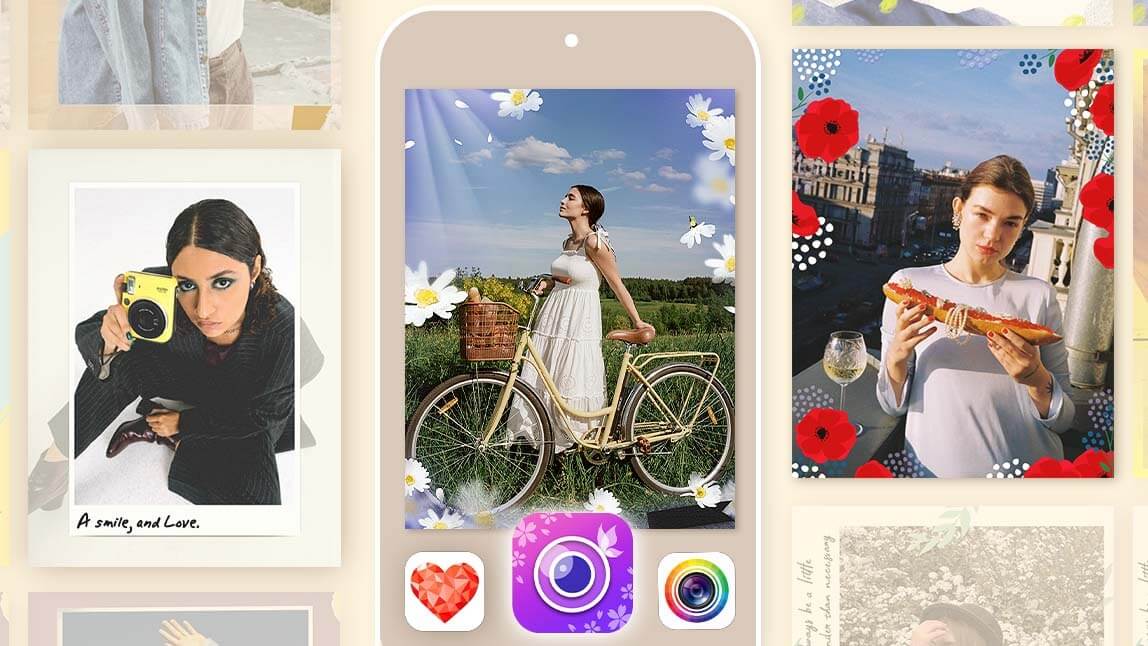
Adding frames gives your pictures an instant glow-up and brings personality, mood, and context to your snaps.
If you’re looking for an easy way to frame your favorite memories, the YouCam Perfect app is your new best friend. It's user-friendly, super intuitive, and packed with creative tools. Let’s dive in!

Why Add Frames to Photos
🖼️ Boosting Visual Appeal
A well-chosen frame enhances your photo’s subject, drawing attention to the center while adding stylish context.
🖼️ Framing for Social Media Content
Frames make your content look curated and intentional — perfect for stories, posts, and Pinterest pins.
🖼️ Enhancing Memories with Themed Borders
Whether it’s Christmas, Halloween, or a birthday bash, themed frames help bring memories to life with flair.
How to Add Frames to Your Photos with YouCam Perfect
So, want to give your photos that extra wow factor? Whether you're celebrating a birthday, capturing a dreamy travel moment, or just want to spice up your selfie game, adding a frame is the easiest way to make your pictures pop.
And with YouCam Perfect, it’s not just easy, it’s actually fun. Here’s your step-by-step guide to transforming your photos into framed masterpieces:
1. Download YouCam Perfect
First things first, grab the app! YouCam Perfect is totally free and available on both iOS and Android. Head to the App Store or Google Play and hit that download button. You'll thank yourself later.
2. Tap Into the Photo Frames Universe

Once you’ve opened the app, tap on “Photo Edit”, then scroll your way to the “Frames” section. This is where the magic begins.
3. Explore an Entire World of Frame-tastic Options
 Think frames are boring? Think again.
YouCam Perfect offers dozens upon dozens of themed frames - and they’re seriously cool.
From festive faves like Birthday, Christmas, and Diwali, to swoon-worthy Love frames, nostalgic Retro looks, artsy Zodiac vibes, wanderlust-inducing Travel designs, and so much more. There's literally something for every moment, mood, or milestone.
4. Find Your Perfect Frame & Make It Yours
 Once you’ve picked the frame that speaks to your soul (or at least your selfie), tap it and your ordinary image is now next-level. Just hit save and share it with the world!
5. Bonus Fun: Dive Deeper Into YouCam Perfect’s Creative Toolbox
Don't stop at frames as YouCam Perfect is packed with powerful tools to take your edits even further.
Want to erase a photobomber in the background? Use AI Object Removal.
Feeling like a different version of yourself? Try the Face Swap feature. Want to turn your photo into a piece of digital art? The AI Art Generator has your back.
There are also aesthetic filters, beauty tools, animation effects - you name it.
Tips for Choosing the Right Photo Frame
⭐ Match Mood and Tone
A black-and-white photo probably doesn’t need a neon green frame. Match style with emotion.
⭐ Consider Platform-Specific Aesthetics
Instagram stories might call for bold frames, while Pinterest pins thrive with elegant borders.
⭐ Keep it Balanced
Too many colors or elements? Your frame should enhance, not distract.

Frame Your Photos with YouCam Perfect Now!
Adding frames in YouCam Perfect is more than a quick edit, it’s a creative expression. Whether you’re posting a story, sharing a milestone, or just making memories look cooler, frames give your photos that extra something.
With so many free and premium options, it’s basically like having a digital scrapbook in your pocket. Go ahead, get creative — your photos deserve it!