Author:


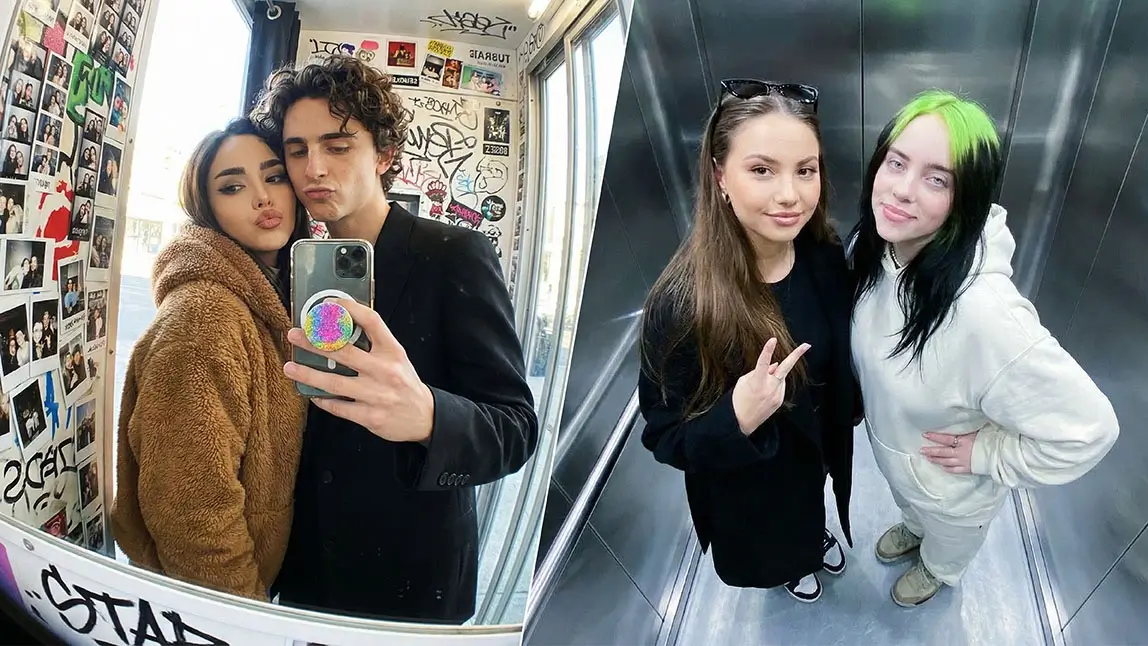
Ever wished you had a photo with your favorite celebrity but never quite made it to the front row, backstage, or VIP meet-and-greet? Good news: you no longer need perfect timing or a lucky encounter.
With the rise of AI-powered photo tools, creating an AI photo with celebrity is now something you can do straight from your phone.
YouCam Perfect’s new AI Group Photo tool makes it possible to generate realistic group photos or videos by uploading two separate images. No face cutouts. No awkward pasting. Just a surprisingly natural result that looks like you were actually there.
| AI Photo With Celebrity |
|---|
What Is an AI Photo With a Celebrity?
An AI photo with celebrity is an image generated using artificial intelligence that places you and a celebrity into the same photo, even if the original images were taken at different times and places.
Unlike traditional photo editing or basic face swap tools, AI group photo generation looks at the entire scene. It considers body position, lighting, depth, and facial expressions to create a final image that feels cohesive rather than stitched together.
The result is less “obvious edit” and more “how did you get that photo?”
Step-by-Step: How to Create an AI Photo With a Celebrity
Creating an AI-generated group photo might sound complicated, but YouCam Perfect keeps it refreshingly simple. Here’s how it works.
1. Download and open YouCam Perfect
Make sure you have the latest version of the app installed. Open it and get ready to explore its AI-powered features.

Best AI Photo Editor
The Best AI Photo Editor & Selfie Camera.
Remove objects, apply filters & more.
2. Navigate to AI Group Photo
You’ll find AI Group Photo right inside the app. No hidden menus or confusing setup. Just tap and go.

3. Choose a template
Browse through a variety of templates designed for different moods and scenarios. Some feel casual and candid, others look polished and editorial. Pick one that fits the vibe you want.

4. Upload two separate photos
Add one photo of yourself and one photo of the celebrity. They do not need to be taken together. The AI analyzes lighting, angles, and proportions to bring them into the same scene naturally.
5. Generate a photo or video

Time for some magic! The AI creates a realistic group photo or short video that looks cohesive, balanced, and surprisingly believable.
6. Save and share
Once you’re happy with the result, save it to your device or share it directly on social media. That’s it. No advanced editing skills required.
Popular Use Cases for AI Photos With Celebrities
People are getting creative with this feature fast.
Here are some of the most popular ways users are using AI-generated group photos right now.
Social media content
From profile photos to Instagram posts, an AI photo with celebrity instantly grabs attention and invites conversation.
Fan photos
Perfect for fans who want a fun keepsake without traveling or waiting in line at an event.
Creative videos
Short AI-generated videos add movement and personality, making content feel more dynamic.

Gifts and memories
Some users create AI group photos as playful digital keepsakes for birthdays, celebrations, or just for fun.
Tips for Best Results
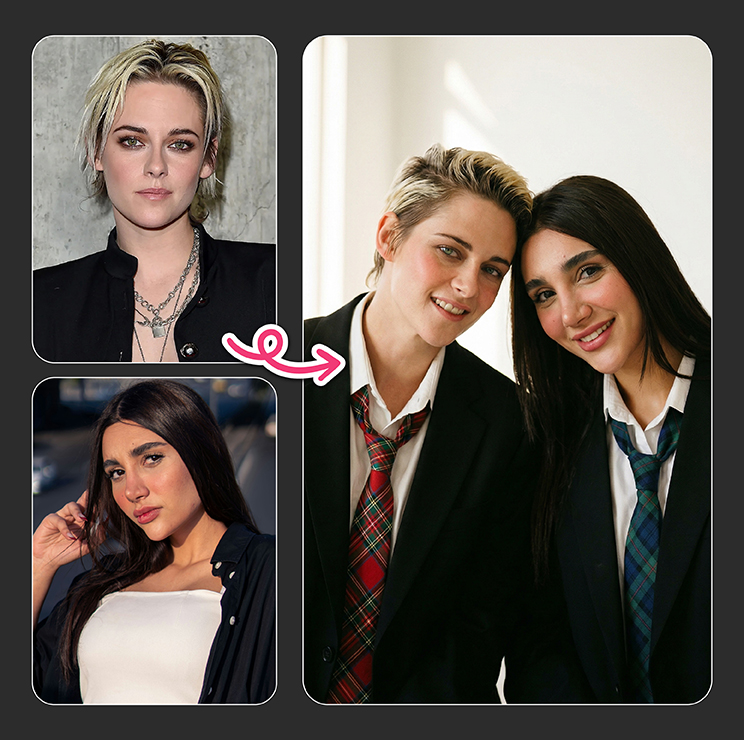
Want your AI-generated photo to look as realistic as possible? A few small choices make a big difference.
- Use clear, high-quality photos with good lighting
- Choose images where faces are visible and not heavily filtered
- Try to match photo angles if possible
- Avoid extreme expressions or heavy shadows
The better the input photos, the more natural the final result will look.
Ethical Considerations When Creating AI Celebrity Photos
While creating an AI photo with celebrity is fun, it’s worth using the tool thoughtfully.
These images are best suited for personal enjoyment, fan content, and creative expression. Avoid using them in misleading ways or for commercial purposes without permission.
Transparency and respect go a long way when working with AI-generated content. Used responsibly, AI tools like this can be playful, imaginative, and genuinely entertaining.
Create Your AI Celebrity Group Photo with YouCam Perfect
If you have ever wanted a fun, realistic photo with your favorite celebrity, now is the perfect time to try it. With YouCam Perfect’s AI Group Photo tool, creating an AI photo with celebrity is quick, intuitive, and surprisingly satisfying.
Just upload two photos, choose a style, and let the app handle the rest. Whether you are making content for social media, creating a playful fan photo, or simply experimenting with AI creativity, this tool makes the experience easy and enjoyable from start to finish.
Download YouCam Perfect now and start creating your own realistic AI group photos and videos in just a few taps. Your next standout photo might be closer than you think.
Best AI Photo Editor
The Best AI Photo Editor & Selfie Camera.
Remove objects, apply filters & more.