Author:


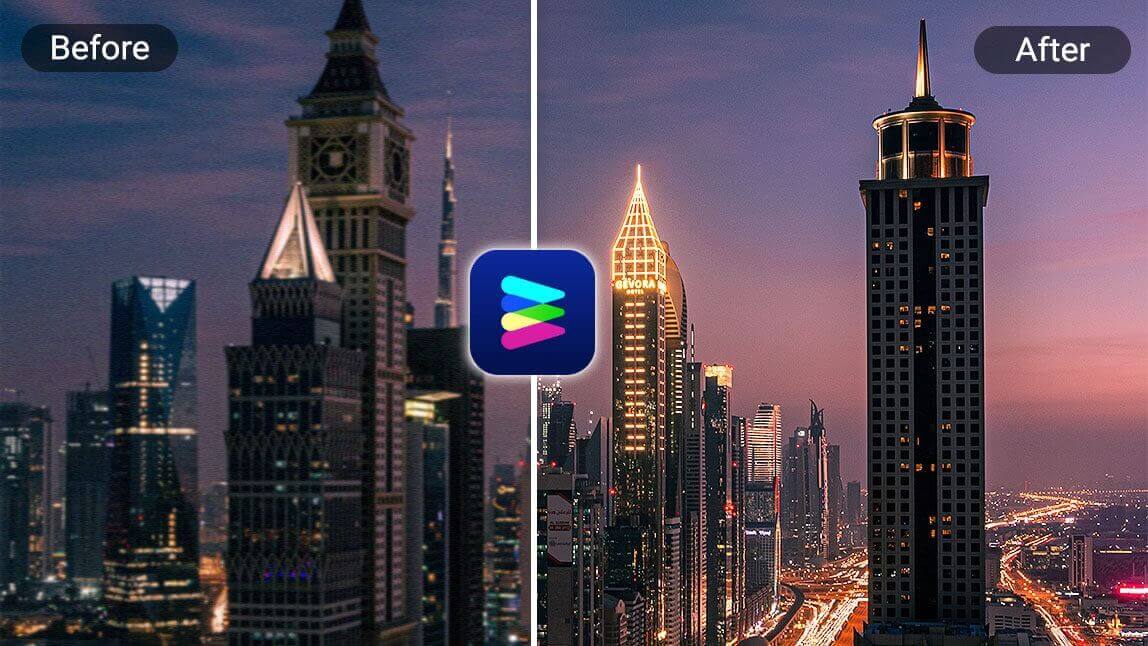
Struggling to read blurry text in images?
With the best AI image enhancer app and online tool at your fingertips, it makes unblurring text simple, seamless, and effortless.

In this guide, we will walk through the main reasons that causes blurry texts in photos, 5 best ways to make your blurry text clean, and how to unblur text in an image with YouCam Enhance.
>>> Click to see how to unblur text with YouCam Enhance.
Why Do Text Appears Blurry in Photos?
Before exploring various ways to sharpen or unblur text in your images, it’s important to recognize the common reasons behind blurry text. A few key factors often contribute to this issue:

- Camera Movement: A frequent culprit is slight camera shake, which happens when the device shifts even a little during capture. This motion causes the whole image—including any text—to lose sharpness.
- Focus Problems: If your camera fails to lock focus properly on the text, especially when shooting from afar or in challenging lighting, the photo may come out blurry.
- Compression Effects: Sending or uploading photos through social media or messaging apps can compress the image files, reducing detail and leading to softened text.
- Low Image Resolution: Taking pictures at too low a resolution means fewer pixels to represent fine details, which can cause text to look fuzzy, particularly when zoomed.
How to Unblur Text: 3 Best Ways to Make Your Blurry Text Clear [Online & Apps]
Discover the art of restoring clarity to your blurred text with these 5 best ways, ensuring your written content stands out crystal clear.
Method 1. AI Photo Enhancer Tool

One effective method to unblur text is employing a reliable photo enhancer tool. Applications like YouCam AI Photo Enhancer excel in enhancing text clarity, utilizing advanced algorithms to bring out the sharpness in your blurred text, ensuring it stands out with precision.
🪶 How to Unblur Text With an AI Photo Enhancer
- Upload Image: Open the AI Photo Enhancer tool and upload your blurry text image.
- Select Enhance: Choose the "Enhance" option to start the process.
- Adjust Settings: Fine-tune the enhancement settings if needed.
- Apply Changes: Click "Apply" to unblur the text.
- Save Image: Download the enhanced image with clear text.
Read more: 10 Best FREE Online AI Photo Enhancers for 4K Res. [2025]
Method 2. Sharpen Filters
Employ sharpen filters in your editing software to quickly enhance text clarity, bringing out sharper and more defined characters.

🪶 How to Unblur Text Using Sharpen Filters
- Open Image Editor: Use an image editing software like Photoshop or GIMP.
- Select Sharpen Filter: Navigate to the filter menu and select "Sharpen".
- Adjust Intensity: Adjust the sharpening intensity to your preference.
- Preview Changes: Preview the effect on your text.
- Save Image: Save the edited image with the sharpened text.
Read more: Best Free AI Image Sharpener: Fix Blurry Photos Online
Method 3. Unpixelating Images
Using advanced software tools like Adobe Photoshop or specialized apps such as YouCam Enhance, apply AI Enhance to reduce pixelation and enhance image clarity, effectively unblurring text and graphics with precision. This method is ideal for restoring detail in pixelated images and achieving sharp, readable text.
![6 Best AI Image Depixelizers to Unpixelate Images [Tested]](https://plugins-media.makeupar.com/smb/blog/post/2026-03-23/webp_018ed96b-aa4a-443e-aaf1-5bd229d4505e.webp)
🪶 How to Unblur Text by Unpixelating Images
- Upload Image: Open an unpixelating tool or software.
- Select Unpixelate: Choose the "Unpixelate" option.
- Adjust Settings: Adjust the unpixelation settings to improve text clarity.
- Apply Changes: Apply the changes to the image.
- Save Image: Download the unpixelated image with clearer text.
Read more: Depixelate Images: 6 Free Tools to UnPixelate Images Online
How to Unblur Text in an Image with YouCam Enhance
If you take a screenshot of a document or PDF and attempt to enlarge it, you'll notice that the text becomes too blurry to read. In such instances, you'll need a mobile app to unblur the text in the image. Here's how we do it.

Discover how to effortlessly unblur text in images with the help of the best AI image enhancer app! Say goodbye to fuzzy text and hello to crystal-clear clarity in just a few simple steps.
How to Unblur Text in Images with AI
Start with YouCam Enhance that sharpens blurry images and restores text instantly ✨
Open the app, tap "AI Enhance", and upload a photo with blurry text 📸
Let AI automatically unblur text and sharpen details in seconds 🔍
Use "AI Lighting" to brighten text and remove shadows for better visibility 💡
Download your enhanced image with clear, readable text and improved quality 💾
Best 3 AI Image Text Enhancer [Mobile, Online]
1. YouCam Enhance: AI Blur Remover

Let us introduce the best AI image text enhancer for you: YouCam Enhance.
YouCam Enhance is an advanced free AI word unblurrer tool that impressively sharpens and enhances every detail in your images, from faces and hair to text and all objects, ensuring your pictures exhibit unmatched clarity and lifelike quality.
To unblur text online, try YouCam's AI Image Sharpener tool. This powerful tool uses advanced AI technology to enhance and clarify blurred text, making it easy to read.
What Users Say About AI Blur Remover

“Best AI Blur Remover for Unblurring Text in Photos”
YouCam Enhance AI Blur Remover instantly sharpens blurry text, making it perfectly legible without distortion. Color and contrast adjustments also help text stand out clearly.

“Unblur and Enhance Text for 4K Clarity”
YouCam Enhance AI Blur Remover enhances every letter with 4K clarity. It’s perfect for turning blurry documents or signs into sharp, professional-quality images.

“My Go-To AI Tool for Clear Text”
This AI blur remover is fast and easy to use. With AI lighting and color correction, every word becomes clear and visually sharp.
2. Fotor: Free AI Blur Remover

- Available on: Online/ iOS/ Android
✍️ Key Features
- One-click AI photo enhancement: automatically improves sharpness, lighting, color, and removes blur for clearer photos.
- AI-powered image upscaling: enlarges images up to 2X or 4X resolution without losing quality.
- Text unblur feature: epecifically improves readability of blurred text in images and documents.
- AI portrait enhancement: retouches faces by smoothing skin, whitening teeth, and brightening eyes for polished portraits.
Fotor's AI-powered photo blur remover allows users to transform blurry, pixelated, or old photos into crisp, high-resolution images with just one click. Besides image clarity improvements, it offers portrait retouching and detailed face enhancement.
✍️ Latest User Review
A user shared on Reddit that Fotor’s AI Unblur Tool is transformative, offering "effortless restoration" and "exquisite precision" with just one click via mobile, user-friendly and great for boosting text clarity instantly.
3. Pica: AI Photo Blur Remover

- Available on: Online/ iOS
✍️ Key Features
- One-click AI photo enhancement: automatically improves sharpness, lighting, color, and removes blur for clearer photos.
- AI-powered image upscaling: enlarges images up to 2X or 4X resolution without losing quality.
- Text unblur feature: specifically improves readability of blurred text in images and documents.
- AI portrait enhancement: retouches faces by smoothing skin, whitening teeth, and brightening eyes for polished portraits.
Pica AI’s Photo Blur Remover offers a comprehensive AI-powered solution to fix blurry photos, documents, and portraits with minimal user effort, delivering clearer, sharper images and restoring old memories effectively.
✍️ Latest User Review
On Apple App Store, users say Pica AI creates stunning, lifelike portraits and performs seamless face swaps with impressive precision.
The AI captures subtle facial expressions and fine details, making the results not just visually appealing but emotionally expressive as well—great value overall!
Start Unblurring Text Using the Best AI Image Enhancers in 2026
In 2026, dive into the future of image enhancement with the top AI tools, offering unparalleled capabilities to start unblurring text and elevating the clarity of your visuals.

Start enhancing your text image with these powerful AI tools!